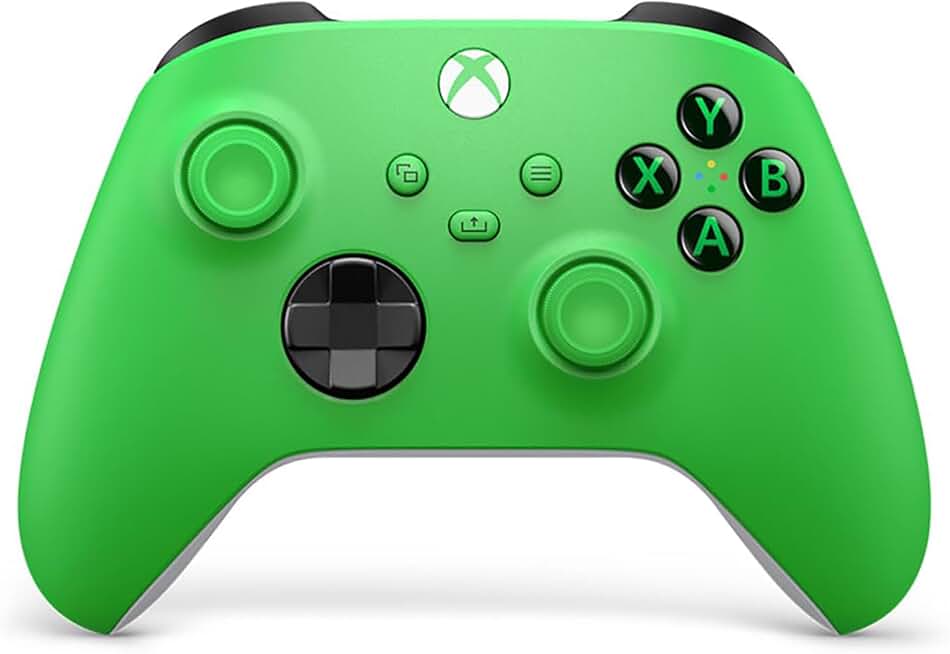
When shopping for a gaming controller as a senior gamer, comfort and simplicity should drive your decision. Here's what to prioritize:
Ergonomic Design: Look for controllers with contoured grips that fit naturally in your hands without requiring a death grip. Avoid overly small or lightweight designs—a controller that feels substantial in your palm is easier to control. Test the button spacing; if buttons are too close together, you'll hit wrong inputs and get frustrated.
Button Layout: Console-style layouts (like Xbox's) are more intuitive than PlayStation-style if you're new to gaming. Fewer programmable buttons means less confusion—stick with standard D-pad and four-button setups unless you specifically need extras.
Wired vs. Wireless: Wired controllers eliminate battery anxiety and input lag, but wireless gives you freedom to sit back. If you go wireless, check battery life (aim for 20+ hours) and whether the controller auto-sleeps to save power.
Joystick Technology: Hall Effect joysticks don't suffer from stick drift (the dreaded problem where your character moves without touching the stick). This matters more as you age—replacing controllers gets expensive and annoying.
Polling Rate: For casual gaming, 125Hz is fine. For competitive play, 1000Hz reduces input delay. Most senior gamers won't notice the difference, so don't overpay for it.
Compatibility: Verify the controller works with your device. Xbox controllers work everywhere (PC, Android, iOS, Fire TV). PlayStation controllers are more limited. PC-specific controllers should list Windows compatibility explicitly.
Weight and Button Pressure: Heavier controllers (around 200g) feel more stable. Buttons should require moderate pressure—not so light you accidentally press them, not so stiff your fingers hurt.
Skip gimmicky RGB lighting and excessive customization unless you specifically want it. You're buying a tool, not a light show.