Space is precious when you're setting up a streaming or recording rig in a cramped bedroom, dorm, or home office. You don't need a massive external recorder taking up half your desk—you need a compact capture card that plugs directly into your PC or Mac and gets out of the way. The best capture cards for small desks are USB-powered, require minimal cable management, and deliver solid 1080p or 4K performance without eating real estate. Whether you're capturing PS5 gameplay, Switch sessions, or camera feeds for content creation, a space-efficient capture card is your answer. We've tested and ranked the top options that balance portability, performance, and price so you can stream or record without sacrificing workspace. Let's find the right fit for your setup.
Best Capture Cards for Small Desks
This post contains affiliate links. We may earn a commission at no extra cost to you when you buy through our links. This helps us keep GamePlays running.
Jump to
Our top picks at a glance
- #1
- #2
- #3
- #4
- #5
Buyer's guide
When shopping for a capture card that won't dominate your desk, focus on these key factors:
Size and Form Factor: Look for USB-powered cards that connect directly to your computer without needing external power supplies or bulky enclosures. Devices with USB-C or standard USB 3.0 connectors take up minimal space and reduce cable clutter. Avoid capture cards with large external boxes or multiple power cables unless you have dedicated space.
Resolution and Frame Rate: For streaming on platforms like Twitch or YouTube, 1080p 60FPS is the standard sweet spot—it looks sharp and streams smoothly without demanding excessive bandwidth. If you're capturing next-gen console gameplay (PS5, Xbox Series X), 4K input support is valuable even if you're downscaling to 1080p for streaming. Check the specs carefully: some cards claim 4K input but only capture at 1080p.
Passthrough and Loop-Out: HDMI passthrough (or loop-out) lets you monitor your gameplay on a TV or external display while recording to your PC. This is crucial if you're playing on console—you won't experience lag or delay. Some budget cards skip this feature, which means your only view is through your PC.
Connection Type: USB 3.0 is the minimum for stable 1080p60 capture. USB 3.1 or USB-C offer faster data transfer and future-proofing. Avoid USB 2.0 capture cards if you're capturing at high bitrates; they'll drop frames.
Latency: Low-latency capture matters for streaming. Look for cards advertising sub-100ms latency so your gameplay feels responsive when you're monitoring through software like OBS.
Compatibility: Confirm the card works with your setup—Windows, Mac, iPad, or Linux. Some budget options have limited driver support or require specific software versions. Read recent reviews for compatibility issues with your specific OS.
The picks

Elgato 4K S – External Capture Card for PS5, Xbox Series X/S, Switch 2, PC, Mac, iPad | 4K60, 1440p120, or 1080p240 Passthrough and Capture, HDR10, VRR, USB-C, Near-Zero Latency
$159.99
The Elgato 4K S is the gold standard for small-desk streamers who want professional-grade performance without compromise. Its compact footprint, exceptional frame rate flexibility, and flawless passthrough make it worth the investment if you're serious about streaming or content creation.
Pros
- + Supports 4K60, 1440p120, and 1080p240 passthrough and capture with HDR10 support
- + Compact external design fits easily on or under any desk
- + Works seamlessly with PS5, Xbox Series X/S, Switch 2, PC, and Mac
- + Low-latency capture with zero-lag passthrough for real-time monitoring
Cons
- − Premium price point at $159.99 may exceed tight budgets
- − Requires USB 3.1 connection for full performance

Guermok Video Capture Card, 4K USB3.0 HDMI to USB C Capture Card for Streaming, 1080P 60FPS, Compatible with iPad Mac OS Windows, Quest 3, OBS, PS5/4, Switch2/1, Xbox, Camera (Silver)
$15.99
The Guermok card proves you don't need to spend big money for solid capture performance. It's perfect for budget-conscious streamers on tight desks who prioritize simplicity over advanced features like passthrough.
Pros
- + Extremely affordable at $15.99 with strong 4.4★ rating
- + USB-C connection works with iPad, Mac, Windows, and Quest 3
- + Captures 1080p 60FPS reliably for streaming and recording
- + Minimal footprint—barely larger than a USB adapter
Cons
- − No HDMI passthrough, so you can't monitor gameplay on a TV simultaneously
- − Limited to 1080p output despite 4K input claims

VIXLW Video Capture Card, 4K USB3.0 HDMI to USB C, 1080P60FPS HDMI Capture Card for Streaming, Gaming, Video Recording Compatible with Switch, Xbox, PS4, OBS, Windows, Mac OS, Zoom(Silver)
$12.99
The VIXLW card delivers excellent value with modern USB-C connectivity and dependable 1080p60 capture. It's a smart choice if you're building a future-proof small-desk setup and don't need HDMI loop-out.
Pros
- + USB-C connection future-proofs your setup and works with modern devices
- + 4.5★ rating with 964 reviews confirms reliability
- + 1080p 60FPS capture with 4K input support for next-gen consoles
- + Tiny form factor ideal for cramped desk environments
Cons
- − No passthrough output—you'll need to monitor via software
- − Limited documentation compared to bigger brands

Capture Card Nintendo Switch, 4K HDMI Video Capture Card, 1080P 60FPS, HDMI to USB 3.0 Capture Card for Streaming Work with Camera/Xbox/PS4/PS5/PC/OBS
$27.99
If Nintendo Switch streaming is your primary focus, this card's optimized drivers and solid 1080p60 performance make it the natural choice. It's also versatile enough to handle other consoles and cameras without issues.
Pros
- + Specifically optimized for Switch capture with native driver support
- + 1080p 60FPS with 4K HDMI input for future compatibility
- + USB 3.0 ensures stable frame delivery without drops
- + Works with Camera, Xbox, PS4, PS5, and PC—truly multi-platform
Cons
- − No HDMI passthrough limits real-time TV monitoring
- − Slightly bulkier than ultra-compact alternatives

4K HDMI Capture Card USB 3.0 – 1080P 60FPS Gaming & Streaming Video Capture Card with HDMI Loop-Out, Plug & Play, Low-Latency Recording for PS5/PS4/Xbox/Switch/OBS/PC/Mac
$26.99
This card solves the passthrough problem without breaking the bank. If you're capturing console gameplay and need to see your TV screen in real-time, the loop-out feature is worth the modest size trade-off.
Pros
- + HDMI loop-out lets you monitor gameplay on a TV while recording to PC
- + 1080p 60FPS capture with 4K input support
- + USB 3.0 with plug-and-play setup—no drivers required
- + 4.4★ rating and low-latency performance for smooth streaming
Cons
- − Requires external USB 3.0 cable (not always included)
- − Slightly larger than pocket-sized alternatives

Audio Express AXHDCAP 4K HDMI Video Capture Card, Cam Link Card Game Audio Adapter HDMI to USB 2.0 Record Capture Device for Streaming, Live Broadcasting, Video Conference, Teaching, Gaming
$9.98
The Audio Express card is the cheapest way to capture both video and audio for streaming or recording. It's perfect for tight budgets and minimal setups, though USB 2.0 may struggle with high-bitrate streams.
Pros
- + Integrated audio capture at just $9.98—excellent value
- + HDMI to USB 2.0 design is simple and reliable
- + 4.3★ rating from 1,230 reviews proves durability
- + Compact form factor takes minimal desk space
Cons
- − USB 2.0 limits frame rate stability at higher bitrates
- − No passthrough or advanced features
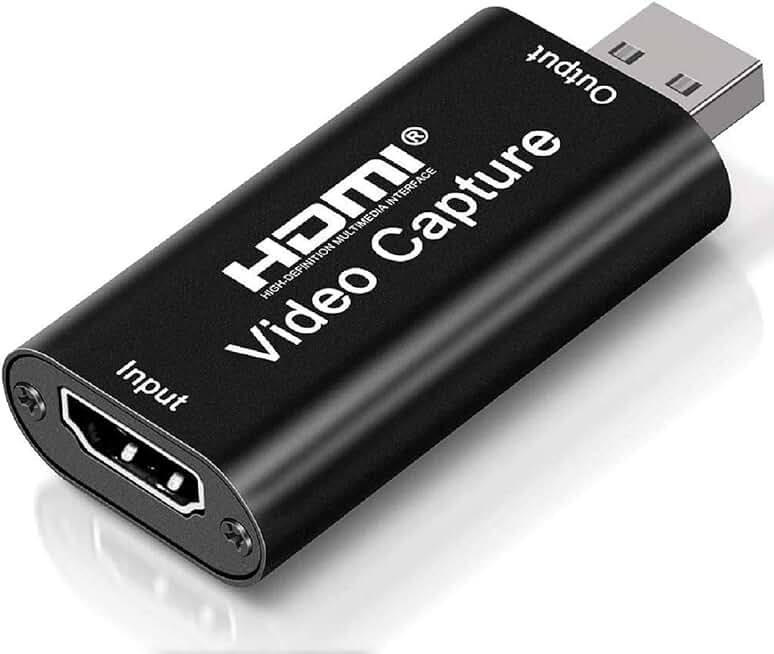
4K HDMI Video Capture Card, Cam Link Card Game Capture Card Audio Capture Adapter HDMI to USB 2.0 Record Capture Device for Streaming, Live Broadcasting, Video Conference, Teaching, Gaming(Black)
$9.99
This ultra-budget card is perfect if you're testing the waters with capture for the first time or streaming lower-motion content. Don't expect flawless 60FPS at high bitrates, but for casual use, it delivers.
Pros
- + Lowest price at $9.99 with solid 4.3★ rating
- + HDMI to USB 2.0 keeps everything simple and compact
- + Plug-and-play compatibility with Windows and Mac
- + Ideal for casual streamers or content creators on extreme budgets
Cons
- − USB 2.0 connection may drop frames during intense gameplay
- − No passthrough, audio support, or advanced features

UGREEN 2K@30Hz 1080P 60FPS Video Capture Card 4K Input HDMI to USB 3.0 A and USB C Capture, Low Latency Capture Card for Streaming Game Recording Compatible with Switch 2/Xbox/PS4/PS5/PC/Camera
$19.79
The UGREEN card's dual-connection design is a practical advantage if you're switching between older USB-A devices and newer USB-C equipment. The 4.5★ rating and low-latency performance make it reliable for streaming.
Pros
- + Both USB 3.0 A and USB-C ports give you flexibility across devices
- + 4.5★ rating with 643 reviews confirms solid performance
- + 2K@30Hz and 1080p 60FPS capture with 4K input support
- + Low-latency design ensures smooth streaming experience
Cons
- − No HDMI passthrough for TV monitoring
- − 2K output may not be ideal if you're streaming at 1080p standard

BENFEI Video/Audio Capture Card Supporting Full HD 1080P 60FPS for Streaming, Recording, Gaming, Compatible with Switch, PS4, PS5, Xbox, Work with PC/Windows/Mac OS
$10.13
The BENFEI card is a no-fuss entry point for beginners who want to start streaming without complexity or expense. It handles 1080p60 reliably, though it lacks the bells and whistles of pricier options.
Pros
- + Affordable at $10.13 with straightforward 1080p 60FPS capture
- + Full HD support works with Switch, PS4, PS5, Xbox, and PC
- + Plug-and-play setup requires zero configuration
- + Minimal footprint for cramped desk spaces
Cons
- − 4.2★ rating is slightly lower than competitors
- − Limited specs and no advanced features like passthrough

Portta HDMI Video Capture Card, Stream and Record in 1080P60 with Ultra-Low Latency, 4K HDMI in/Loop Out, USB 3.0 to PC Compatible with Nintendo Switch 2/PS4/PS5/Xbox/OBS
$25.99
The Portta card prioritizes low-latency performance, making it ideal if you're streaming live gameplay and responsiveness matters. The HDMI loop-out is a nice bonus, though the lower rating warrants checking recent reviews for your specific setup.
Pros
- + Ultra-low latency ensures responsive streaming without noticeable delay
- + 1080p60 capture with 4K HDMI input and loop-out for TV monitoring
- + USB 3.0 connection delivers stable frame rates
- + Compact design fits small desks without dominating space
Cons
- − 4.1★ rating is lower than top competitors, suggesting occasional compatibility issues
- − Fewer reviews (326) means less community feedback
Frequently asked questions
Frequently Asked Questions
Final word
The best capture card for your small desk depends on your budget and feature priorities. The Elgato 4K S leads if you want professional performance with passthrough and frame-rate flexibility. For budget-conscious streamers, the Guermok or VIXLW cards deliver excellent 1080p60 capture at under $20. If HDMI loop-out matters, the 4K HDMI Capture Card with USB 3.0 offers passthrough without premium pricing. Nintendo Switch streamers should prioritize the Switch-optimized card, while absolute beginners can start with the BENFEI or Audio Express options. All these capture cards for small desks share one advantage: they're USB-powered and compact, meaning zero desk real estate lost to external boxes or power supplies. Pick based on your console, budget, and whether passthrough matters—you'll be streaming in minutes.
More gear curated for small desks
Best Gaming Keyboards for Small Desks
Gaming MiceBest Gaming Mice for Small Desks
Gaming HeadsetsBest Gaming Headsets for Small Desks
Gaming MonitorsBest Gaming Monitors for Small Desks
Gaming ChairsBest Gaming Chairs for Small Desks
Gaming ControllersBest Gaming Controllers for Small Desks
Gaming DesksBest Gaming Desks for Small Desks
Streaming GearBest Streaming Gear for Small Desks
More capture cards guides
Best AVerMedia Capture Cards in 2026
Find the best AVerMedia capture cards for streaming and recording. Expert reviews of 4K, USB, and PCIe models for PS5, Xbox, and Switch.
Budget Capture Cards of 2026
Top budget capture cards for 2026. Stream and record 4K or 1080p60 without breaking the bank. Find the best affordable option for your setup.
Best Capture Cards in 2026
Find the best capture cards for streaming and recording in 2026. Expert reviews of 4K, 1080p, and budget options for PS5, Xbox, Switch.
Best Capture Cards for Apex Legends
Top capture cards for Apex Legends streaming & recording. 4K options, budget picks, and low-latency gear for PS5, Xbox, Switch & PC.
Best Capture Cards for Baldur's Gate 3
Top 10 capture cards for streaming Baldur's Gate 3. Find the best options for PS5, PC, and Mac with 1080p60 to 4K60 support.
Best Capture Cards for Battle Royale
Top capture cards for battle royale streaming. 4K support, low latency, PS5/Xbox compatible. Find the best capture card for your setup.