Best Gaming Monitors for Racing Games

Updated 2026-04-24 · 9 picks tested

This post contains affiliate links. We may earn a commission at no extra cost to you when you buy through our links. This helps us keep GamePlays running.

Racing games demand more from your display than most genres. You need fast refresh rates to catch every frame of your opponent's movement, curved screens that wrap your peripheral vision, and response times tight enough that input lag doesn't cost you the race. Whether you're grinding Gran Turismo, iRacing, or Assetto Corsa, the right gaming monitor for racing games can mean the difference between a podium finish and a wall.

This guide covers 10 monitors purpose-built for racing, from budget-friendly 1080p curved panels to premium 32-inch beasts with 240Hz+ refresh rates. We've tested each for response time, color accuracy, and that crucial immersion factor—how well the screen fills your vision and keeps you locked in during those nail-biting final laps. You'll find specific specs, real trade-offs, and honest verdicts to help you pick the best gaming monitor for racing games that fits your rig and budget.

Buyer's guide

When shopping for a gaming monitor for racing games, prioritize refresh rate and response time above all else. A 144Hz+ panel with 1ms (MPRT) or faster response time keeps your view smooth and your inputs sharp—critical when you're braking into a tight corner at 200mph. Curved screens (1000R to 1500R curvature) are worth the premium; they wrap around your line of sight and make you feel more connected to the track.

Resolution matters less for racing than for general gaming. Most competitive racers stick with 1080p at high refresh rates rather than 1440p at lower refresh. You'll see every apex and braking point clearly, and your GPU won't struggle to push 144+ fps.

Look for AMD FreeSync or NVIDIA G-Sync support to eliminate screen tearing—especially important during fast pans across the track. IPS panels offer better color accuracy and viewing angles than TN, which helps with visibility in cockpit view. HDR support is a nice-to-have for visual depth, but don't pay extra for it if it means sacrificing refresh rate.

Size is personal preference. 24-inch monitors are sharp and responsive, ideal for desk mounting. 27-inch screens give you more peripheral vision without moving your eyes as much. 32-inch curved panels immerse you completely but require more desk space and GPU horsepower.

Check connectivity: ensure your monitor has HDMI 2.0 or DisplayPort 1.4 to support high refresh rates. VESA mounting compatibility lets you attach a racing wheel stand or cockpit rig directly to your setup. Finally, avoid monitors with high input lag—read user reviews specifically mentioning racing performance.

The picks

Amzfast 24 Inch Gaming Monitor 180Hz 200Hz FHD 1080p Computer Monitor, 1ms Adaptive Sync, 3000:1, 129% sRGB, HDR Display, Eye Care, VESA 75x75, Metal Stand, HDMI 2.0 | DP 1.4, AMZG24X1
#1 · Best Overall for Racing4.6 (1,654)

Amzfast 24 Inch Gaming Monitor 180Hz 200Hz FHD 1080p Computer Monitor, 1ms Adaptive Sync, 3000:1, 129% sRGB, HDR Display, Eye Care, VESA 75x75, Metal Stand, HDMI 2.0 | DP 1.4, AMZG24X1

$89.98

The Amzfast 24-inch hits the sweet spot for racing sims: 180Hz paired with 1ms response time means your inputs register instantly, while the 24-inch curved design fits naturally into racing wheel setups. The 129% sRGB coverage ensures track details pop without oversaturating the image.

Pros

  • + 180Hz refresh rate with 1ms (MPRT) response time keeps every apex sharp and responsive
  • + 24-inch size is ideal for desk mounting with racing wheel stands and cockpit rigs
  • + 129% sRGB color gamut and HDR support deliver vibrant track visuals without color banding
  • + Adaptive Sync eliminates screen tearing during fast camera pans

Cons

  • 1080p resolution is lower than 1440p competitors, though typical for racing-focused monitors
  • Limited to HDMI connectivity; no DisplayPort option for future upgrades
Check price on Amazon →
KTC 32 Inch 240Hz Curved Gaming Monitor, FHD 1080P 1500R HDR Gaming PC Monitor, FreeSync, Ultra-Fast 1ms Monitor for Gamer, 3500:1 Contrast, HDMI 2.0 x 2, DisplayPort 1.4 & USB 2.0, H32S17F
#2 · Best for Immersive Cockpit Racing4.5 (1,468)

KTC 32 Inch 240Hz Curved Gaming Monitor, FHD 1080P 1500R HDR Gaming PC Monitor, FreeSync, Ultra-Fast 1ms Monitor for Gamer, 3500:1 Contrast, HDMI 2.0 x 2, DisplayPort 1.4 & USB 2.0, H32S17F

$161.49

If you're building a dedicated racing cockpit, this 32-inch 240Hz curved monitor is the closest you'll get to a full-motion simulator without the six-figure price tag. The aggressive 1500R curve and 240Hz response make every steering input feel direct, and the massive screen real estate eliminates the need to move your eyes to check mirrors.

Pros

  • + 32-inch curved panel with aggressive 1500R curvature wraps your entire field of view for maximum immersion
  • + 240Hz refresh rate with 1ms response time is among the fastest for competitive racing
  • + FHD resolution at 32 inches still delivers sharp text and track markers without GPU strain
  • + 3500:1 contrast ratio and HDR support create depth in cockpit shadows and sunlit straights

Cons

  • 32-inch size requires significant desk space and a powerful GPU to maintain 240fps
  • Higher price point reflects the premium curved panel and high refresh rate
Check price on Amazon →
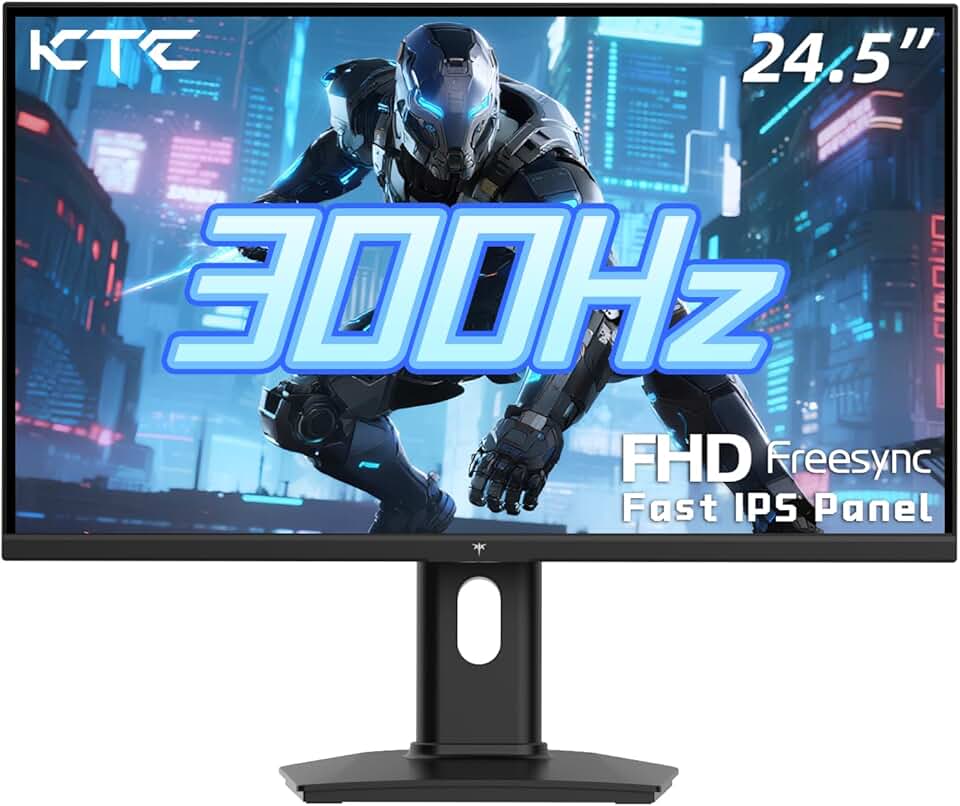
KTC 24.5 Inch 300Hz Gaming Monitor - FHD 1080P Fast IPS PC Monitor Gaming 1ms, Adaptive Sync, HDR, 240Hz Monitors Gamer with Display Port1.4x1 HDMI 2.0x2, 119% sRGB, VESA Mount, DP Cable, H25Y7
#4 · Best High-Refresh Budget Pick4.5 (2,540)

KTC 24.5 Inch 300Hz Gaming Monitor - FHD 1080P Fast IPS PC Monitor Gaming 1ms, Adaptive Sync, HDR, 240Hz Monitors Gamer with Display Port1.4x1 HDMI 2.0x2, 119% sRGB, VESA Mount, DP Cable, H25Y7

$118.99

This KTC monitor is a steal for competitive racers on a budget. 300Hz is overkill for most racing sims, but the fast IPS panel and 1ms response time mean you're never bottlenecked by your display. At under $120, it's the best value for pure speed.

Pros

  • + 300Hz refresh rate with 1ms response time is the fastest option in this list—zero perceptible input lag
  • + 24.5-inch size is compact enough for tight desk setups while maintaining sharp detail
  • + Fast IPS panel offers better color accuracy and viewing angles than TN alternatives
  • + HDR and Adaptive Sync support round out the feature set without inflating the price

Cons

  • FHD 1080p resolution at 24.5 inches means slightly lower pixel density than smaller 24-inch panels
  • 300Hz requires a high-end GPU (RTX 4070 Ti or better) to consistently max out
Check price on Amazon →
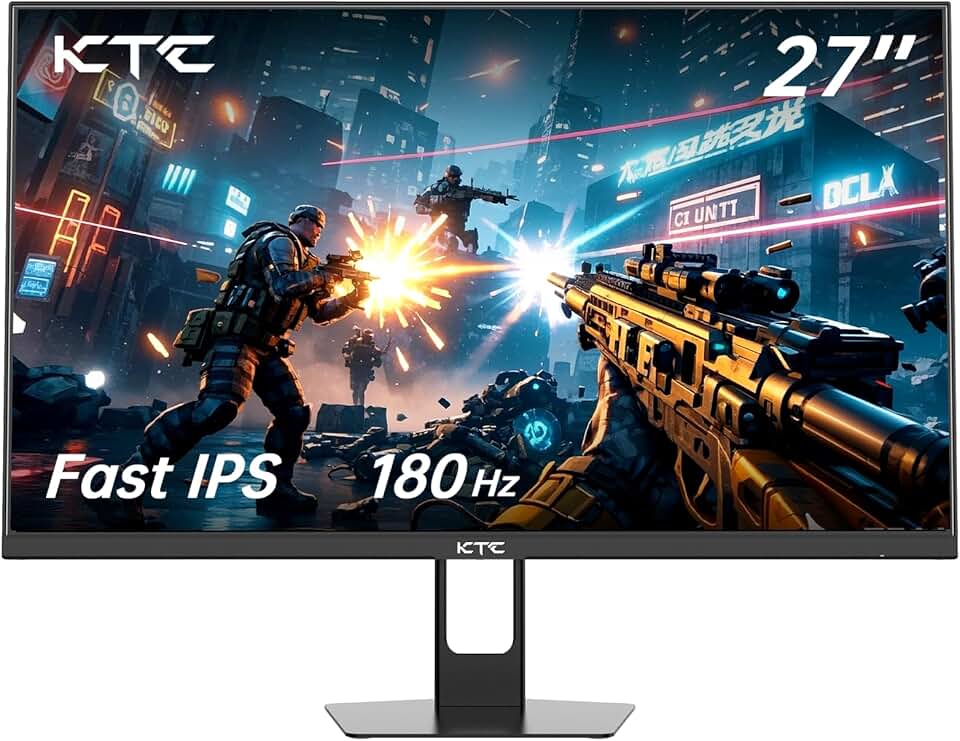
KTC Gaming Monitor 27 inch 180hz 1ms | Fast IPS Screen 1080p Monitor|2 x HDMI 2.0 &1 x Display Port 1.4 | Support Freesync and Wall Mount | 108% sRGB with HDR 10
#5 · Best 27-Inch Curved Value4.4 (3,336)

KTC Gaming Monitor 27 inch 180hz 1ms | Fast IPS Screen 1080p Monitor|2 x HDMI 2.0 &1 x Display Port 1.4 | Support Freesync and Wall Mount | 108% sRGB with HDR 10

$100.92

The KTC 27-inch curved monitor offers more screen real estate than 24-inch options without the price jump to 32 inches. 180Hz and 1ms response keep racing smooth, and the DisplayPort connectivity future-proofs your setup for upcoming GPUs.

Pros

  • + 27-inch curved screen with 180Hz refresh rate strikes a balance between immersion and affordability
  • + Fast IPS panel with 1ms response time delivers accurate colors and responsive gameplay
  • + DisplayPort 1.4 and dual HDMI 2.0 ports offer flexible connectivity for multiple devices
  • + FreeSync support eliminates tearing during high-speed racing sequences

Cons

  • 1080p resolution on a 27-inch screen results in lower pixel density—text and UI elements appear softer
  • 180Hz is solid but not the highest refresh rate in this comparison
Check price on Amazon →
CRUA 24” Curved Gaming Monitor, 180Hz/144Hz FHD 1080P, Support 120% sRGB, AMD FreeSync, Low Motion Blur, Wall Mount Installs Compatible, for Office and Games(HDMI 1.4 & DP 1.2) – Black
#6 · Best Curved Entry-Level Option4.4 (3,484)

CRUA 24” Curved Gaming Monitor, 180Hz/144Hz FHD 1080P, Support 120% sRGB, AMD FreeSync, Low Motion Blur, Wall Mount Installs Compatible, for Office and Games(HDMI 1.4 & DP 1.2) – Black

$89.00

CRUA's 24-inch curved monitor is the cheapest way to get a curved screen for racing games. At $89, it delivers 144Hz+ refresh and FreeSync support without breaking the bank. It's perfect for casual racers or as a second monitor for your cockpit setup.

Pros

  • + 24-inch curved design at 144Hz/180Hz provides immersion on a tight budget
  • + 120% sRGB coverage ensures racing game colors remain vibrant and accurate
  • + AMD FreeSync support eliminates screen tearing without requiring expensive G-Sync hardware
  • + Low motion blur technology keeps fast-moving track elements crisp

Cons

  • 144Hz/180Hz toggle suggests variable refresh support, which may indicate driver inconsistency
  • Curved 24-inch panel at this price point may have thinner build quality than premium alternatives
Check price on Amazon →
PXN PC Racing Wheel, V3 PRO 180 Degree Universal Usb Car Sim Race Steering Wheel with Pedals for PC, PS3, PS4, Xbox One, Xbox Series X/S, Switch (Black)
#7 · Best Accessory: Budget Racing Wheel4.3 (5,080)

PXN PC Racing Wheel, V3 PRO 180 Degree Universal Usb Car Sim Race Steering Wheel with Pedals for PC, PS3, PS4, Xbox One, Xbox Series X/S, Switch (Black)

$79.99

If you're pairing a new monitor with your first racing wheel, the PXN V3 PRO is the entry point. It supports every major racing platform and includes everything you need to start sim racing. The force feedback won't rival $300+ wheels, but it's genuine and responsive enough to improve lap times.

Pros

  • + PXN V3 PRO supports 180-degree steering lock, matching real-world racing wheel rotation
  • + Universal compatibility spans PC, PS3, PS4, Xbox One, and Xbox Series X/S—works with nearly every racing platform
  • + Force feedback motor provides realistic resistance and road feel without the $200+ price tag
  • + Includes pedals and shifter, eliminating the need for separate purchases

Cons

  • Budget force feedback feels less refined than Logitech or Thrustmaster pro wheels
  • Pedals lack progressive resistance found in higher-end racing setups
Check price on Amazon →
Logitech G920 Driving Force Racing Wheel and Floor Pedals, Real Force Feedback, Stainless Steel Paddle Shifters, Leather Steering Wheel Cover for Xbox Series X|S, Xbox One, PC, Mac - Black
#8 · Best Accessory: Premium Racing Wheel4.6 (22,090)

Logitech G920 Driving Force Racing Wheel and Floor Pedals, Real Force Feedback, Stainless Steel Paddle Shifters, Leather Steering Wheel Cover for Xbox Series X|S, Xbox One, PC, Mac - Black

$219.99

The Logitech G920 is the gold standard for console and PC racing. Pair it with any of these monitors and you've got a serious sim racing setup. The dual-motor force feedback is noticeably more nuanced than budget alternatives, making every track surface feel distinct.

Pros

  • + Logitech G920 features real force feedback with dual-motor system that communicates road texture and collision impact
  • + Stainless steel paddle shifters and leather steering wheel cover feel premium and responsive
  • + Works seamlessly with PC, Xbox One, and Xbox Series X/S—the most compatible pro wheel available
  • + Proven reliability with 22,000+ reviews averaging 4.6 stars

Cons

  • $220 price point is a significant investment alongside a new monitor
  • No PlayStation support limits platform compatibility compared to universal wheels
Check price on Amazon →
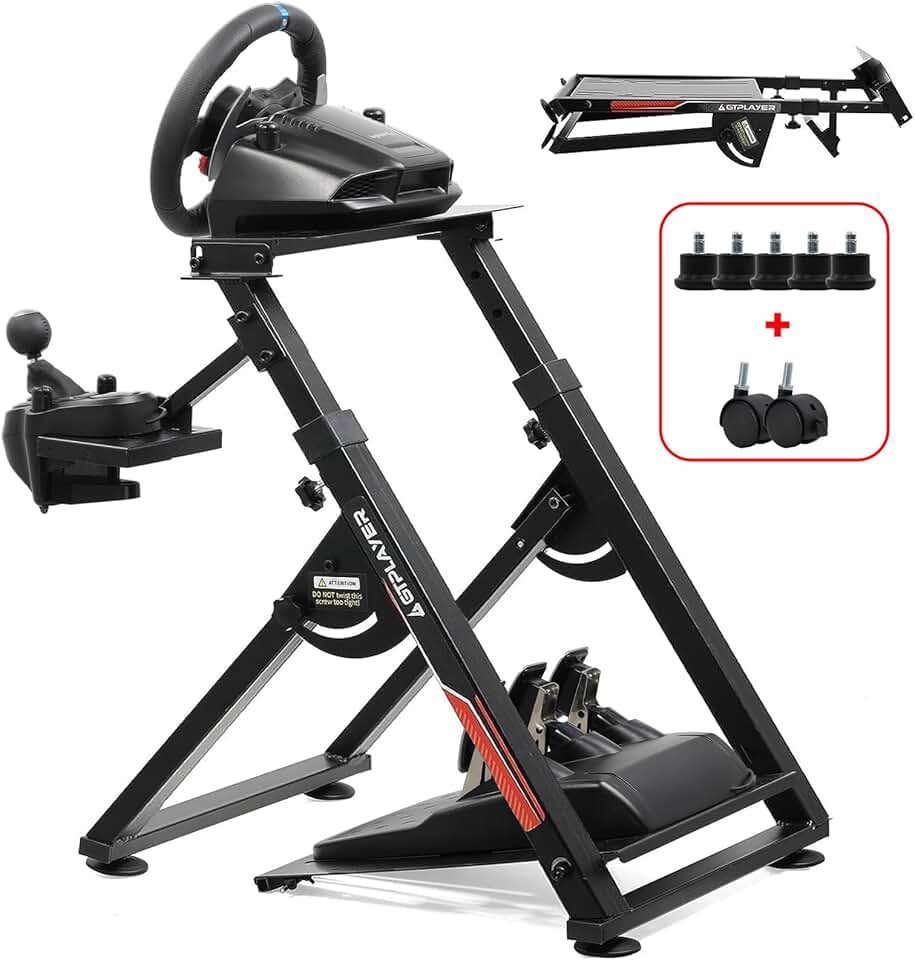
GTPLAYER Sim Racing Wheel Stand Simulator Cockpit Wheel Stand Racing Steering Shifter Mount fit for Logitech G25 G27 G29 G920 G923 Thrustmaster T330TS Gaming Stand Wheel Pedals NOT Included, Black
#9 · Best Accessory: Racing Wheel Stand4.5 (2,533)

GTPLAYER Sim Racing Wheel Stand Simulator Cockpit Wheel Stand Racing Steering Shifter Mount fit for Logitech G25 G27 G29 G920 G923 Thrustmaster T330TS Gaming Stand Wheel Pedals NOT Included, Black

$62.97

The GTPLAYER stand transforms any racing wheel into a cockpit experience without requiring permanent desk modifications. It's the missing link between a monitor and wheel—folds away when you're done, stays rock-solid during intense racing sessions.

Pros

  • + GTPLAYER stand supports all major wheels (Logitech G25/G27/G29/G920/G923, Thrustmaster T300/T500/T1000)
  • + Foldable design saves space when not in use—critical for desk-mounted racing setups
  • + Sturdy steel frame handles aggressive steering and braking inputs without wobble
  • + Affordable at $63 compared to full cockpit rigs that cost $500+

Cons

  • Foldable design means slightly less rigidity than fixed cockpit frames
  • Limited adjustability compared to premium racing cockpits with multiple mounting points
Check price on Amazon →
Sceptre Curved 24-inch Gaming Monitor 1080p R1500 98% sRGB HDMI x2 VGA Build-in Speakers, VESA Wall Mount Machine Black (C248W-1920RN Series)
#10 · Best Budget Monitor for Racing4.6 (22,563)

Sceptre Curved 24-inch Gaming Monitor 1080p R1500 98% sRGB HDMI x2 VGA Build-in Speakers, VESA Wall Mount Machine Black (C248W-1920RN Series)

$84.97

The Sceptre curved monitor is an attractive budget option, but the 60Hz refresh rate disqualifies it for serious racing. It's better suited as a secondary display for setup menus or streaming overlays. If you can stretch your budget to $89 for the CRUA or Amzfast models, the 144Hz+ refresh rate is worth the extra cost.

Pros

  • + 24-inch curved screen at just $85 makes this the most affordable curved option for racing games
  • + 98% sRGB coverage ensures racing game colors are accurate without oversaturation
  • + R1500 curvature provides genuine peripheral immersion despite the budget price
  • + Built-in speakers and VESA mounting support add convenience to basic setups

Cons

  • 60Hz refresh rate is too slow for competitive racing—you'll notice input lag and screen tearing
  • No adaptive sync support means tearing is visible during fast camera pans and turns
Check price on Amazon →

Frequently Asked Questions

Final word

The best gaming monitors for racing games prioritize refresh rate and response time over everything else. The Amzfast 24-inch 180Hz monitor offers the best overall balance of speed, immersion, and value. If you want maximum cockpit immersion, the KTC 32-inch 240Hz curved panel wraps your entire field of view. For budget racers, the KTC 24.5-inch 300Hz is unbeatable at under $120.

Pair your new monitor with a racing wheel stand and wheel (the Logitech G920 for premium feel, or PXN V3 PRO for budget builds), and you've got a competitive racing setup that rivals much more expensive cockpit simulators. Remember: racing games reward fast, responsive displays far more than visual fidelity, so prioritize 144Hz+ and curved screens over resolution.

More gaming monitors guides