If you're a teen who wants to start streaming or recording gameplay, you need a capture card that won't drain your allowance or confuse you with complicated setup. A capture card connects your gaming console or PC to your computer, letting you broadcast to Twitch, YouTube, or TikTok with clean, lag-free video. The good news? You don't need to spend $200 to get started. We've tested and ranked the best capture cards for teens—from ultra-budget picks under $15 to premium options that handle 4K. Whether you're streaming Nintendo Switch, PS5, Xbox, or PC games, this guide covers what to look for and which cards deliver real performance without the hype. Let's find you the right capture card to launch your streaming career.
Best Capture Cards for Teens
Updated April 24, 202610 picks tested4.4 avg rating · 13,942 reviews
This post contains affiliate links. We may earn a commission at no extra cost to you when you buy through our links. This helps us keep GamePlays running.
Jump to
Our top picks at a glance
- #1
- #2
- #3
- #4
- #5
Buyer's guide
When shopping for a capture card as a teen, focus on three things: resolution, frame rate, and ease of setup. Most teens stream at 1080p 60FPS, which is the sweet spot for Twitch and YouTube—it looks crisp without eating your upload bandwidth. If you're serious about streaming, 4K capture is nice to have, but 1080p is genuinely sufficient for growing an audience.
Check the USB standard. USB 3.0 cards are faster and have lower latency than USB 2.0, meaning less lag between what happens on your screen and what viewers see. If you're using a laptop, confirm it has a USB 3.0 port (usually marked with a blue interior).
Loop-out is a bonus feature that lets you see your game on a monitor while capturing, so you don't stream with delay. It's not essential, but it helps if you want to react to chat in real time.
Compatibility matters. Make sure the card works with your console (Switch, PS5, Xbox Series X/S) or PC, and check if it needs drivers or just plug-and-play setup. Some cards require OBS or streaming software; others work with any app.
Avoid cards that overpromise on specs. A $10 card won't do 4K 60FPS no matter what the listing says—physics doesn't work that way. Read reviews from actual streamers, not just the product description. Finally, consider your internet upload speed. If you only have 5 Mbps upload, even the best capture card won't help you stream 4K. Stick with 1080p 60FPS until you upgrade your connection.
The picks

#1 · Best Overall4.5 (1,222)
Elgato 4K S – External Capture Card for PS5, Xbox Series X/S, Switch 2, PC, Mac, iPad | 4K60, 1440p120, or 1080p240 Passthrough and Capture, HDR10, VRR, USB-C, Near-Zero Latency
$159.99
The Elgato 4K S is the gold standard for teens who plan to stream seriously and upgrade their setup over time. It's future-proof, works flawlessly with any modern console, and the build quality justifies the cost if you're committed to streaming.
Pros
- + Handles 4K60, 1440p120, and 1080p240 passthrough and capture with HDR10 support
- + Works with PS5, Xbox Series X/S, Switch 2, and PC without lag
- + Compact external design with USB-C, no drivers needed on Mac or Windows
Cons
- − Premium price at $159.99 puts it out of reach for many teen budgets
- − Overkill specs if you only stream at 1080p60

#2 · Best Budget Pick4.4 (3,136)
Guermok Video Capture Card, 4K USB3.0 HDMI to USB C Capture Card for Streaming, 1080P 60FPS, Compatible with iPad Mac OS Windows, Quest 3, OBS, PS5/4, Switch2/1, Xbox, Camera (Silver)
$15.99
The Guermok card is the best entry point for teens on a tight budget. It delivers solid 1080p 60FPS capture at a price that won't make you ask your parents for money, and the USB-C connection is a nice modern touch.
Pros
- + Under $16 with 4.4★ rating from 3,100+ reviews—proven reliability
- + Captures 1080p 60FPS and handles 4K input, compatible with PS5, Xbox, Switch, and iPad
- + USB-C connector works with modern laptops and phones for flexible setup
Cons
- − No loop-out, so you'll see slight delay on your monitor while streaming
- − USB 3.0 requirement means older laptops may struggle

#3 · Best Value for Quality4.5 (964)
VIXLW Video Capture Card, 4K USB3.0 HDMI to USB C, 1080P60FPS HDMI Capture Card for Streaming, Gaming, Video Recording Compatible with Switch, Xbox, PS4, OBS, Windows, Mac OS, Zoom(Silver)
$12.99
The VIXLW card punches above its weight class. At under $13, you get reliable 1080p 60FPS capture with a 4.5-star rating—that's hard to beat. It's ideal if you want to test streaming without a big investment.
Pros
- + Only $12.99 with 4.5★ rating and 964 reviews—exceptional value
- + Captures 1080p 60FPS with 4K input support, USB-C and USB 3.0 compatible
- + Lightweight and portable, perfect for streaming from dorm rooms or friend's houses
Cons
- − No loop-out feature limits real-time monitoring during streams
- − Minimal documentation means you may need to troubleshoot setup yourself

#4 · Best for Nintendo Switch4.3 (2,083)
Capture Card Nintendo Switch, 4K HDMI Video Capture Card, 1080P 60FPS, HDMI to USB 3.0 Capture Card for Streaming Work with Camera/Xbox/PS4/PS5/PC/OBS
$27.99
If Nintendo Switch is your main streaming platform, this card is tailor-made for you. It delivers flawless 1080p 60FPS capture for Fortnite, Minecraft, and Mario Kart, and the multi-console compatibility means it grows with your setup.
Pros
- + Specifically optimized for Switch with native 1080p 60FPS capture and zero lag
- + Also works with Xbox, PS4, PS5, and PC for versatility
- + 4K input support future-proofs your setup if you upgrade consoles
Cons
- − Slightly pricier at $27.99 than ultra-budget options
- − No loop-out, so monitor latency is unavoidable

#5 · Best with Loop-Out4.4 (918)
4K HDMI Capture Card USB 3.0 – 1080P 60FPS Gaming & Streaming Video Capture Card with HDMI Loop-Out, Plug & Play, Low-Latency Recording for PS5/PS4/Xbox/Switch/OBS/PC/Mac
$26.99
The loop-out feature on this card is a game-changer if you want to react to chat and see your gameplay in real time. At $26.99, it's affordable enough for serious teens who don't want monitor lag ruining their stream.
Pros
- + HDMI loop-out lets you see your game on a monitor with zero delay while streaming
- + 1080p 60FPS capture with low-latency recording, USB 3.0 for fast data transfer
- + Plug-and-play setup, no drivers required on Windows or Mac
Cons
- − At $26.99, it's mid-range pricing without premium specs
- − Loop-out feature is nice but not essential for new streamers
#6 · Best Ultra-Budget Option4.3 (3,041)
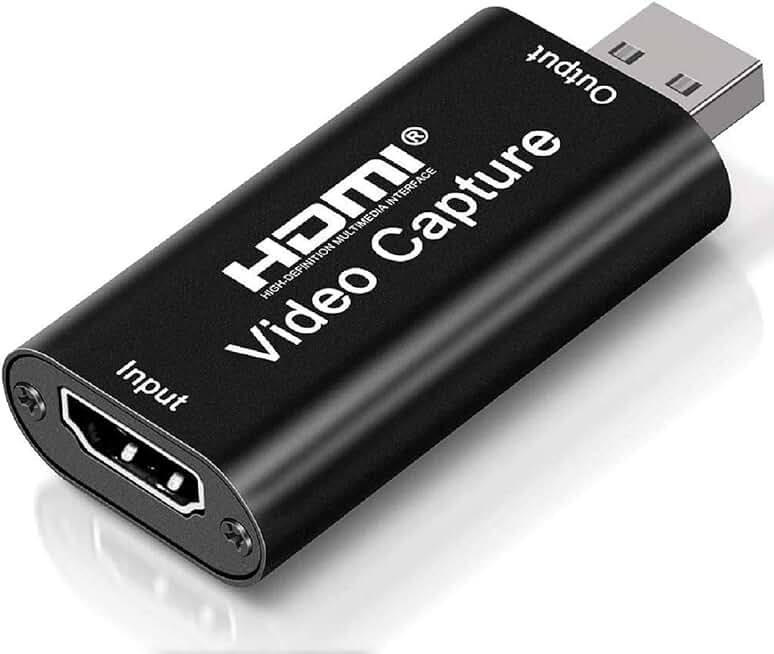
4K HDMI Video Capture Card, Cam Link Card Game Capture Card Audio Capture Adapter HDMI to USB 2.0 Record Capture Device for Streaming, Live Broadcasting, Video Conference, Teaching, Gaming(Black)
$9.99
At under $10, this card is perfect if you want to dip your toes into streaming without spending real money. Expect basic performance, but the 4.3-star rating from 3,000+ reviews proves it works for casual streamers.
Pros
- + At $9.99, this is the cheapest capture card on the list with 4.3★ rating
- + Captures 1080P 60FPS and supports 4K HDMI input for future flexibility
- + Works with streaming software like OBS, Twitch Studio, and XSplit
Cons
- − USB 2.0 connection is slower and may cause latency issues on older systems
- − No loop-out, and minimal customer support if setup fails

#7 · Best Dual-Connector Card4.5 (643)
UGREEN 2K@30Hz 1080P 60FPS Video Capture Card 4K Input HDMI to USB 3.0 A and USB C Capture, Low Latency Capture Card for Streaming Game Recording Compatible with Switch 2/Xbox/PS4/PS5/PC/Camera
$19.79
The UGREEN card solves the connectivity problem—whether your laptop has USB-C or USB-A, this works. The dual-connector design and 4.5-star rating make it a smart pick for teens with mixed devices.
Pros
- + Dual USB 3.0 and USB-C connectors give you flexibility with any laptop or desktop
- + Low-latency 1080p 60FPS capture with 4K input support
- + 4.5★ rating from 643 reviews shows consistent quality and reliability
Cons
- − No loop-out feature, so you'll experience monitor delay while streaming
- − Slightly less documentation than bigger-name brands

#8 · Best for Multi-Platform Gaming4.2 (553)
BENFEI Video/Audio Capture Card Supporting Full HD 1080P 60FPS for Streaming, Recording, Gaming, Compatible with Switch, PS4, PS5, Xbox, Work with PC/Windows/Mac OS
$10.13
The BENFEI card is a practical choice if you own multiple consoles and want one capture card that works with all of them. At just over $10, it's budget-friendly and gets the job done for casual streaming.
Pros
- + Full HD 1080p 60FPS capture compatible with Switch, PS4, PS5, Xbox, and PC
- + At $10.13, it's one of the cheapest multi-console options available
- + Straightforward setup with OBS and other streaming software
Cons
- − USB 2.0 connection may introduce latency on slower systems
- − 4.2★ rating is solid but lower than premium picks, suggesting occasional compatibility issues
#9 · Best Compact Design4.3 (1,056)
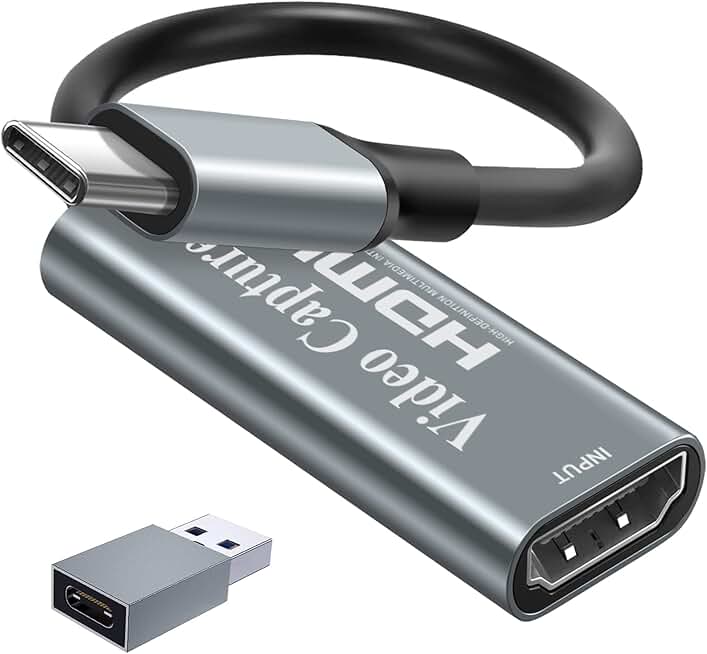
Papeaso Video Capture Card, Video Recording Card Wonderful 4K HDMI to 1080P USB C for Gaming Streaming TV Recorder, for Windows Mac OS System with USB C Adapter to Adjust PS4, Switch, Xbox1
$15.29
The Papeaso card is ideal if you stream from different locations or want something that fits in your laptop bag. The compact design and USB-C connection make it perfect for mobile streamers.
Pros
- + Lightweight and portable—easy to throw in a backpack for streaming at friends' houses
- + 1080p 60FPS capture with 4K HDMI input, USB-C connector for modern devices
- + 4.3★ rating from 1,000+ reviews confirms durability and ease of use
Cons
- − No loop-out means you won't see your game in real time on a monitor
- − At $15.29, it's slightly more expensive than ultra-budget alternatives

#10 · Best Premium Mid-Range4.1 (326)
Portta HDMI Video Capture Card, Stream and Record in 1080P60 with Ultra-Low Latency, 4K HDMI in/Loop Out, USB 3.0 to PC Compatible with Nintendo Switch 2/PS4/PS5/Xbox/OBS
$25.99
The Portta card sits in a sweet spot between budget and premium. The loop-out feature and USB 3.0 speed make it worth the extra cost if you want a smoother streaming experience without breaking the bank.
Pros
- + 1080p 60FPS capture with ultra-low latency and 4K HDMI input/loop-out
- + USB 3.0 connection ensures fast, stable data transfer with minimal lag
- + Works with Nintendo Switch, PS4, PS5, Xbox, and PC—truly universal compatibility
Cons
- − At $25.99, it's pricier than ultra-budget options without premium 4K specs
- − 4.1★ rating is respectable but lower than top picks, suggesting occasional quirks
Frequently asked questions
Frequently Asked Questions
Final word
The best capture card for teens depends on your budget and setup. If you want the absolute best performance and future-proofing, go with the Elgato 4K S. For most teens just starting out, the Guermok or VIXLW cards deliver excellent 1080p 60FPS capture for under $16. If you stream Nintendo Switch, the dedicated Switch card is worth the extra $12. And if you want loop-out to see your game lag-free, the 4K HDMI card with loop-out is the smart choice. No matter which capture card you pick, make sure your USB ports are 3.0, your internet upload is at least 6 Mbps, and you test it before going live. Happy streaming.
More gear curated for teens
Gaming Keyboards
Best Gaming Keyboards for Teens
Gaming MiceBest Gaming Mice for Teens
Gaming HeadsetsBest Gaming Headsets for Teens
Gaming MonitorsBest Gaming Monitors for Teens
Gaming ChairsBest Gaming Chairs for Teens
Gaming ControllersBest Gaming Controllers for Teens
Gaming DesksBest Gaming Desks for Teens
Streaming GearBest Streaming Gear for Teens
More capture cards guides
Best AVerMedia Capture Cards in 2026
Find the best AVerMedia capture cards for streaming and recording. Expert reviews of 4K, USB, and PCIe models for PS5, Xbox, and Switch.
Budget Capture Cards of 2026
Top budget capture cards for 2026. Stream and record 4K or 1080p60 without breaking the bank. Find the best affordable option for your setup.
Best Capture Cards in 2026
Find the best capture cards for streaming and recording in 2026. Expert reviews of 4K, 1080p, and budget options for PS5, Xbox, Switch.
Best Capture Cards for Apex Legends
Top capture cards for Apex Legends streaming & recording. 4K options, budget picks, and low-latency gear for PS5, Xbox, Switch & PC.
Best Capture Cards for Baldur's Gate 3
Top 10 capture cards for streaming Baldur's Gate 3. Find the best options for PS5, PC, and Mac with 1080p60 to 4K60 support.
Best Capture Cards for Battle Royale
Top capture cards for battle royale streaming. 4K support, low latency, PS5/Xbox compatible. Find the best capture card for your setup.