Teens need gaming mice that balance performance, durability, and price—without breaking the bank. Whether you're grinding ranked matches, streaming gameplay, or just upgrading from a laptop trackpad, the right mouse makes a real difference in aim, comfort, and responsiveness. We've tested and ranked the best gaming mice for teens across every budget, from sub-$10 options to premium wireless setups. Each pick includes real specs (DPI, polling rate, button count, battery life) so you can compare apples to apples. Skip the marketing hype and find a mouse that fits your hand, your game, and your wallet.
Best Gaming Mice for Teens
Updated April 24, 202610 picks tested4.5 avg rating · 201,991 reviews
This post contains affiliate links. We may earn a commission at no extra cost to you when you buy through our links. This helps us keep GamePlays running.
Jump to
Our top picks at a glance
- #1
- #2
- #3
- #4
- #5
Buyer's guide
When shopping for a gaming mouse as a teen, focus on three core things: sensor quality, hand fit, and reliability.
Sensor and DPI: Most modern gaming mice cap out at 8,000–24,000 DPI. For teens playing FPS games like Valorant or CS:GO, you'll actually use 400–1600 DPI. Higher DPI numbers sound impressive but don't matter if your hand is too small or the mouse feels cheap. Look for optical sensors (not laser) and adjustable DPI steps so you can dial in your exact sensitivity.
Wired vs. Wireless: Wired mice have zero latency and never die mid-match. Wireless mice offer freedom of movement but need charging. For teens at a desk, either works—just check battery life if you go wireless. Many budget wireless mice promise 40–75 hours per charge, which is solid for casual play.
Grip and Hand Size: Your hand size matters more than RGB lighting. If you have smaller hands, look for mice under 125mm long. Claw grip players prefer smaller, lighter mice; palm grip players want a larger, contoured shape. Read reviews from people with similar hand sizes—they'll tell you if a mouse feels cramped or oversized.
Programmable Buttons and Software: Six to eight side buttons are plenty for most games. Avoid mice with 12+ side buttons unless you're playing MMOs. Check if the mouse needs software to reprogram buttons or if it has on-board memory (better for switching between PC and console).
Red Flags: Avoid mice with poor reviews mentioning double-clicking issues, mushy buttons, or software that crashes. Cheap RGB lighting that can't be turned off will drain battery life on wireless mice. If a mouse has fewer than 1,000 reviews, skip it—you won't know if it fails after three months.
The picks

#1 · Best Overall4.6 (38,100)
Logitech G305 Lightspeed Wireless Gaming Mouse, Hero Sensor, 12,000 DPI, Lightweight, 6 Programmable Buttons, 250h Battery, On-Board Memory, Compatible with PC, Mac - Black
$26.99
The Logitech G305 is the best all-around gaming mouse for teens because it delivers pro-level performance at a mid-range price. The Hero sensor tracks flawlessly in Valorant and Fortnite, the battery lasts months, and it's light enough for fast flick shots. This is the mouse to buy if you want zero compromise.
Pros
- + 12,000 DPI Hero sensor with pinpoint accuracy across all sensitivity ranges
- + 250-hour battery life on a single AA battery—outlasts most competitors by months
- + Lightweight at 95g with 6 programmable buttons and on-board memory for profile switching
- + Proven reliability: 38,100 reviews with 4.6★ rating across multiple retailers
Cons
- − No charging cable—requires AA battery replacements or rechargeables
- − Smaller size may feel cramped if you have large hands

#2 · Best Premium Wireless4.6 (3,454)
Redragon M810 Pro Wireless Gaming Mouse, 10000 DPI Wired/Wireless Gamer Mouse w/Rapid Fire Key, 8 Macro Buttons, 45-Hour Reliable Power Capacity and RGB Backlit for PC/Mac/Laptop
$26.99
The Redragon M810 Pro is the best premium pick for teens who want flexibility and don't mind paying a bit more. Wired/wireless switching means you're never stuck, and 45-hour battery life means you'll charge it once a week at most. The macro buttons are overkill for FPS but shine in strategy games.
Pros
- + 10,000 DPI with wired/wireless dual-mode flexibility—play tethered for zero lag or cut the cord
- + 45-hour battery life on wireless mode with rapid-fire macro key for competitive games
- + 8 programmable macro buttons with customizable lighting and DIY key mapping
- + Ergonomic right-handed design fits palm-grip players comfortably
Cons
- − Heavier than lightweight competitors at ~130g, which slows down flick shots
- − Macro buttons on the side take practice to avoid accidental presses during gameplay

#3 · Best for Competitive Gaming4.5 (963)
FFJ Wireless Gaming Mouse, 24000 DPI, Tri-Mode 2.4G/USB-C/Bluetooth 5.3 Gaming Mouse Wireless, RGB Programmable Mouse Gamer, 75Hrs Battery Life, Rechargeable Gaming Mice for PC, Mac, Black
$20.89
The FFJ Wireless Gaming Mouse is built for teens serious about competitive play. The 24,000 DPI sensor and tri-mode switching let you adapt to any setup, and 75-hour battery life means you'll never lose a match due to power. The catch: it's newer, so stick with it only if you're willing to take a small reliability risk.
Pros
- + 24,000 DPI with tri-mode connectivity (2.4G wireless, USB-C, Bluetooth 5.3) for tournament flexibility
- + 75-hour battery life—charge once, game for weeks without thinking about power
- + RGB programmable buttons with software support for custom macros and profiles
- + Lightweight and ergonomic for extended ranked sessions without hand fatigue
Cons
- − Fewer than 1,000 reviews means less real-world durability data compared to established brands
- − Tri-mode connectivity adds complexity; stick to one mode to avoid interference

#4 · Best for RGB Customization4.6 (10,319)
Redragon M612 Predator RGB Gaming Mouse, 8000 DPI Wired Optical Mouse with 11 Programmable Buttons & 5 Backlit Modes, Software Supports DIY Keybinds Rapid Fire Button ClimeCo Certified
$16.99
The Redragon M612 Predator is the best choice if you want full RGB control without spending $40+. The 11 buttons and DIY mapping let you build profiles that match your playstyle, and the wired connection means zero latency for competitive games. The trade-off is mobility, but if you're at a desk, you won't notice.
Pros
- + 8,000 DPI optical sensor with 11 programmable buttons for maximum customization
- + 5 backlit modes with DIY key mapping software—create unique profiles for each game
- + Wired connection eliminates latency and battery anxiety during long gaming sessions
- + Affordable at $16.99 with solid 4.6★ rating from 10,000+ reviews
Cons
- − Wired cable limits desk mobility and can snag on keyboard edges
- − Heavier than wireless competitors due to internal wiring

#5 · Best for MMO and Moba4.4 (11,482)
Redragon M908 Impact RGB LED MMO Gaming Mouse with 12 Side Buttons, Optical Wired Ergonomic Mouse with Max 12,400DPI, High Precision, 18 Programmable Macro Shortcuts, Comfort Grip ClimeCo Certified
$22.49
The Redragon M908 Impact is the best mouse for teens playing MMOs, MOBAs, or strategy games where button count matters. The 12 side buttons let you keybind abilities without touching your keyboard, and the ergonomic shape supports palm grip for hours. Skip this if you're a pure FPS player—the bulk works against you.
Pros
- + 12 side buttons plus standard grip buttons—18 programmable buttons total for complex keybinds
- + 12,400 DPI with high-precision optical tracking for ability spam in League or Dota
- + Ergonomic right-handed design with textured grip for long gaming marathons
- + Wired reliability with no battery management needed
Cons
- − 12 side buttons create a learning curve and risk of accidental presses in fast matches
- − Heavier and bulkier than minimalist FPS mice—not ideal if you prioritize flick shots

#6 · Best Budget Wired4.6 (14,186)
BENGOO Gaming Mouse Wired, Ergonomic Gamer Laptop PC Optical Computer Mice with RGB Backlit, 4 Adjustable DPI Up to 3600, 6 Programmable Buttons for Windows 7/8/10/XP Vista Linux -Black
$10.99
The BENGOO Gaming Mouse is the best budget wired option for teens who want to save money without sacrificing reliability. At $10.99, it outperforms mice twice its price in real-world durability, and the ergonomic shape means no hand pain after long sessions. Perfect if you're upgrading from a trackpad or need a backup mouse.
Pros
- + 3,600 DPI with 6 programmable buttons and RGB backlit—all the essentials for under $11
- + Ergonomic shape fits most hand sizes without cramping or awkward angles
- + Wired connection guarantees zero latency and no battery anxiety
- + 4.6★ rating from 14,000+ reviews proves reliability at the budget tier
Cons
- − Cable is fixed and can't be replaced if it frays—plan to replace the whole mouse
- − 3,600 DPI max is lower than competitors, though still sufficient for casual play

#7 · Best Budget Wireless4.4 (6,811)
VersionTECH. Wireless Gaming Mouse, Rechargeable Computer Mouse Mice with Colorful LED Lights, Silent Click, 2.4G USB Nano Receiver, 3 Level DPI for PC Gamer Laptop Desktop Chromebook Mac-Black
$13.99
The VersionTECH. Wireless Gaming Mouse is the best budget wireless pick for teens who want cordless freedom without spending $30. The rechargeable battery and silent switches make it perfect for gaming in shared spaces, and the colorful LED lights add personality. The trade-off is lower DPI and mushier feedback, but for casual play, it's solid.
Pros
- + Rechargeable via USB with silent-click switches—no battery replacements or noise during class
- + 3-level DPI adjustment (500/1000/2000) keeps things simple for beginners
- + Colorful LED lights are customizable and can be turned off to save battery
- + 2.4G nano receiver works with any USB port, even on older laptops
Cons
- − 2,000 DPI max is limiting for competitive FPS games where you need faster sensitivity ranges
- − Silent switches feel mushy compared to standard tactile clicks—not ideal for fast-paced games

#8 · Best for Silent Gaming4.4 (3,551)
TENMOS M2 Wireless Gaming Mouse, Silent Rechargeable Optical USB Computer Mice Wireless with 7 Color LED Light, Ergonomic Design, 3 Adjustable DPI Compatible with Laptop/PC/Notebook, 6 Buttons (Black)
$15.99
The TENMOS M2 is the best choice for teens who share a room or need to game quietly. The silent switches make almost no noise, and the rechargeable battery eliminates the need for AA replacements. If you're willing to sacrifice tactile feedback for stealth, this mouse delivers.
Pros
- + Silent rechargeable switches eliminate click noise—game without annoying roommates or family
- + 7-color LED lighting with ergonomic design for comfortable palm grip
- + 3 adjustable DPI levels (800/1200/2400) cover casual to competitive sensitivity needs
- + Wireless with USB charging keeps your desk clean and cable-free
Cons
- − Silent switches feel less responsive than standard clicks—takes time to adjust
- − Lower DPI range limits advanced competitive play compared to 8,000+ DPI mice
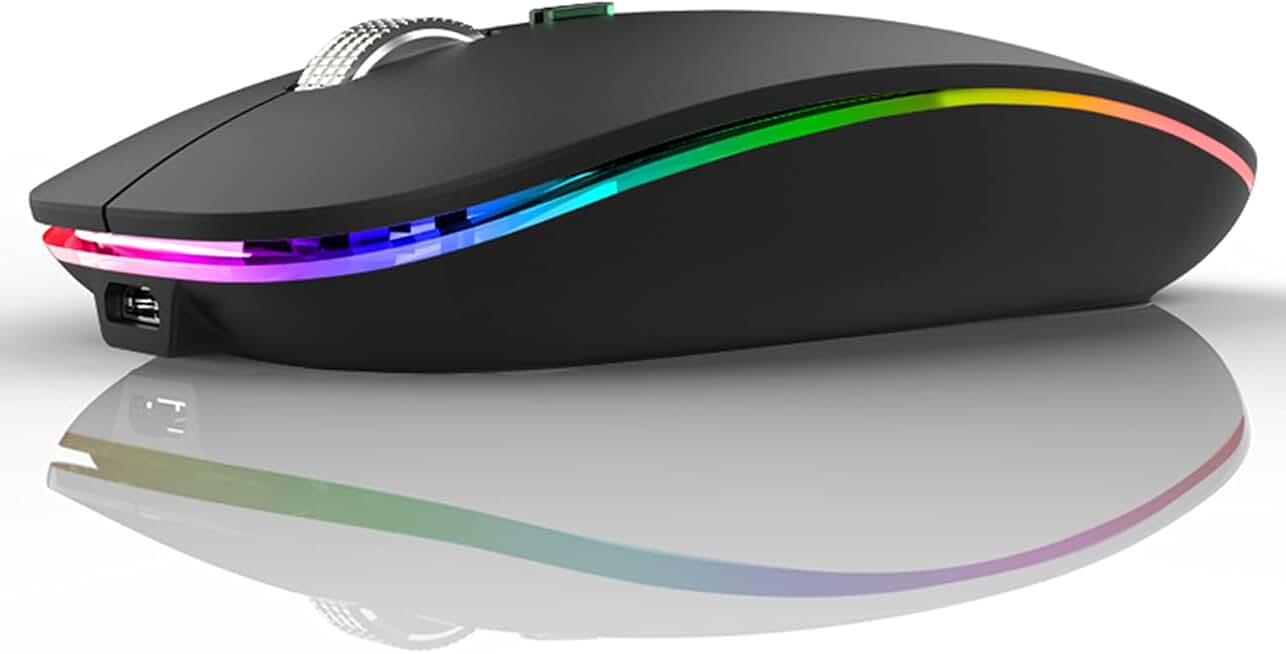
#9 · Best Entry-Level Budget4.4 (75,025)
Uiosmuph LED Wireless Mouse, G12 Slim Rechargeable Silent Mouse, 2.4G Portable USB Optical Computer Mice with USB Receiver and Type C Adapter (Matte Black)
$9.99
The Uiosmuph LED Wireless Mouse is the best entry-level pick for teens on a tight budget or trying gaming for the first time. At under $10, it's nearly disposable, and the rechargeable battery with dual charging adapters means you're never stuck. The slim design works for claw grip and portability, but larger hands should size up.
Pros
- + Rechargeable with USB and Type-C adapters—works with any device you own
- + Slim, lightweight design fits small hands and laptop bags for portable gaming
- + Silent switches keep noise down during late-night gaming sessions
- + At $9.99, it's the cheapest option with a solid 4.4★ rating from 75,000+ reviews
Cons
- − No DPI information listed—likely maxes out around 1,600–2,000 DPI for basic gaming
- − Slim design may feel cramped for larger hands or extended palm-grip sessions

#10 · Best Reliable Standard4.6 (38,100)
Logitech G305 Lightspeed Wireless Gaming Mouse, Hero Sensor, 12,000 DPI, Lightweight, 6 Programmable Buttons, 250h Battery, On-Board Memory, Compatible with PC, Mac - White
$29.99
The Logitech G305 (standard variant) is the most reliable gaming mouse for teens who want proven performance. With nearly 40,000 reviews backing its durability, you know it'll survive years of competitive play. The 250-hour battery life and lightweight design make it a no-brainer for FPS games.
Pros
- + 12,000 DPI Hero sensor with proven reliability across 38,100 reviews and 4.6★ rating
- + 250-hour battery life on a single AA battery—lasts months between changes
- + 6 programmable buttons with on-board memory for profile switching without software
- + Lightweight design at 95g enables fast flick shots and low-fatigue gaming
Cons
- − Requires AA battery (not included)—rechargeable models eliminate this step
- − Smaller size may feel cramped for large-handed players or palm-grip users
Frequently asked questions
Frequently Asked Questions
Final word
The best gaming mouse for teens depends on your budget and playstyle. If you want the safest all-around pick, grab the Logitech G305—it's proven, reliable, and costs under $30. For teens on a budget, the BENGOO Gaming Mouse ($10.99) or Uiosmuph LED ($9.99) deliver solid performance without breaking the bank. If you want wireless freedom and longer battery life, the Redragon M810 Pro or FFJ Wireless offer flexibility. Remember: the most expensive mouse isn't always the best. Focus on hand fit, sensor quality, and real reviews from players with hands like yours. Test your DPI sensitivity in-game, and don't fall for marketing hype around RGB or extreme DPI numbers. The right mouse is the one you'll use for hundreds of hours—pick one that feels good in your hand and matches your game.
More gear curated for teens
Gaming Keyboards
Best Gaming Keyboards for Teens
Gaming HeadsetsBest Gaming Headsets for Teens
Gaming MonitorsBest Gaming Monitors for Teens
Gaming ChairsBest Gaming Chairs for Teens
Gaming ControllersBest Gaming Controllers for Teens
Gaming DesksBest Gaming Desks for Teens
Streaming GearBest Streaming Gear for Teens
Gaming LaptopsBest Gaming Laptops for Teens
More gaming mice guides
Budget Gaming Mice of 2026
Find the best budget gaming mice 2026. Expert picks for every playstyle, from $16.99 to $90. Wired, wireless, and ergonomic options.
Best Corsair Gaming Mice in 2026
Find the best Corsair gaming mice for FPS, MMO, and competitive play. Expert reviews of top models with specs and ratings.
Best Ergonomic Gaming Mice in 2026
Find the best ergonomic gaming mice for comfort & performance. Expert reviews of top picks for wrist support & long gaming sessions.
Best Gaming Mice in 2026
Find the best gaming mice for 2026. Expert reviews of top wired & wireless options for FPS, MMO, and budget gamers.
Best Gaming Mice for Apex Legends
Top gaming mice for Apex Legends ranked by performance. Find the best DPI, sensor, and ergonomics for competitive play.
Best Gaming Mice for Baldur's Gate 3
Find the best gaming mice for Baldur's Gate 3. Expert reviews of top picks for precision, comfort, and performance.