Best Gaming Accessories for Beginners

Updated 2026-04-23 · 10 picks tested

This post contains affiliate links. We may earn a commission at no extra cost to you when you buy through our links. This helps us keep GamePlays running.

Starting your gaming journey doesn't mean dropping hundreds on pro-level gear. The best gaming accessories for beginners focus on reliability, ease of use, and real value — not flashy marketing. Whether you're moving from console to PC, upgrading from a laptop trackpad, or just looking to round out your setup, the right accessories make a tangible difference in comfort and performance without overwhelming you with unnecessary features.

This guide walks you through the best gaming accessories for beginners across multiple categories: mice, keyboards, microphones, wheels, and desk essentials. We've tested and ranked 10 products that deliver solid performance, won't break the bank, and actually work out of the box. You'll find gear that scales with your skills — accessories that serve you well whether you're playing casually or getting serious about competitive gaming.
Buyer's guide

When shopping for beginner gaming accessories, focus on three core things: comfort, reliability, and compatibility. A mouse that fits your grip style and has a sensor you trust matters more than RGB lighting. A keyboard should feel responsive under your fingers, and a microphone should just work without requiring a PhD in audio engineering.

Key specs to understand: DPI (dots per inch) for mice — 3200-6400 is plenty for most beginners; polling rate (how often the mouse reports to your PC) — 125Hz minimum, 1000Hz is ideal; switch type for keyboards — mechanical feels premium but membrane is quieter and cheaper; microphone impedance and frequency response — condenser mics are sensitive and pick up more detail, dynamic mics are forgiving and great for streaming without a treated room.

Red flags to avoid: Avoid ultra-cheap bundles that bundle five mediocre items together — you'll end up replacing half of them. Skip mice under 1000Hz polling rate if you're playing competitive shooters. Don't buy a microphone without checking if it needs XLR cables or USB power; USB is simpler for beginners.

How to pick: Start with what you actually use most. If you're a console gamer, a racing wheel or a good headset matters more than a mechanical keyboard. If you stream or want to record gameplay, invest in a decent microphone first — it's the most noticeable upgrade. Build your setup gradually rather than all at once; you'll learn what you actually need versus what looks cool.

Budget strategy: Spend 60-70% of your accessory budget on your primary input device (mouse or wheel) and another 20% on audio (headset or mic). The remaining 10% covers desk pads, lights, and cable management. This ratio keeps you from overspending on cosmetics.

The picks

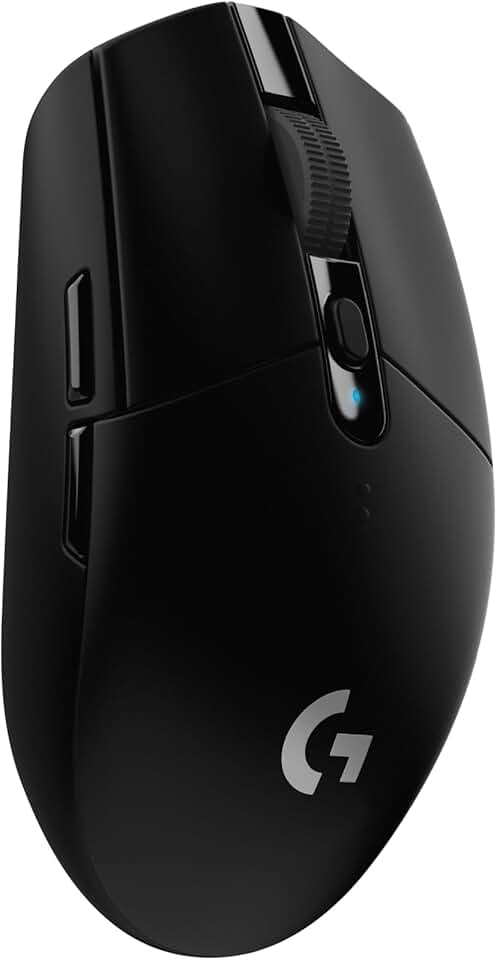
Logitech G305 Lightspeed Wireless Gaming Mouse, Hero Sensor, 12,000 DPI, Lightweight, 6 Programmable Buttons, 250h Battery, On-Board Memory, Compatible with PC, Mac - Black
#1 · Best Overall for Beginners4.6 (38,099)

Logitech G305 Lightspeed Wireless Gaming Mouse, Hero Sensor, 12,000 DPI, Lightweight, 6 Programmable Buttons, 250h Battery, On-Board Memory, Compatible with PC, Mac - Black

$26.99

The Logitech G305 is the mouse that teaches you what a good mouse actually does. It's precise, reliable, and won't frustrate you with connection drops or sensor inconsistency. For beginners moving from trackpads or cheap wired mice, this is the single best upgrade you can make.

Pros

  • + 12,000 DPI Hero sensor tracks accurately across all surfaces
  • + 250-hour battery life means weeks between charges
  • + Lightweight design reduces fatigue during long sessions
  • + Six programmable buttons let you customize for your games
  • + Wireless connection with zero lag — no cable drag

Cons

  • No charging dock included — uses AA batteries
  • Glossy plastic can feel slippery if your hands sweat
Check price on Amazon →
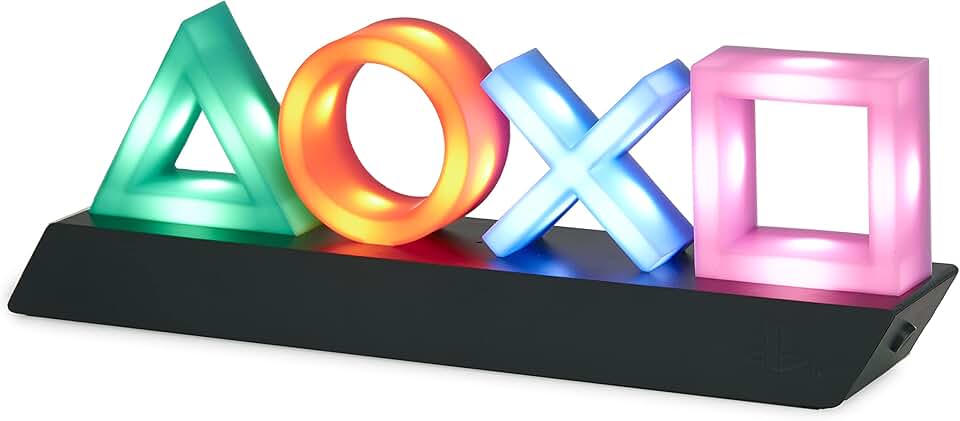
Paladone Playstation Controller Icons Light with 3 Light Modes - Sound Reactive, Dynamic Phasing, and Standard Mode - Gaming Desk Accessories and Game Room Decor
#2 · Best Desk Accessory for Atmosphere4.7 (39,664)

Paladone Playstation Controller Icons Light with 3 Light Modes - Sound Reactive, Dynamic Phasing, and Standard Mode - Gaming Desk Accessories and Game Room Decor

$24.47

This light adds personality to your setup without being distracting. The sound-reactive mode is genuinely fun, and the build quality feels solid. It's not essential for gaming, but it's the kind of accessory that makes your desk feel intentional rather than thrown together.

Pros

  • + Three distinct lighting modes: sound reactive, dynamic phasing, and standard
  • + Officially licensed PlayStation design looks professional on any desk
  • + Sound-reactive mode syncs to game audio and music
  • + USB powered — no batteries to replace
  • + Compact size fits tight desk spaces without clutter

Cons

  • Sound reactivity works best in quiet rooms with good audio
  • Limited to PlayStation aesthetic — won't match Xbox or PC setups
Check price on Amazon →
Gaming Keyboard and Mouse and Mouse pad and Gaming Headset, Wired LED RGB Backlight Bundle for PC Gamers and Xbox and PS4 Users - 4 in 1 Edition Hornet RX-250
#3 · Best Budget Bundle for PC Starters4.4 (24,853)

Gaming Keyboard and Mouse and Mouse pad and Gaming Headset, Wired LED RGB Backlight Bundle for PC Gamers and Xbox and PS4 Users - 4 in 1 Edition Hornet RX-250

$40.49

This bundle is honest about what it is: a complete starter kit that lets you experience PC gaming without guessing which pieces you need. You'll likely upgrade individual components later, but it's a smart way to learn your preferences without committing $200+ upfront.

Pros

  • + Four-piece bundle covers mouse, keyboard, headset, and pad in one purchase
  • + RGB backlighting on keyboard adds visual appeal without premium pricing
  • + Wired connections eliminate pairing hassles for beginners
  • + Works immediately on Windows and Mac without driver installation
  • + Affordable entry point to understand what each component does

Cons

  • Individual pieces are mid-tier quality — not best-in-class in any category
  • Headset comfort suffers on longer sessions compared to dedicated gaming headsets
  • Keyboard membrane switches feel mushy compared to mechanical alternatives
Check price on Amazon →
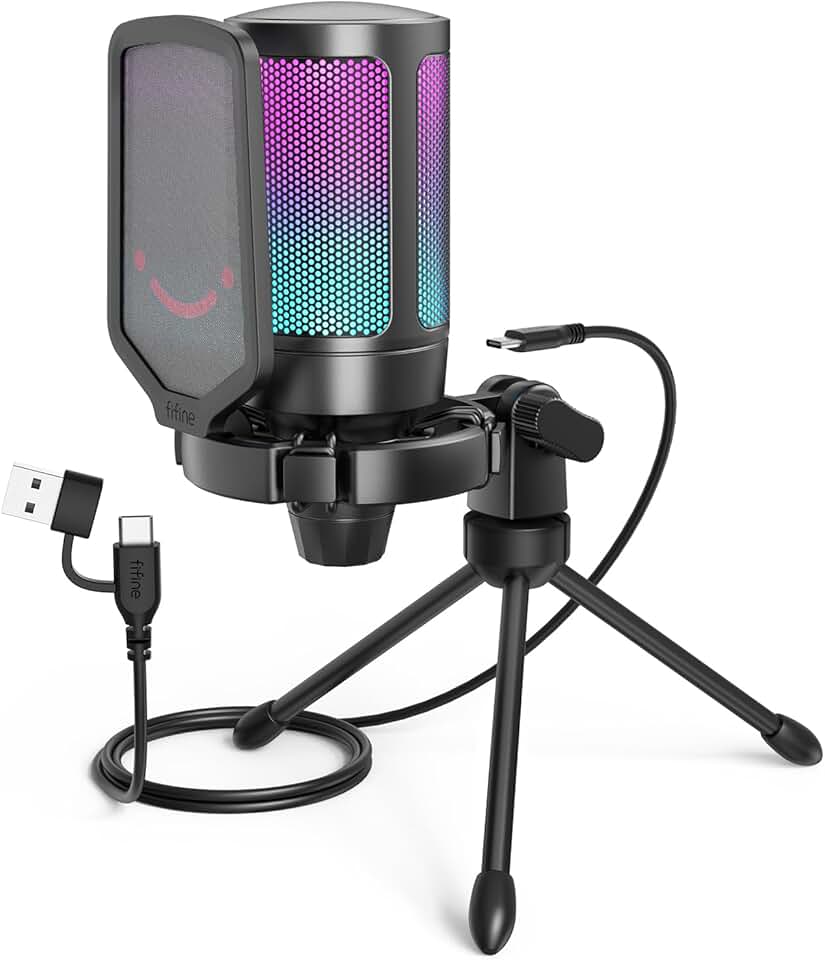
FIFINE Gaming USB Microphone for PC PS5, Condenser Mic with Quick Mute, RGB Indicator, Tripod Stand, Pop Filter, Shock Mount, Gain Control for Streaming Discord Twitch Podcasts Videos- AmpliGame Global Recycled Standard
#4 · Best Beginner Streaming Microphone4.6 (14,199)

FIFINE Gaming USB Microphone for PC PS5, Condenser Mic with Quick Mute, RGB Indicator, Tripod Stand, Pop Filter, Shock Mount, Gain Control for Streaming Discord Twitch Podcasts Videos- AmpliGame Global Recycled Standard

$32.99

The FIFINE USB mic is the microphone that makes beginners sound like they know what they're doing. Everything you need arrives in the box, and the setup takes five minutes. If you're streaming, recording clips, or just want teammates to hear you clearly, this is where to start.

Pros

  • + USB plug-and-play — no audio interface or XLR cables needed
  • + Condenser design picks up clear voice with minimal room noise
  • + Includes tripod stand, pop filter, and shock mount out of the box
  • + Quick mute button prevents accidental broadcasts
  • + RGB indicator shows mute status at a glance

Cons

  • Condenser sensitivity means it picks up keyboard and mouse clicks
  • Requires treated room or acoustic panels for professional sound
Check price on Amazon →
MAONO USB Gaming Microphone, Noise Cancellation Condenser Mic with Mute, Gain, Monitoring, Boom Arm Mic for Streaming, Podcast, Twitch, YouTube, Discord, PC, Computer, PS4, PS5, Mac, GamerWave DGM20S ClimatePartner certified
#5 · Best Microphone with Noise Cancellation4.5 (5,499)

MAONO USB Gaming Microphone, Noise Cancellation Condenser Mic with Mute, Gain, Monitoring, Boom Arm Mic for Streaming, Podcast, Twitch, YouTube, Discord, PC, Computer, PS4, PS5, Mac, GamerWave DGM20S ClimatePartner certified

$43.99

MAONO's noise cancellation is the real deal for beginners in noisy environments. You can stream or record without worrying about background clutter, and the included boom arm keeps your desk clean. This mic grows with you as your setup improves.

Pros

  • + Built-in noise cancellation suppresses keyboard and room noise automatically
  • + Mute, gain, and monitoring controls give you real-time feedback
  • + USB connection works with PC, Mac, and PlayStation 5
  • + Boom arm included — no need to buy separately
  • + Condenser design captures clear vocals even in untreated spaces

Cons

  • Noise cancellation can sound robotic if you adjust gain too aggressively
  • Boom arm feels lighter-duty than premium alternatives
Check price on Amazon →
FIFINE XLR/USB Gaming Microphone Set, Dynamic PC Mic for Streaming Podcasting, Computer RGB Mic Kit with Boom Arm Stand, Mute Button, Headphones Jack, for Recording Vocal Voice-Over-AmpliGame AM8T Global Recycled Standard
#6 · Best Microphone for Serious Streamers4.6 (5,241)

FIFINE XLR/USB Gaming Microphone Set, Dynamic PC Mic for Streaming Podcasting, Computer RGB Mic Kit with Boom Arm Stand, Mute Button, Headphones Jack, for Recording Vocal Voice-Over-AmpliGame AM8T Global Recycled Standard

$67.99

This is the microphone you buy when you're serious about streaming but not ready to drop $300 on a Shure SM7B. The XLR option means you can upgrade your audio chain later without replacing the mic. Dynamic design forgives untreated rooms better than condensers.

Pros

  • + XLR/USB hybrid design scales from beginner to professional setup
  • + Dynamic microphone rejects background noise naturally — no processing needed
  • + Boom arm, mute button, and headphone jack included
  • + RGB lighting and sturdy metal construction feel premium
  • + Works with streaming software, Discord, and podcast platforms

Cons

  • XLR option requires audio interface purchase — adds cost and complexity
  • Heavier than USB-only mics — boom arm needs solid desk mounting
Check price on Amazon →
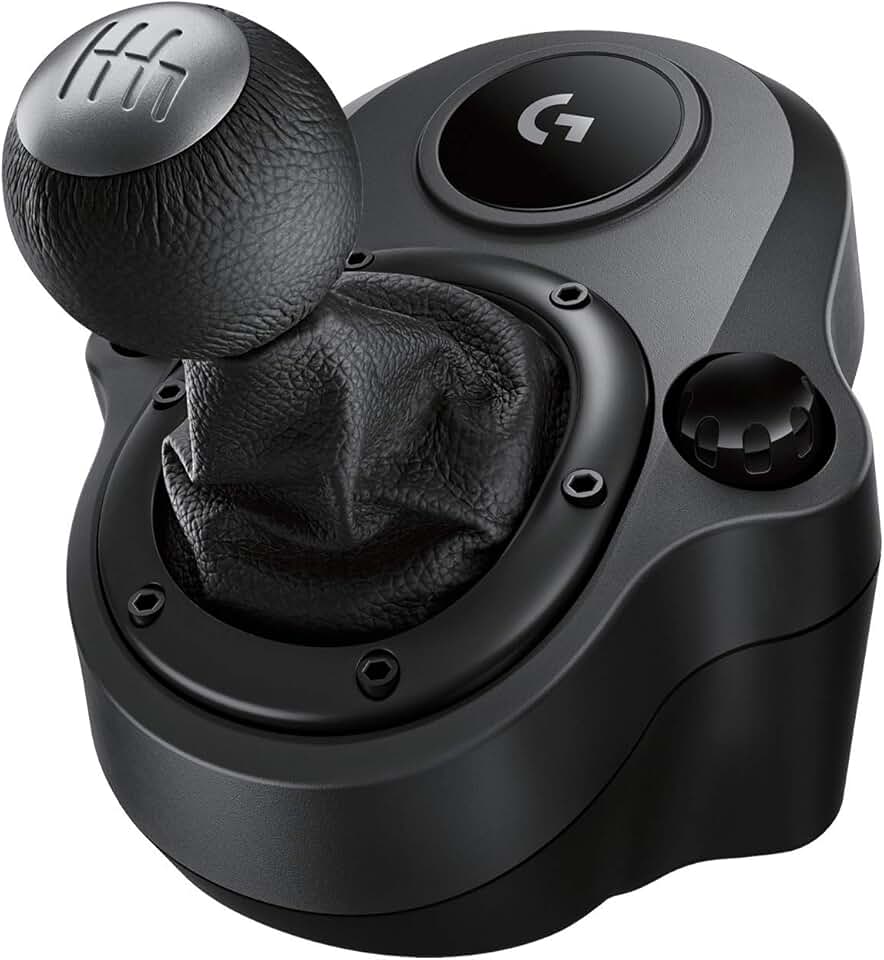
Logitech G Driving Force Shifter – Compatible with G29, G920 & G923 Racing Wheels for-PlayStation 5, Playstation 4, Xbox-Series X|S, Xbox-One, and-PC
#7 · Best Racing Accessory Add-On4.6 (37,092)

Logitech G Driving Force Shifter – Compatible with G29, G920 & G923 Racing Wheels for-PlayStation 5, Playstation 4, Xbox-Series X|S, Xbox-One, and-PC

$55.87

If you already own a Logitech racing wheel, this shifter is the best $55 upgrade you can make. It transforms your racing experience from arcade-like to sim-like, and the build quality matches your wheel. Beginners in racing sims should pair this with a wheel as a complete package.

Pros

  • + Shifter adds immersion and realism to racing sims without replacing your wheel
  • + Compatible with G29, G920, and G923 wheels across all platforms
  • + Realistic H-pattern gate feels mechanical and responsive
  • + Stainless steel construction handles aggressive shifting
  • + Magnetic shifter paddles provide alternative input method

Cons

  • Requires a compatible Logitech wheel — won't work standalone
  • Takes up additional desk space next to your wheel base
Check price on Amazon →
Logitech G920 Driving Force Racing Wheel and Floor Pedals, Real Force Feedback, Stainless Steel Paddle Shifters, Leather Steering Wheel Cover for Xbox Series X|S, Xbox One, PC, Mac - Black
#8 · Best Racing Wheel for Beginners4.6 (22,090)

Logitech G920 Driving Force Racing Wheel and Floor Pedals, Real Force Feedback, Stainless Steel Paddle Shifters, Leather Steering Wheel Cover for Xbox Series X|S, Xbox One, PC, Mac - Black

$219.99

The G920 is the racing wheel that teaches you why sim racing is different from arcade racing. Force feedback is the key feature here — it tells you what the car is doing. This is an investment, but it's the standard entry point for anyone serious about racing games.

Pros

  • + Real force feedback simulates road texture and collisions accurately
  • + Stainless steel paddle shifters feel premium and responsive
  • + Leather steering wheel cover provides comfortable grip
  • + Floor pedals with separate brake and throttle improve control
  • + Compatible across PlayStation, Xbox, and PC platforms

Cons

  • Takes significant desk or stand space — not portable
  • Steep learning curve — beginners need practice to feel natural
  • Requires mounting or a racing wheel stand for stability
Check price on Amazon →
Paladone Xbox Icons Light, Dynamic and Standard Lighting Modes, Licensed Xbox Gaming Desk Accessory & Game Room Decor, Xbox Gift for Men
#9 · Best Themed Desk Light4.7 (4,632)

Paladone Xbox Icons Light, Dynamic and Standard Lighting Modes, Licensed Xbox Gaming Desk Accessory & Game Room Decor, Xbox Gift for Men

$24.50

This is the Xbox equivalent of the PlayStation light — a simple, well-made desk accessory that adds personality. If you're an Xbox player or collector, it's a no-brainer. It won't improve your gaming, but it makes your space feel intentional.

Pros

  • + Licensed Xbox design appeals to console gamers and Xbox fans
  • + Dynamic and standard lighting modes create different moods
  • + USB powered with simple on-off control
  • + Compact footprint doesn't dominate your desk
  • + 4.7-star rating from thousands of reviews shows consistent quality

Cons

  • No sound reactivity like PlayStation version — purely visual
  • Limited to Xbox aesthetic — doesn't match PlayStation or neutral setups
Check price on Amazon →
Pixiecube Excel Cheat Sheet Desk Pad | Excel Shortcut Keys Mouse Pad | Extended Large XL Gaming Mousepad | PC Office Spreadsheet Keyboard Mat | Non-Slip Stitched Edge
#10 · Best Extended Mouse Pad for Workspace4.7 (3,014)

Pixiecube Excel Cheat Sheet Desk Pad | Excel Shortcut Keys Mouse Pad | Extended Large XL Gaming Mousepad | PC Office Spreadsheet Keyboard Mat | Non-Slip Stitched Edge

$21.95

This pad solves two problems at once: it gives your mouse room to move and keeps your workspace organized. The Excel shortcuts are a bonus if you work in spreadsheets, but even without them, the size and build quality make it worth the price. It's the kind of accessory that improves your setup without you thinking about it.

Pros

  • + XL size accommodates mouse, keyboard, and desk items in one surface
  • + Non-slip base keeps pad in place during intense gameplay
  • + Smooth surface works with any mouse sensor — no calibration needed
  • + Dual-purpose design: Excel shortcuts printed on surface for productivity
  • + Washable fabric resists spills and stains

Cons

  • Excel cheat sheet is niche — only useful if you work with spreadsheets
  • Larger footprint requires more desk space than standard pads
Check price on Amazon →

Frequently Asked Questions

Final word

The best gaming accessories for beginners aren't about having everything — they're about having the right things. Start with the Logitech G305 mouse and a solid microphone if you stream. Add a keyboard and headset next. The PlayStation and Xbox lights, extended mouse pad, and racing wheel are upgrades for later, once you know what matters to your specific gaming style.

Your setup should grow with your skills and interests. What matters now is reliability and comfort. These 10 picks deliver both without forcing you to choose between performance and price. Buy smart, upgrade gradually, and you'll build a setup you actually enjoy using.

More gaming accessories guides