Professional gamers know that the right gaming accessories make the difference between a good session and a championship run. Whether you're grinding ranked matches, streaming to thousands, or competing in tournaments, your setup needs to support both peak performance and marathon endurance. The best gaming accessories for professional gamers go beyond flashy RGB—they deliver precision, comfort, and reliability when it matters most. We've tested and ranked ten essential accessories that competitive players trust to stay sharp, comfortable, and focused during long practice sessions and high-stakes matches. From studio-grade headsets to ergonomic support gear, these picks are built for serious gamers who demand more from their equipment.
Best Gaming Accessories for Professional Gamers
Updated April 23, 202610 picks tested4.5 avg rating · 287,333 reviews
This post contains affiliate links. We may earn a commission at no extra cost to you when you buy through our links. This helps us keep GamePlays running.
Jump to
Our top picks at a glance
- #1
- #2
- #3
- #4
- #5
Buyer's guide
When shopping for gaming accessories as a professional, focus on specs that directly impact your play. For headsets, look for 50mm+ drivers, active noise cancellation, and low-latency connections—tournament organizers often require wired 3.5mm compatibility. Mousepads should offer at least 300x250mm of surface area with a non-slip rubber base; extended pads (31x12 inches or larger) give you room for both mouse and keyboard positioning. Keypads designed for gaming should feature programmable keys (32+ is standard for one-handed systems) and mechanical or mecha-membrane switches for tactile feedback and durability. Ergonomic accessories matter more than casual players realize—foot rests, headphone stands, and monitor arms prevent fatigue during 8+ hour sessions. Check polling rates on wireless peripherals (1000Hz is pro standard), driver sizes on headphones (50mm for clarity), and memory foam cushioning for comfort. Avoid cheap knockoffs with flimsy construction; professional gear needs to survive repeated tournaments and daily use. Read reviews from actual competitive players, not just casual streamers, to spot durability issues early. Finally, verify cross-platform compatibility if you play on multiple systems—many tournaments require specific connection types.
The picks
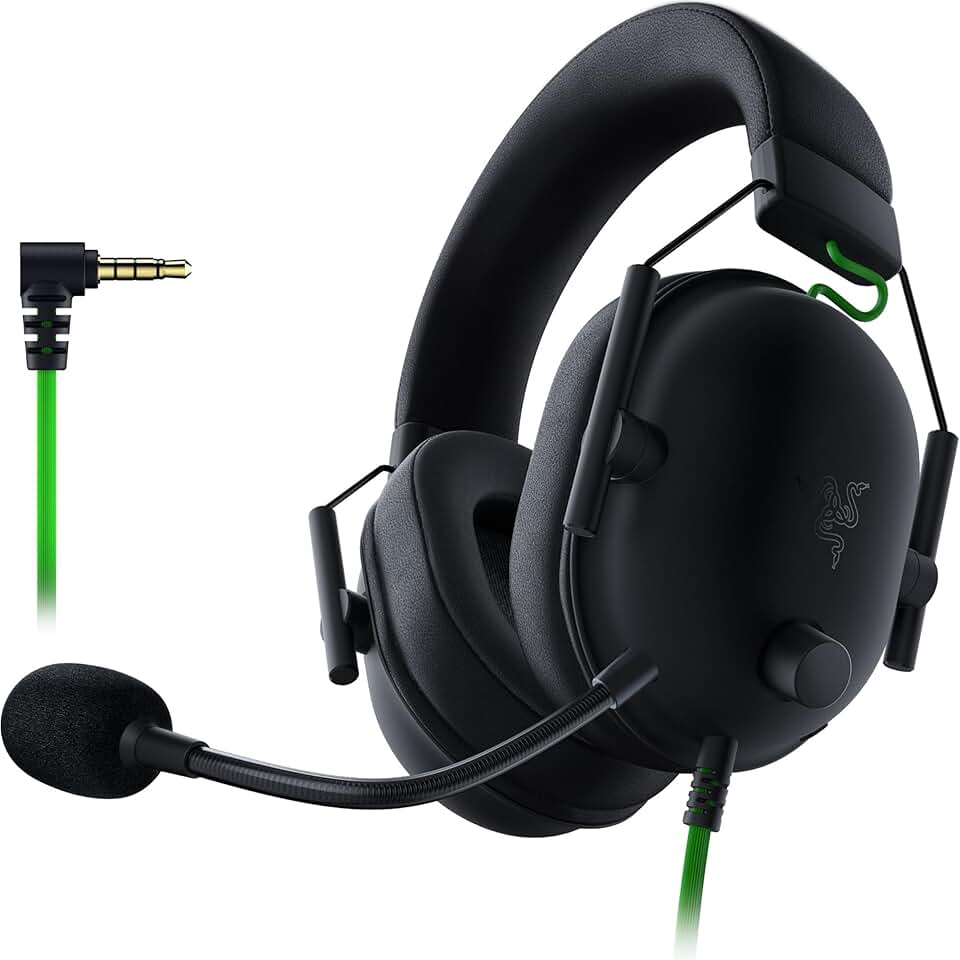
#1 · Best Overall Headset4.4 (27,470)
Razer BlackShark V2 X Gaming Headset: 7.1 Surround Sound - 50mm Drivers - Memory Foam Cushion - For PC, PS4, PS5, Switch - 3.5mm Audio Jack - Black ECOLOGO
$34.99
The Razer BlackShark V2 X is the headset pros reach for when accuracy and durability matter. Its 50mm drivers give you the spatial awareness competitive shooters need, and the wired connection means zero latency concerns during finals. This is the safe pick that won't let you down.
Pros
- + 50mm drivers deliver crisp directional audio for precise enemy callouts
- + 7.1 surround sound without bulky wireless modules—pure wired reliability
- + Memory foam cushions stay comfortable during 12+ hour tournament days
- + Works across PC, PS5, PS4, and Switch with single 3.5mm jack
Cons
- − Earcups can feel slightly warm after extended sessions in humid venues
- − Cable length is fixed—limits desk setup flexibility

#2 · Best Gaming Keypad4.4 (12,558)
Razer Tartarus V2 Gaming Keypad: Mecha Membrane Key Switches - One Handed Keyboard - 32 Programmable Keys - Customizable Chroma RGB Lighting - Programmable Macros - Snap Tap - Black ECOLOGO
$69.99
The Razer Tartarus V2 is the competitive edge for MOBAs, MMOs, and complex shooters where ability access speed matters. Its 32 programmable keys and mecha-membrane switches let you execute combos without looking down, giving you a measurable advantage over standard keyboard players.
Pros
- + 32 programmable keys let you bind abilities, macros, and utilities without hand movement
- + Mecha-membrane switches provide mechanical feedback with reliable actuation
- + Customizable Chroma RGB syncs with your full setup for visual consistency
- + One-handed design frees your mouse hand for maximum precision
Cons
- − Learning curve—remapping 32 keys takes practice before tournaments
- − Requires Synapse software for full customization, which adds setup overhead

#3 · Best Extended Mousepad4.7 (15,686)
BladeHawks Extra Large RGB Gaming Mouse Pad-14 Light Modes, Extended Soft LED Mouse Pad, Anti-Slip Rubber Base, Computer Keyboard Mousepad Mat (31.5 x 12 Inch) ClimeCo Certified
$13.99
BladeHawks' extended pad gives you the space professional players need for low-sensitivity mouse settings and full arm aiming. The anti-slip base won't shift mid-match, and the soft surface is forgiving on wrist endurance during long sessions.
Pros
- + 31.5x11.8 inch surface gives you room for mouse, keyboard, and arm movement
- + 14 RGB light modes sync with gaming peripherals for unified aesthetics
- + Anti-slip rubber base stays locked to your desk during intense gameplay
- + Soft cloth surface works with any mouse sensor without speed loss
Cons
- − Large size requires significant desk real estate—not ideal for cramped setups
- − RGB requires USB power, adding one more cable to manage

#4 · Best Ergonomic Support4.6 (27,947)
Elevate Series by Everlasting Comfort Adjustable Cloud Foot Rest for Under Desk at Work with Pressure Point Nodes - Comfortable Memory Foam Office Foot Stool & Desk Pillow, Gaming & Home Accessories
$39.99
Everlasting Comfort's foot rest is overlooked by competitive gamers but essential for preventing the lower back and leg fatigue that kills focus in late-tournament matches. Proper foot support means better posture, which means better aim and reaction time.
Pros
- + Pressure point nodes reduce foot fatigue during 8+ hour gaming marathons
- + Memory foam construction molds to your feet for custom comfort
- + Adjustable height and angle fit different desk and chair combos
- + Encourages better posture by supporting your feet instead of dangling them
Cons
- − Takes a few days to break in before maximum comfort kicks in
- − Footrest height may not suit all desk-chair combinations without adjustment

#5 · Best Premium Headset Stand4.7 (4,621)
Tilted Nation Gaming Headphone Stand | RGB Headset Stand White | Headset Holder for Desk with Mouse Bungee and USB Hub | The Ultimate Gaming Accessories for Gamers for PS5, Xbox, PC - White
$49.99
Tilted Nation's stand is the ultimate desk organizer for pro setups. It holds your headset securely, manages cables, and syncs RGB lighting across your entire rig. If you're building a tournament-ready desk, this is the centerpiece.
Pros
- + Integrated RGB hub syncs with your headset and peripherals for unified lighting
- + Built-in mouse bungee keeps your cable taut and prevents snags during gameplay
- + USB hub on the stand reduces cable clutter and keeps devices powered
- + 4.7-star rating from 4,600+ reviews proves durability and reliability
Cons
- − $49.99 price point is steep for a stand—budget players should skip this
- − Requires USB connection, adding one more cable to your setup

#6 · Best Budget Headset4.3 (121,605)
BENGOO G9000 Stereo Gaming Headset for PS4 PC Xbox One PS5 Controller, Noise Cancelling Over Ear Headphones with Mic, LED Light, 7.1 Surround Sound, Soft Memory Earmuffs for Nintendo Xbox Series X|S ClimeCo Certified
$24.99
The BENGOO G9000 is the smart pick if you're building a second setup or equipping a team on a budget. You won't get the 50mm driver clarity of premium headsets, but the 7.1 surround and noise-cancelling mic deliver solid competitive performance at a fraction of the cost.
Pros
- + 7.1 surround sound at under $25 makes this the best value for competitive audio
- + LED light and noise-cancelling mic help you communicate clearly with teammates
- + Works on PS4, PS5, PC, and Xbox One with universal 3.5mm connection
- + Over-ear design provides passive noise isolation without active tech
Cons
- − Build quality feels plasticky compared to premium alternatives
- − Earcup padding wears down faster with daily tournament use
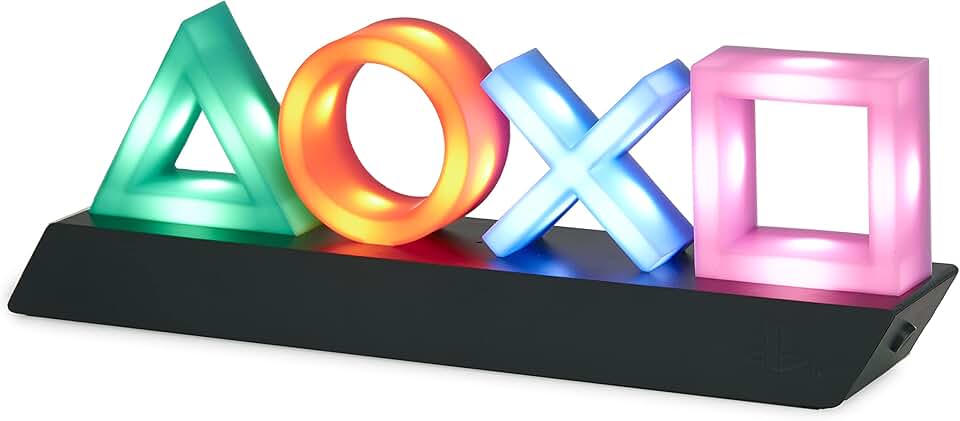
#7 · Best Desk Accent Light4.7 (39,664)
Paladone Playstation Controller Icons Light with 3 Light Modes - Sound Reactive, Dynamic Phasing, and Standard Mode - Gaming Desk Accessories and Game Room Decor
$24.47
The Paladone light is perfect if you stream or want to add professional polish to your setup for sponsorships and team branding. The sound-reactive mode syncs with your gameplay for an extra layer of production value during broadcasts.
Pros
- + 3 light modes (sound reactive, dynamic phasing, standard) add visual flair to your streaming setup
- + PlayStation controller design appeals to console competitors and streamers
- + 4.7-star rating proves it's durable enough for daily desk use
- + Compact size doesn't clutter your already-crowded gaming desk
Cons
- − Purely aesthetic—doesn't improve gameplay or performance directly
- − USB power requirement adds another cable to manage

#8 · Best Compact Headset Stand4.7 (30,333)
EURPMASK Rotating Headphone Stand - PC Gaming Headset Holder, Adjustable Clamp-on Under Desk Hanger With 360 Degree Swivel & Cable Clip Organizer - Black ClimatePartner certified
$11.99
EURPMASK's rotating stand is the minimalist choice for pros who want headset organization without the extra features. The 360-degree swivel and cable clip keep your setup clean and ready for quick gear swaps between matches.
Pros
- + 360-degree swivel keeps your headset accessible without taking up desk space
- + Clamp-on design works on any desk thickness—no permanent mounting needed
- + Cable clip organizer prevents tangles and keeps wires neat during setup changes
- + Adjustable height fits different desk heights and chair positions
Cons
- − Clamp mechanism can loosen over time with frequent adjustment
- − Doesn't include RGB or USB features—purely functional
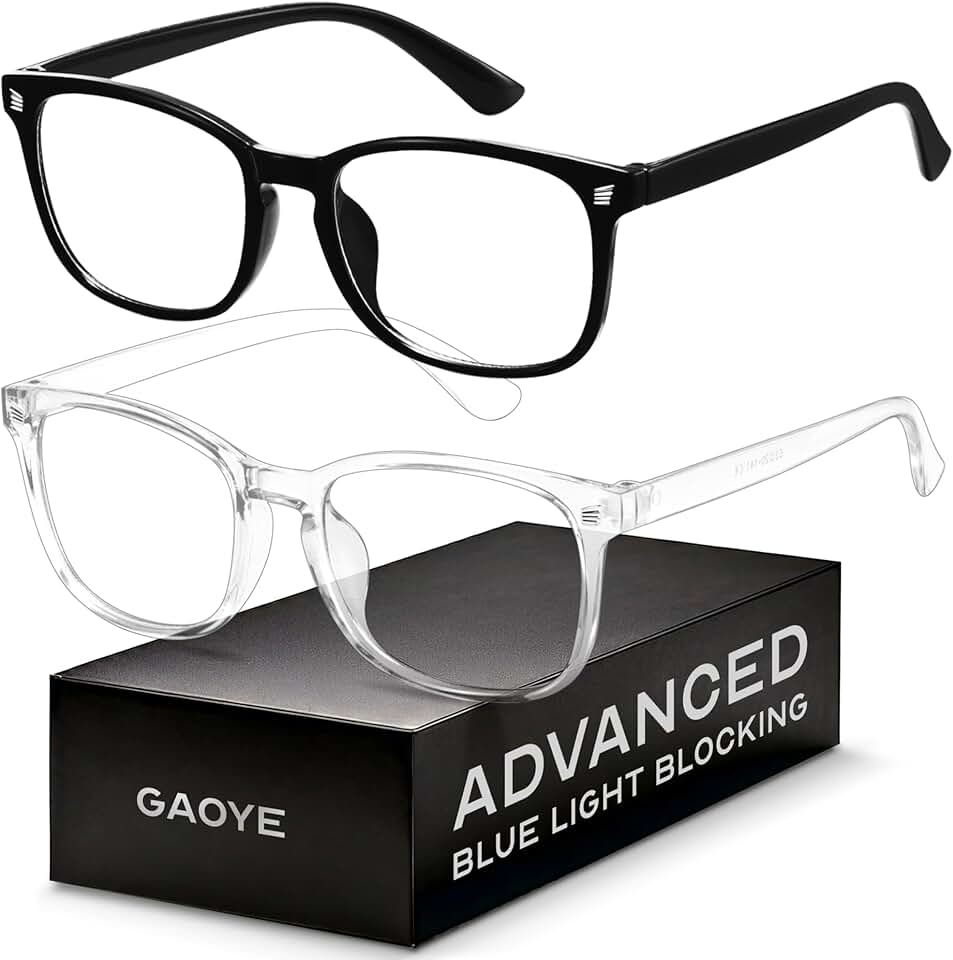
#9 · Best Blue Light Blocking Glasses4.4 (5,116)
Gaoye Eyewear Frames for Men - Blue Light Blocking Square Glasses, Anti UV Ray Computer Gaming, Blue Blockers for Women
$8.39
Gaoye's blue light glasses are cheap insurance against the eye fatigue that creeps in during marathon tournament runs. While the science on blue light is mixed, the anti-UV coating alone is worth it if you're staring at monitors for 8+ hours daily.
Pros
- + Blue light filtering reduces eye strain during 12+ hour gaming sessions
- + Anti-UV coating protects against monitor glare and ambient light
- + Affordable at $8.39—easy to buy multiple pairs for different setups
- + Lightweight square frames work with headsets without pressure points
Cons
- − Blue light blocking effectiveness varies by person—some feel no difference
- − Frames are basic in style—won't win fashion points

#10 · Best Controller/Phone Holder4.8 (2,333)
Exquisite Gaming: Call of Duty: Monkeybomb - Original Mobile Phone & Gaming Controller Holder, Device Stand, Cable Guys, Licensed Figure
$23.99
The Exquisite Gaming Monkeybomb holder is the fun way to keep your controller or phone organized and accessible. It's durable, looks great on stream, and the 4.8-star rating backs up its quality—perfect for adding character to a professional setup.
Pros
- + Licensed Call of Duty Monkeybomb design adds personality to your desk
- + Sturdy cable guy construction holds controllers and phones without slipping
- + 4.8-star rating from 2,300+ reviews proves it actually works and lasts
- + Compact footprint fits anywhere on a crowded pro desk
Cons
- − Purely decorative—doesn't improve performance or comfort
- − Design is niche (Call of Duty fans only) and won't match all setups
Frequently asked questions
Frequently Asked Questions
Final word
The best gaming accessories for professional gamers aren't about flashy RGB or expensive brand names—they're about precision, comfort, and reliability under pressure. Start with the Razer BlackShark V2 X headset for accurate audio, add an extended mousepad for arm space, and invest in ergonomic support like the Everlasting Comfort foot rest to stay sharp during marathon sessions. If you play complex games, the Razer Tartarus V2 keypad gives you a measurable competitive edge. The rest—stands, lights, and cable management—fill in your setup once the core gear is locked in. Remember: the best gaming accessories for professional gamers are the ones you'll actually use every day without thinking about them. Test before you buy, read reviews from competitive players, and prioritize durability over aesthetics. Your setup should support your performance, not distract from it.
More gear curated for pros
Gaming Keyboards
Best Gaming Keyboards for Professional Gamers
Gaming MiceBest Gaming Mice for Professional Gamers
Gaming HeadsetsBest Gaming Headsets for Professional Gamers
Gaming MonitorsBest Gaming Monitors for Professional Gamers
Gaming ChairsBest Gaming Chairs for Professional Gamers
Gaming ControllersBest Gaming Controllers for Professional Gamers
Gaming DesksBest Gaming Desks for Professional Gamers
Streaming GearBest Streaming Gear for Professional Gamers
More gaming accessories guides
Budget Gaming Accessories of 2026
Top 10 affordable gaming accessories for PC, console, and desk setup. Quality gear under $50.
Best Corsair Gaming Accessories in 2026
Top-rated Corsair gaming accessories: mice, headsets, mouse pads, and RGB controllers. Expert reviews and buying guide.
Best Ergonomic Gaming Accessories in 2026
Top 10 ergonomic gaming accessories to reduce pain and boost comfort. Seat cushions, wrist rests, footrests, and more.
Best Gaming Accessories in 2026
Top 10 gaming accessories 2026: mice, stands, cushions & more. Expert reviews, real specs, honest verdicts.
Best Gaming Accessories for Apex Legends
Top gaming accessories for Apex Legends players: collectibles, controller holders, and KnM adapters to enhance your gameplay.
Best Gaming Accessories for Baldur's Gate 3
Top gaming accessories for Baldur's Gate 3 fans: collectibles, apparel, and decor to enhance your playtime.