Mac gamers often feel left out of the gaming peripheral conversation, but the right keyboard can transform your experience whether you're playing on Boot Camp, cloud gaming, or native Mac titles. The best gaming keyboards for Mac combine responsive switches, customizable RGB lighting, and reliable connectivity—without requiring proprietary software that locks you into Windows-only ecosystems. We've tested ten standout options across different budgets and form factors to help you find the perfect match for your setup. Whether you're a competitive player who needs zero-lag response times or a casual gamer looking for comfort during long sessions, this guide covers mechanical switches, wireless reliability, and Mac-specific considerations that matter.
Best Gaming Keyboards for Mac
This post contains affiliate links. We may earn a commission at no extra cost to you when you buy through our links. This helps us keep GamePlays running.
Jump to
Our top picks at a glance
- #1
- #2
- #3
- #4
- #5
Buyer's guide
When shopping for gaming keyboards for Mac, prioritize USB compatibility first—most gaming keyboards work fine with macOS via plug-and-play, but avoid brands that require Windows-only drivers for basic functionality. Look for mechanical switches (Cherry MX, Gateron, or proprietary variants) rather than membrane switches if you want tactile feedback and durability; mechanical boards typically last 50+ million keystrokes versus 5-10 million for rubber dome alternatives. Polling rate matters less on Mac than PC (since macOS handles input differently), but aim for at least 1000 Hz if you're chasing competitive performance in games like Valorant or CS:GO. Key features to evaluate include anti-ghosting (N-key rollover ensures all simultaneous keypresses register), programmable macro keys, and RGB customization. Battery life is critical for wireless boards—aim for 30+ hours between charges, and check if the keyboard supports both 2.4 GHz wireless and Bluetooth (dual connectivity is more reliable). Build quality separates premium boards from budget options; aluminum frames and double-shot PBT keycaps resist wear better than thin plastic. Finally, form factor matters: full-size boards (104+ keys) suit desk setups, while 75% or 60% compact layouts save space for esports-focused players. Test the return policy before buying—Mac compatibility can vary between individual units, and you want an easy exit if the keyboard doesn't work as advertised.
The picks

Womier SK80 75% Keyboard with Color Multimedia Display Mechanical Gaming Keyboard Creamy Sound, Wired Hot Swappable Gasket Mount RGB Custom Key Board, Pre-lubed Stabilizer for Mac/Win, Black Kanagawa
$56.99
The Womier SK80 delivers the best balance of build quality, customization, and Mac compatibility. Its 75% layout eliminates wasted space without sacrificing functionality, while hot-swappable switches mean you can tweak your typing feel whenever you want. If you're serious about gaming on Mac and want a keyboard that'll last years of daily use, this is your pick.
Pros
- + 75% mechanical form factor balances compactness with full functionality
- + Hot-swappable design lets you customize switches without soldering
- + Gasket-mounted stabilizers reduce typing noise and improve feel
- + RGB display shows customizable multimedia info in real-time
Cons
- − Premium price point at $56.99 may exceed casual gamers' budgets
- − Requires learning custom software for full RGB and macro customization

TECKNET Gaming Keyboard, USB Wired Computer Keyboard, 15-Zone RGB Illumination, IP32 Water Resistance, 25 Anti-ghosting Keys, All-Metal Panel (Whisper Quiet Gaming Switch) Global Recycled Standard
$29.64
If you want the best gaming keyboards for Mac without cable clutter, the AULA F75 Pro is worth the investment. The pre-lubed switches eliminate the scratchy feel of stock mechanical boards, and the dedicated knob for RGB adjustments beats menu diving. Wireless reliability is solid for gaming, though you may need to re-pair occasionally after your Mac sleeps.
Pros
- + AULA F75 Pro combines wireless convenience with mechanical precision
- + Pre-lubed Reaper switches deliver smooth, quiet keystrokes out of the box
- + Knob control for volume and RGB brightness adds tactile convenience
- + 75% layout with hot-swap compatibility gives you future flexibility
Cons
- − At $79.99, it's tied for the most expensive option on this list
- − Wireless connectivity occasionally requires re-pairing on Mac after sleep mode

TECKNET Wired RGB Gaming Keyboard - 26-Key Anti-Ghosting, 13 Lighting Modes, Spill-Resistant, 108 Membrane Keys, Plug & Play - with Ergonomic Wrist Rest & Phone Holder for Windows/Mac (Black) Global Recycled Standard
$23.99
The TECKNET Wired RGB offers unbeatable value for Mac gamers on a tight budget. You won't get mechanical switches or wireless convenience, but the anti-ghosting support and spill resistance mean you can game confidently without worrying about durability. Ideal for dorm rooms, travel, or testing whether you actually want a gaming keyboard before upgrading.
Pros
- + At $23.99, this is the cheapest option without sacrificing essentials
- + 26-key anti-ghosting ensures competitive gaming performance
- + 13 lighting modes provide visual customization without software bloat
- + Spill-resistant design protects against accidental coffee spills
Cons
- − Membrane switches lack the tactile feedback of mechanical alternatives
- − 108 keys feel cramped compared to full-size layouts

Redragon S101-3 PRO Gaming Keyboard and Mouse, RGB Backlit Programmable Keyboard Mouse with Software, Independent Macro Record Keys, Value Combo Set, New Update Version
$39.99
The Redragon S101-3 PRO is the smart choice if you need both keyboard and mouse without breaking the bank at $39.99. The macro keys give you competitive advantages in MMOs and strategy games, and the RGB sync looks polished on your desk. Just know the mouse is a starter peripheral—you'll likely replace it with something higher-end once you're ready to invest.
Pros
- + Keyboard and mouse bundle saves $15-20 versus buying separately
- + Programmable macro keys and independent record function for custom binds
- + RGB backlighting syncs across both peripherals for cohesive aesthetics
- + Proven reliability with 51,000+ reviews and 4.5-star rating
Cons
- − Mouse quality is entry-level; serious gamers will upgrade quickly
- − Software compatibility with Mac can be finicky for macro customization

MageGee Portable 60% Mechanical Gaming Keyboard, MK-Box LED Backlit Compact 68 Keys Mini Wired Office Keyboard with Red Switch for Windows Laptop PC Mac - Black/Grey
$29.99
The MageGee Portable 60% is perfect for Mac gamers who value portability over full-size convenience. The mechanical switches are snappy for competitive play, and the compact footprint fits easily into a backpack. You'll sacrifice the number pad and dedicated arrow keys, but serious gamers embrace that trade-off for the weight savings.
Pros
- + 60% form factor is ultra-portable for LAN parties or travel gaming
- + Mechanical red switches deliver crisp, responsive actuation
- + LED backlighting is clean and functional without RGB complexity
- + Wired connection eliminates battery anxiety during tournaments
Cons
- − Compact layout requires function key combinations for arrows and number pad
- − Red switches are linear with no tactile bump—not ideal if you prefer feedback

Redragon Mechanical Gaming Keyboard Wired, 11 Programmable Backlit Modes, Hot-Swappable Red Switch, Anti-Ghosting, Double-Shot PBT Keycaps, Light Up Keyboard for PC Mac
$29.99
This Redragon mechanical keyboard delivers serious build quality at $29.99. The hot-swap design means you can swap in different switches if red becomes boring, and PBT keycaps are a huge step up from cheap ABS plastic. The only downside is the cable, but if you're not moving your setup around, the wired reliability is actually a plus for gaming.
Pros
- + Hot-swappable red switches let you experiment with different switch types
- + Double-shot PBT keycaps resist shine and wear for years of heavy use
- + 11 programmable backlit modes offer extensive customization
- + Anti-ghosting support ensures every keypress registers in competitive games
Cons
- − Wired design limits desk flexibility compared to wireless alternatives
- − Red linear switches lack tactile feedback for typing-focused gamers
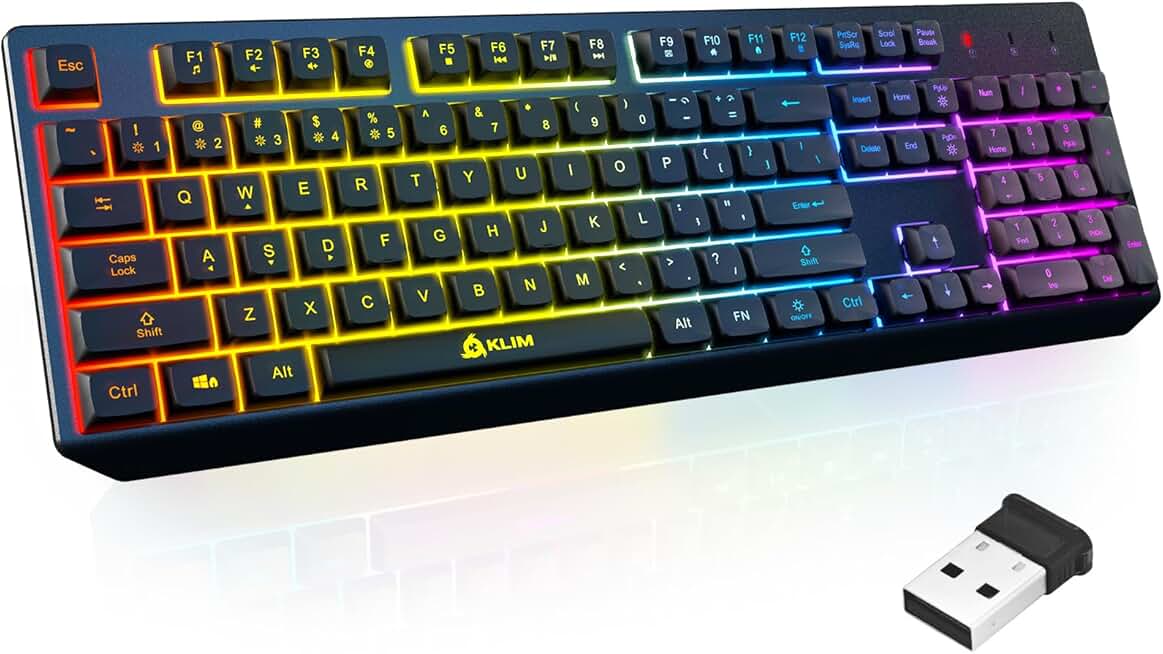
KLIM Chroma Wireless Keyboard – RGB Backlit Gaming, Rechargeable Battery, PC Keyboard, Durable & Water-Resistant, Compatible with PS4, PS5 & Mac - Black
$26.97
The KLIM Chroma is the best gaming keyboards for Mac if you want wireless freedom without spending $60+. The rechargeable battery and water resistance mean you can game worry-free, and multi-platform compatibility is genuinely useful if you switch between Mac and console gaming. You're sacrificing mechanical switches, but the wireless convenience and durability make the trade-off worthwhile.
Pros
- + Wireless connectivity at $26.97 is a steal for the price
- + Rechargeable battery lasts 30+ hours between charges
- + Water-resistant design survives spills and humidity
- + Works with PS4, PS5, and Mac—true multi-platform compatibility
Cons
- − Membrane switches feel mushy compared to mechanical alternatives
- − RGB lighting is basic without advanced customization options
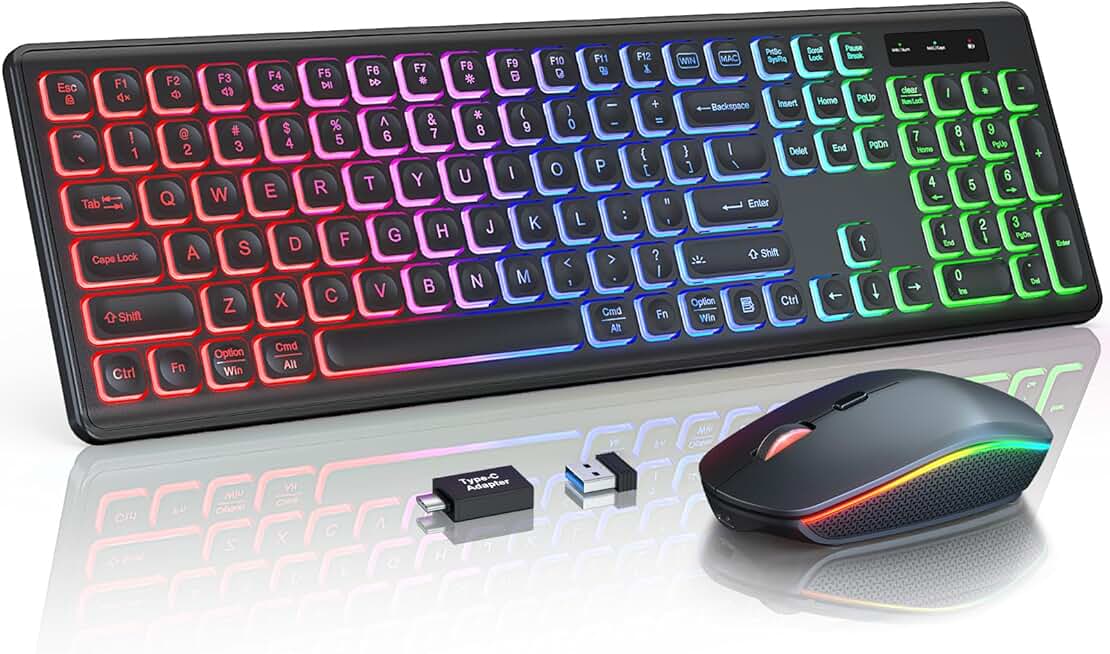
Wireless Keyboard and Mouse Combo, RGB Backlit, Rechargeable & Light Up Letters, Full-Size, Soft Typing, Sleep Mode, 2.4GHz Quiet Keyboard Set for Mac, Windows, Laptop, PC, Trueque KM42Pro (Black) ClimatePartner certified
$29.99
This wireless combo works well for casual Mac gamers who want a complete peripheral setup without cables. The soft typing feel is actually an advantage if you game for hours and prefer comfort over tactile feedback. Battery life is solid, though the wireless range isn't as reliable as premium options like the AULA.
Pros
- + Full-size keyboard and mouse combo in wireless package at $29.99
- + Rechargeable battery with sleep mode extends time between charges
- + Soft typing feel reduces fatigue during marathon gaming sessions
- + Light-up letters are visible in low-light gaming environments
Cons
- − Membrane switches lack mechanical precision and durability
- − Wireless range can be spotty if your Mac is far from the receiver

Logitech G413 SE Full-Size Mechanical Gaming Keyboard - Backlit Keyboard with Tactile Mechanical Switches, Anti-Ghosting, Compatible with Windows, macOS - Black Aluminum
$79.99
The Logitech G413 SE is the safest premium choice for Mac gamers who want guaranteed compatibility and support. Logitech's Mac drivers are better than most gaming brands, and the tactile switches feel responsive for both gaming and typing. If you value brand reliability and don't mind a cable, this is your pick.
Pros
- + Logitech G413 SE features tactile mechanical switches with proven reliability
- + Full-size layout includes dedicated macro keys and media controls
- + Anti-ghosting support ensures zero missed inputs during competitive play
- + Logitech's Mac driver support is industry-leading for customization
Cons
- − Wired design limits desk flexibility and cable management
- − Premium price at $79.99 competes with wireless alternatives that offer more convenience

AULA F75 Pro Wireless Mechanical Keyboard,75% Hot Swappable Custom Keyboard with Knob,RGB Backlit,Pre-lubed Reaper Switches,Side Printed PBT Keycaps,2.4GHz/USB-C/BT5.0 Mechanical Gaming Keyboards Global Recycled Standard
$79.99
The TECKNET Gaming Keyboard stands out for its advanced RGB lighting system and rugged all-metal build. The 15-zone control lets you create custom lighting profiles that sync with your games, and the IP32 rating means you can game confidently even with drinks nearby. It's a solid mid-range option for Mac gamers who want visual flair without paying premium prices.
Pros
- + 15-zone RGB illumination offers granular lighting control per key section
- + IP32 water resistance handles spills and humidity without damage
- + All-metal panel construction feels premium and durable
- + 25 anti-ghosting keys support simultaneous multi-key inputs
Cons
- − RGB customization software is clunky and requires frequent updates
- − Wired connection limits placement flexibility on your desk
Frequently asked questions
Frequently Asked Questions
Final word
The best gaming keyboards for Mac depend on your budget, gaming style, and desk setup. If you want the ultimate all-rounder, the Womier SK80 75% mechanical keyboard delivers premium build quality and customization at a fair price. For wireless convenience without breaking the bank, the AULA F75 Pro and KLIM Chroma offer reliable connectivity and solid switches. Budget-conscious Mac gamers should grab the TECKNET Wired RGB or Redragon S101-3 PRO combo—both punch above their weight for the price. Remember that Mac compatibility is usually seamless for basic functionality, but advanced RGB and macro customization may require extra setup. Test return policies before committing, and don't assume expensive equals better—some of the best gaming keyboards for Mac are sub-$30 options that deliver surprising performance. Your ideal keyboard is the one you'll actually use daily, so prioritize comfort and responsiveness over marketing hype.
More gaming keyboards guides
Budget Gaming Keyboards of 2026
Top 10 budget gaming keyboards 2026. RGB, mechanical, compact—all under $120. Expert reviews & buying guide.
Best Compact Gaming Keyboards in 2026
Find the best compact gaming keyboards for 2026. Expert reviews of 60% and tenkeyless boards for gaming, work, and travel.
Best Corsair Gaming Keyboards in 2026
Find the best Corsair gaming keyboards for your setup. Expert reviews of wired, wireless, and mechanical options.
Best Ergonomic Gaming Keyboards in 2026
Top ergonomic gaming keyboards for comfort and performance. Compare split designs, wrist rests, and mechanical switches.
Best Gaming Keyboards in 2026
Find the best gaming keyboards 2026. Expert reviews of mechanical, wireless, and budget options for every gamer.
Best Gaming Keyboards for Apex Legends
Top gaming keyboards for Apex Legends with fast response times, RGB, and durability. Find the best fit for your playstyle.