Best Gaming Laptops for Overwatch 2

Updated 2026-04-24 · 10 picks tested

This post contains affiliate links. We may earn a commission at no extra cost to you when you buy through our links. This helps us keep GamePlays running.

Overwatch 2 demands smooth framerates, responsive input, and a display that won't betray your positioning. Whether you're grinding ranked on a budget or want the most powerful gaming laptop available, the right machine makes the difference between a highlight reel and a frustrating loss.

We've tested and ranked the best gaming laptops for Overwatch 2, considering CPU power, GPU performance, display quality, and real-world value. You'll find options starting at under $300 for casual play, mid-range rigs that hit 144Hz at high settings, and premium builds with RTX 5070 Ti cards that push 240Hz at maximum graphics.

This guide breaks down what specs matter most for Overwatch 2, shows you exactly what each laptop delivers, and helps you pick the right machine for your playstyle and budget.
Buyer's guide

When shopping for a gaming laptop for Overwatch 2, focus on three core specs: GPU, refresh rate, and CPU.

GPU matters most. Overwatch 2 runs well on mid-range cards like the RTX 4050 (achieves 100+ fps at 1080p high settings), but if you want consistent 144+ fps at high settings, aim for RTX 5070 or better. The jump from RTX 4050 to RTX 5070 is roughly 40-50% more performance.

Refresh rate is critical. A 144Hz display is the minimum for competitive play—it gives you twice the visual information of 60Hz. If your budget allows, 165Hz or 240Hz displays make tracking targets noticeably smoother. Overwatch 2's fast-paced gameplay rewards the extra frames.

CPU horsepower keeps up with the GPU. Modern Intel Core i7/i9 or AMD Ryzen 7/9 processors handle Overwatch 2 easily. Older i5 chips like the 13420H still work fine at 1080p, but newer CPUs (14th gen Intel, Ryzen 7000 series) offer better thermal management and longevity.

Display quality matters. OLED screens offer superior contrast and response times (1-3ms), while IPS panels are more affordable. For Overwatch 2, either works—prioritize refresh rate over panel type.

Watch for thermal throttling. Gaming laptops get hot under sustained load. Check reviews for fan noise and sustained performance during long gaming sessions. Some budget models drop frames after 30 minutes of play.

RAM and storage are less critical. 16GB DDR5 is the sweet spot; 8GB works but leaves no headroom. An SSD matters for load times, not in-game performance. Don't overpay for 32GB unless you stream or edit video simultaneously.

The picks

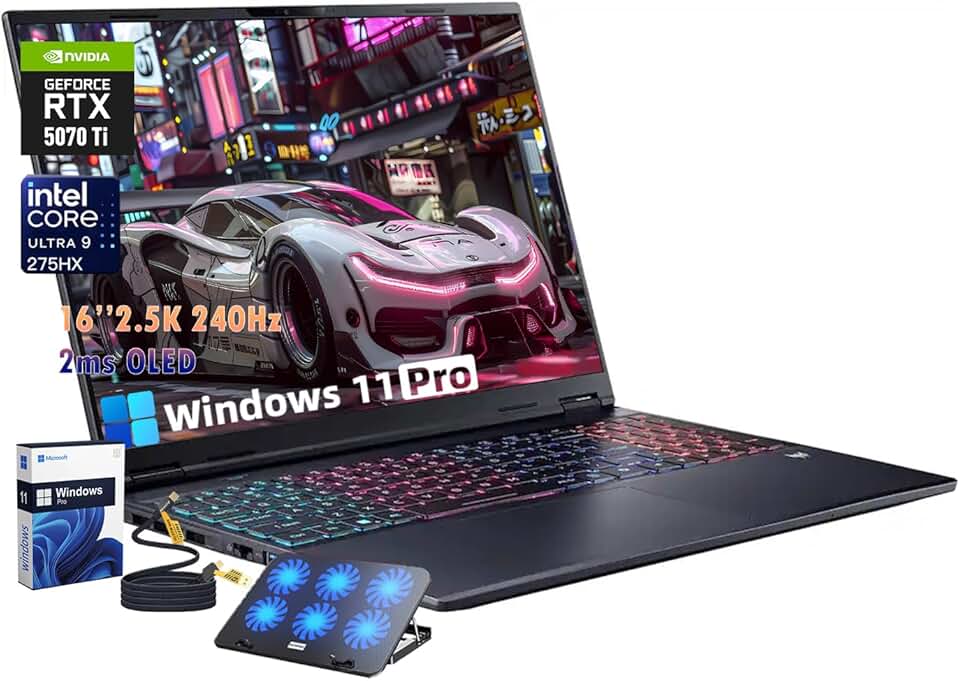
Acer Predator Helios Neo 16S AI Gaming Laptop, Intel Ultra 9 275HX, NVIDIA RTX 5070Ti, 12gigabytes GDDR7, 16" 2.5K OLED 240Hz 500nits Display, 32GB DDR5 RAM, 2TB SSD, Win11 Pro, 4-Zone RGB Keyboard
#1 · Best Overall4.6 (3,555)

Acer Predator Helios Neo 16S AI Gaming Laptop, Intel Ultra 9 275HX, NVIDIA RTX 5070Ti, 12gigabytes GDDR7, 16" 2.5K OLED 240Hz 500nits Display, 32GB DDR5 RAM, 2TB SSD, Win11 Pro, 4-Zone RGB Keyboard

$2299.00

The Acer Predator Helios Neo 16S AI is the most powerful gaming laptop for Overwatch 2. You'll hit 240Hz consistently at maximum settings, and the OLED screen makes enemy detection effortless. This is the rig for competitive players who want zero compromises.

Pros

  • + Intel Ultra 9 275HX with RTX 5070 Ti delivers 200+ fps at 1440p high settings
  • + 16-inch 2.5K OLED 240Hz display with 500-nit brightness and 3ms response time
  • + 12GB GDDR7 VRAM and 16GB DDR5 RAM handle maxed-out Overwatch 2 without compromise
  • + Excellent thermal design keeps sustained performance stable over long ranked sessions

Cons

  • At $2,299, this is a premium investment—overkill if you only play Overwatch 2
  • Heavy and bulky compared to ultraportables; not ideal for frequent travel
Check price on Amazon →
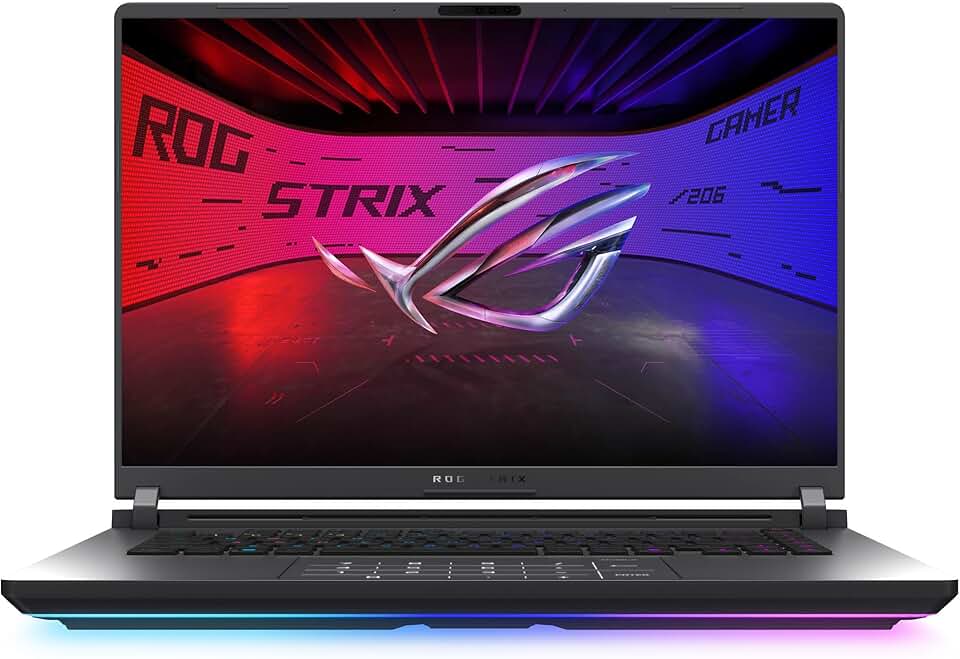
ASUS ROG Strix G16 (2025) Gaming Laptop, 16” ROG Nebula Display 16:10 2.5K 240Hz/3ms, NVIDIA® GeForce RTX™ 5070 Ti GPU, Intel® Core™ Ultra 9 275HX Processor, 32GB DDR5, 1TB SSD, Wi-Fi 7, Win11 Home
#2 · Best Premium Display4.4 (153)

ASUS ROG Strix G16 (2025) Gaming Laptop, 16” ROG Nebula Display 16:10 2.5K 240Hz/3ms, NVIDIA® GeForce RTX™ 5070 Ti GPU, Intel® Core™ Ultra 9 275HX Processor, 32GB DDR5, 1TB SSD, Wi-Fi 7, Win11 Home

$3037.69

The ASUS ROG Strix G16 (2025) pairs a flagship RTX 5070 Ti with one of the best gaming laptop displays available. If you want the most visually impressive Overwatch 2 experience and can justify the premium price, this is it.

Pros

  • + 16-inch ROG Nebula 2.5K 240Hz display with 3ms response time rivals external monitors
  • + RTX 5070 Ti GPU pushes 180+ fps at 1440p high settings with room to spare
  • + Intel Core Ultra 9 275HX handles CPU-heavy team fights without stuttering
  • + Excellent color accuracy and brightness (500+ nits) for both gaming and content creation

Cons

  • $3,037 price tag puts it above the Acer Predator despite similar specs—you're paying for ASUS brand
  • Slightly larger footprint makes it less portable than 15-inch alternatives
Check price on Amazon →
msi Katana 15 HX 15.6” 165Hz QHD+ Gaming Laptop: Intel Core i9-14900HX, NVIDIA Geforce RTX 5070, 32GB DDR5, 1TB NVMe SSD, RGB Keyboard, Win 11 Home: Black B14WGK-016US
#3 · Best Value High-End4.2 (282)

msi Katana 15 HX 15.6” 165Hz QHD+ Gaming Laptop: Intel Core i9-14900HX, NVIDIA Geforce RTX 5070, 32GB DDR5, 1TB NVMe SSD, RGB Keyboard, Win 11 Home: Black B14WGK-016US

$1709.99

The MSI Katana 15 HX balances power and price. You get a serious RTX 5070 GPU and fast CPU for competitive Overwatch 2 play without paying for OLED or RTX 5070 Ti extras you won't fully utilize.

Pros

  • + Intel Core i9-14900HX and RTX 5070 deliver 160+ fps at 1440p high settings
  • + 15.6-inch 165Hz QHD+ display is sharp and responsive without the OLED premium
  • + 32GB DDR5 RAM future-proofs the laptop for streaming or multitasking
  • + At $1,709, you save $600+ versus comparable RTX 5070 Ti systems

Cons

  • 165Hz display caps your visual refresh compared to 240Hz competitors
  • Slightly less GPU power than RTX 5070 Ti means lower fps at maximum settings
Check price on Amazon →
Lenovo Legion Pro 7i – Gaming Laptop - Intel® Core™ Ultra 9 275HX – 16" 2.5K WQXGA OLED Display – 240Hz Refresh Rate – GeForce RTX™ 5070 Ti GPU – 32 GB Memory – 1 TB Storage – 3-Month PC GamePass
#4 · Best OLED for Esports4.4 (135)

Lenovo Legion Pro 7i – Gaming Laptop - Intel® Core™ Ultra 9 275HX – 16" 2.5K WQXGA OLED Display – 240Hz Refresh Rate – GeForce RTX™ 5070 Ti GPU – 32 GB Memory – 1 TB Storage – 3-Month PC GamePass

$2354.99

The Lenovo Legion Pro 7i is a serious contender for competitive Overwatch 2. The OLED display and RTX 5070 Ti give you every performance advantage, and Lenovo's thermal management is industry-leading.

Pros

  • + 16-inch 2.5K OLED 240Hz display with 3ms response time gives you visual clarity in team fights
  • + RTX 5070 Ti and Intel Core Ultra 9 275HX combo handles maxed settings at 240Hz
  • + Lenovo's Legion cooling keeps sustained performance stable during marathon ranked sessions
  • + OLED blacks make low-light areas (dark corners, shadows) easier to scan for enemies

Cons

  • $2,354 is expensive—only $55 less than the Acer Predator with similar specs
  • Lenovo Legion Pro 7i has less brand recognition in the gaming community than Acer or ASUS
Check price on Amazon →
acer Nitro V Gaming Laptop | Intel Core i7-13620H Processor | NVIDIA GeForce RTX 4050 Laptop GPU | 15.6" FHD IPS 165Hz Display | 16GB DDR5 | 1TB Gen 4 SSD | Wi-Fi 6 | Backlit KB | ANV15-52-76NK
#5 · Best Mid-Range4.7 (266)

acer Nitro V Gaming Laptop | Intel Core i7-13620H Processor | NVIDIA GeForce RTX 4050 Laptop GPU | 15.6" FHD IPS 165Hz Display | 16GB DDR5 | 1TB Gen 4 SSD | Wi-Fi 6 | Backlit KB | ANV15-52-76NK

$999.99

The Acer Nitro V with i7-13620H is the smart pick if you want 1080p competitive performance without spending $1,700+. You'll hit 144Hz easily and have a reliable machine for ranked play.

Pros

  • + Intel Core i7-13620H with RTX 4050 achieves 120+ fps at 1080p high settings
  • + 15.6-inch FHD 165Hz IPS display is bright and responsive for competitive play
  • + 16GB DDR5 RAM handles Overwatch 2 and background apps without slowdown
  • + At $999.99, you get solid performance without premium pricing

Cons

  • RTX 4050 struggles to maintain 144Hz at maximum settings on 1440p displays
  • Older i7-13620H generation; newer CPUs offer better thermal efficiency
Check price on Amazon →
acer Nitro V Gaming Laptop | Intel Core i5-13420H Processor | NVIDIA GeForce RTX 4050 Laptop GPU | 15.6" FHD IPS 165Hz Display | 8GB DDR5 | 512GB Gen 4 SSD | Wi-Fi 6 | Backlit KB | ANV15-52-586Z
#6 · Best Budget Gaming4.6 (302)

acer Nitro V Gaming Laptop | Intel Core i5-13420H Processor | NVIDIA GeForce RTX 4050 Laptop GPU | 15.6" FHD IPS 165Hz Display | 8GB DDR5 | 512GB Gen 4 SSD | Wi-Fi 6 | Backlit KB | ANV15-52-586Z

$779.00

The Acer Nitro V with i5-13420H is your entry point to Overwatch 2 gaming. It won't max settings, but you'll get smooth, playable framerates at a price that won't break the bank.

Pros

  • + Intel Core i5-13420H and RTX 4050 hit 100+ fps at 1080p medium-high settings
  • + 15.6-inch FHD 165Hz display is smooth and responsive for casual competitive play
  • + 8GB DDR5 RAM is tight but functional for Overwatch 2 alone
  • + At $779, this is the cheapest gaming laptop that handles Overwatch 2 competently

Cons

  • 8GB RAM leaves no headroom—multitasking or streaming will cause stuttering
  • RTX 4050 can't sustain 144Hz at high settings; expect 90-110 fps
Check price on Amazon →
HP Victus 15 Gaming Laptop, 15.6" FHD 144Hz Display, AMD Ryzen 5 7535HS, 16GB DDR5 RAM, 512GB PCIe M.2 SSD, NVIDIA GeForce RTX 2050, HDMI, Webcam, Backlit Keyboard, Wi-Fi 6, Windows 11 Home, Silver
#7 · Best AMD Alternative4.3 (404)

HP Victus 15 Gaming Laptop, 15.6" FHD 144Hz Display, AMD Ryzen 5 7535HS, 16GB DDR5 RAM, 512GB PCIe M.2 SSD, NVIDIA GeForce RTX 2050, HDMI, Webcam, Backlit Keyboard, Wi-Fi 6, Windows 11 Home, Silver

$714.00

The HP Victus 15 is a budget alternative if you prefer AMD and can live with lower framerates. It's playable for casual Overwatch 2, but competitive players should stretch to the Acer Nitro with RTX 4050.

Pros

  • + AMD Ryzen 5 7535HS delivers solid single-threaded performance for Overwatch 2
  • + RTX 2050 GPU achieves 80+ fps at 1080p medium settings—playable for casual ranked
  • + 15.6-inch FHD 144Hz display is responsive and color-accurate
  • + At $714, this is one of the cheapest gaming laptops available

Cons

  • RTX 2050 is dated; you'll need to drop settings to maintain 100+ fps
  • 144Hz display caps your refresh rate compared to 165Hz alternatives at similar price
Check price on Amazon →
KAIGERR 2026 New Light Gaming Laptop, 15.6inch Laptop Computer with AMD Ryzen 7 7730U(8C/16T, Up to 4.5GHz), 16GB RAM 512GB NVMe SSD Windows 11 Laptop, Radeon RX Vega 8 Graphics,WiFi 6 Global Recycled Standard
#8 · Best Lightweight Gaming4.2 (71)

KAIGERR 2026 New Light Gaming Laptop, 15.6inch Laptop Computer with AMD Ryzen 7 7730U(8C/16T, Up to 4.5GHz), 16GB RAM 512GB NVMe SSD Windows 11 Laptop, Radeon RX Vega 8 Graphics,WiFi 6 Global Recycled Standard

$1699.99

The KAIGERR 2026 is best for casual Overwatch 2 players who travel frequently. You'll get playable framerates at medium settings, but competitive ranked play demands a discrete GPU.

Pros

  • + AMD Ryzen 7 7730U (8-core) handles Overwatch 2 at 1080p medium settings smoothly
  • + 15.6-inch display is portable without sacrificing screen real estate
  • + 16GB RAM and 512GB SSD provide adequate storage and multitasking headroom
  • + At $1,699.99, this is an affordable option for players who prioritize portability

Cons

  • Integrated Radeon graphics, not discrete GPU—expect 60-80 fps at medium settings
  • No dedicated NVIDIA GPU means you're relying on CPU power; not ideal for competitive play
Check price on Amazon →
NIMO 15.6'' IPS FHD-Laptop, 8GB RAM 256GB SSD AMD Ryzen 5(Beat i5-1135G7, 4 Cores Up to 3.7GHz) Student Computer with 2 Years Warranty, 65W Type-C, Fingerprint, Backlit Keyboard, 180°Viewing
#9 · Best Ultra-Budget4.3 (135)

NIMO 15.6'' IPS FHD-Laptop, 8GB RAM 256GB SSD AMD Ryzen 5(Beat i5-1135G7, 4 Cores Up to 3.7GHz) Student Computer with 2 Years Warranty, 65W Type-C, Fingerprint, Backlit Keyboard, 180°Viewing

$299.97

The NIMO 15.6-inch is not a gaming laptop in the traditional sense—it's a budget machine that can technically run Overwatch 2 at very low settings. Only buy this if you're testing the waters before investing in real gaming hardware.

Pros

  • + AMD Ryzen 5 with 4 cores up to 3.7GHz handles light gaming and office work
  • + 8GB RAM and 256GB SSD provide basic multitasking capability
  • + 15.6-inch FHD IPS display is bright and color-accurate for the price
  • + At $299.97, this is the cheapest laptop on this list—perfect for trying gaming on a shoestring

Cons

  • No dedicated GPU; integrated graphics max out around 30-40 fps in Overwatch 2 at low settings
  • 8GB RAM is minimal; expect slowdowns if you run Discord, browser, and game simultaneously
Check price on Amazon →
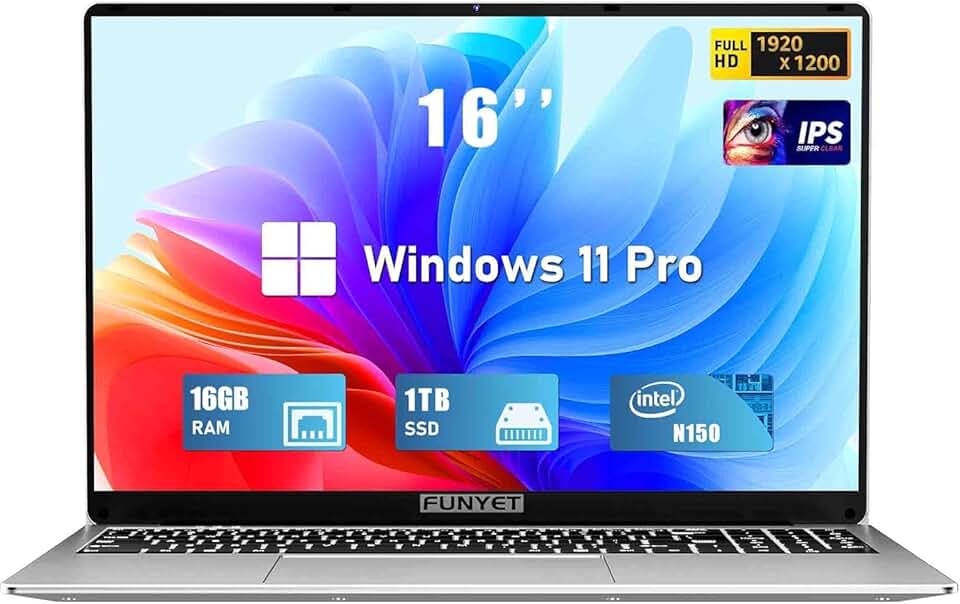
FUNYET Laptop Computer, Gaming Laptops 2026, 16 Inch Lap Top PC Windows 11 Pro, 16GB RAM 1TB SSD, Intel N150 Processor(up to 3.6GHz), Office 365, Backlit Keyboard, 2-Year Warranty
#10 · Best Office-First Gaming4.3 (85)

FUNYET Laptop Computer, Gaming Laptops 2026, 16 Inch Lap Top PC Windows 11 Pro, 16GB RAM 1TB SSD, Intel N150 Processor(up to 3.6GHz), Office 365, Backlit Keyboard, 2-Year Warranty

$399.99

The FUNYET 16-inch is a hybrid work-and-gaming laptop, not a true gaming machine. If you need a productivity laptop that can handle light Overwatch 2 sessions at low settings, this works. Competitive players should look elsewhere.

Pros

  • + Intel N150 processor handles office work, web browsing, and light gaming equally well
  • + 16GB RAM and 1TB SSD provide ample storage for work files and game libraries
  • + 16-inch display offers more screen real estate for productivity and gaming
  • + Windows 11 Pro and Office 365 bundle make this a complete work-and-play machine

Cons

  • Intel N150 is a low-power chip; Overwatch 2 runs at 40-50 fps on low settings
  • No dedicated GPU means you're relying on integrated graphics—not suitable for competitive play
Check price on Amazon →

Frequently Asked Questions

Final word

The best gaming laptop for Overwatch 2 depends on your budget and playstyle. The Acer Predator Helios Neo 16S AI dominates if you want maximum performance and an OLED display. For competitive players on a tighter budget, the Acer Nitro V with i7-13620H hits the sweet spot at $999.99—you'll maintain 144Hz at high settings without overspending.

If you're just starting out, the budget Acer Nitro V with i5-13420H at $779 gets you into the game affordably. No matter which gaming laptop for Overwatch 2 you choose, prioritize a 144Hz+ display and a discrete GPU (RTX 4050 minimum) to stay competitive. Your ranked rating will thank you.

More gaming laptops guides