Best Elgato Streaming Gear in 2026

Updated 2026-04-24 · 10 picks tested

This post contains affiliate links. We may earn a commission at no extra cost to you when you buy through our links. This helps us keep GamePlays running.

If you're serious about streaming, Elgato has become synonymous with professional-grade studio gear that actually works out of the box. Whether you're broadcasting on Twitch, YouTube, or building a podcast setup, Elgato streaming equipment gives you the control and reliability that separates casual streamers from creators who look polished and sound professional.

We've tested and ranked the best Elgato streaming gear available right now—from their legendary Stream Deck controllers to capture cards, microphones, and mic arms. Each product is evaluated for real-world performance, build quality, and how well it integrates with your existing setup. This guide covers every major category so you can pick exactly what you need without overspending on features you won't use.

Let's find the right Elgato gear for your streaming setup.

Buyer's guide

When shopping for Elgato streaming gear, focus on three core decisions: what you're streaming, what software you use, and how much desk space you have.

Stream Deck Size Matters. The original Stream Deck MK.2 has 15 keys and works great for most streamers. The XL adds 32 keys—overkill unless you're running complex scene transitions, sound effects, and chat commands simultaneously. The Mini has 6 keys and is perfect for productivity or tight desks. Pick based on how many custom actions you'll actually use, not just because bigger feels better.

Microphone Choice Depends on Your Room. The Wave:3 is a USB condenser mic that plugs straight in—no audio interface needed. It's sensitive enough to pick up room noise, so if you have a quiet treated space, it's excellent. If your room has background noise or you want more control, consider pairing it with an external audio interface (not Elgato's focus, but worth knowing). The Wave:3 comes in black or white; both are identical specs.

Capture Cards Are for Console Streamers. If you're streaming from PS5, Xbox Series X, or Nintendo Switch, the HD60 X handles 4K30 or 1080p60 HDR10 passthrough. The Cam Link 4K is for DSLR or mirrorless cameras—it lets you use professional lenses as your webcam. Don't buy a capture card if you're only streaming from PC.

Mic Arms Save Space and Look Professional. The Wave Mic Arm LP is low-profile and clamps to your desk, freeing up real estate. It's not a must-have, but if you're using the Wave:3 or any other condenser mic, a proper arm beats a cheap boom stand.

Check Software Integration. All Elgato gear works with OBS, Streamlabs, and native platform tools (Twitch Creator Camp, YouTube Studio). But the Stream Deck + adds a built-in audio mixer and touch strip for fader control—worth it if you're mixing multiple audio sources. Read the product page to confirm it supports your streaming software before buying.

Budget Breakdown. Start with Stream Deck Mini ($59.99) + Wave:3 ($124.99) for under $200. Add a Cam Link 4K ($99.99) if you have a nice camera. Upgrade to Stream Deck MK.2 ($149.99) once you need more control. The XL and Stream Deck + are for advanced multi-source setups.

The picks

Elgato Stream Deck MK.2 – Studio Controller, 15 macro keys, trigger actions in apps and software like OBS, Twitch, ​YouTube and more, USB, works with Mac and PC
#1 · Best Overall4.8 (9,930)

Elgato Stream Deck MK.2 – Studio Controller, 15 macro keys, trigger actions in apps and software like OBS, Twitch, ​YouTube and more, USB, works with Mac and PC

$149.99

The Stream Deck MK.2 is the sweet spot for most streamers. Fifteen keys give you enough control for scene switching, chat commands, and sound effects without overwhelming your workflow. At $149.99, it's the best value in the Elgato lineup and has earned 4.8 stars across nearly 10,000 reviews for good reason.

Pros

  • + 15 customizable macro keys with drag-and-drop action assignment
  • + Works with OBS, Twitch, YouTube, Discord, and 100+ apps via plugin library
  • + Compact footprint (4.6 x 3 inches) fits any desk without dominating space
  • + USB-C connection with included cable, no batteries or software bloat

Cons

  • Requires learning the action system—not instant for beginners
  • No built-in audio mixing (Stream Deck + adds this)
Check price on Amazon →
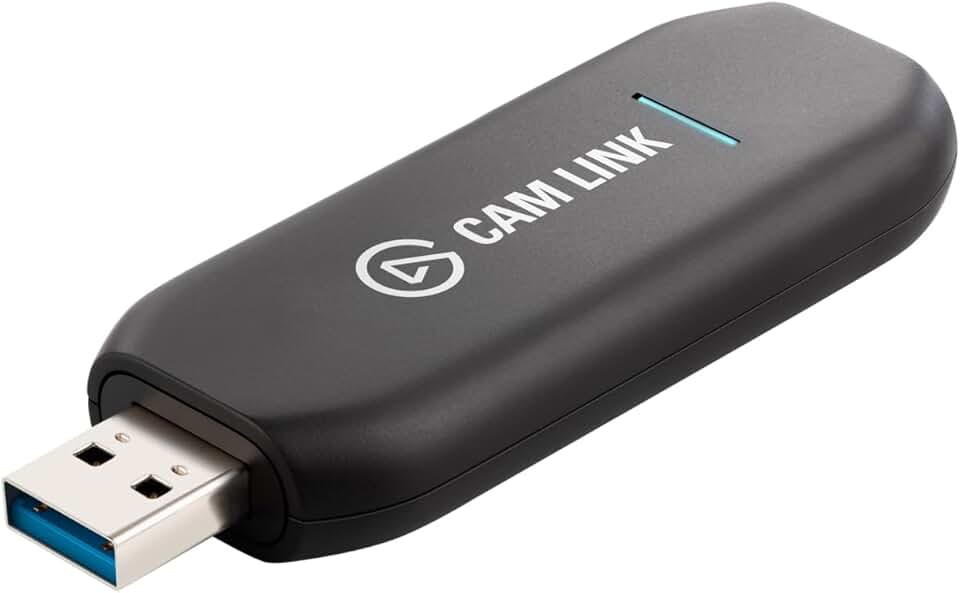
Elgato Cam Link 4K – External Capture Card for DSLR & Camcorder, ActionCam as Webcam, Meet/Stream/Record in 1080p60 or 4K30/4K60, Easy Connect for OBS/Zoom/Discord – HDMI to USB 3.0, PC/Mac/iPad
#2 · Best for DSLR Streamers4.6 (13,814)

Elgato Cam Link 4K – External Capture Card for DSLR & Camcorder, ActionCam as Webcam, Meet/Stream/Record in 1080p60 or 4K30/4K60, Easy Connect for OBS/Zoom/Discord – HDMI to USB 3.0, PC/Mac/iPad

$99.99

If you own a decent DSLR or mirrorless camera, the Cam Link 4K transforms it into a professional streaming camera. You get the shallow depth-of-field and lens flexibility that webcams can't touch, all for under $100. The 4K30 option is overkill for most Twitch streams, but it's there if you need it.

Pros

  • + Captures DSLR, mirrorless, or action cam video as a USB webcam in OBS/Streamlabs
  • + Supports 1080p60 or 4K30/4K60 passthrough with zero lag
  • + Works with any camera with HDMI output—no proprietary software needed
  • + Plug-and-play setup: HDMI in, USB to PC, recognized instantly

Cons

  • Requires a camera with HDMI output (not all older models have this)
  • No audio input—you'll need a separate mic or mixer for sound
Check price on Amazon →
Elgato Stream Deck XL – Advanced Studio Controller, 32 Macro Keys, Trigger Actions in apps and Software Like OBS, Twitch, ​YouTube and More, USB, Works with Mac and PC
#3 · Best for Advanced Control4.8 (8,378)

Elgato Stream Deck XL – Advanced Studio Controller, 32 Macro Keys, Trigger Actions in apps and Software Like OBS, Twitch, ​YouTube and More, USB, Works with Mac and PC

$224.99

The Stream Deck XL is for creators juggling multiple scenes, overlays, and sound effects. If you're running a podcast with live chat, gaming with alerts, or producing a talk show format, 32 keys let you organize everything logically. It's pricier at $224.99, but the extra control pays off in faster production.

Pros

  • + 32 macro keys (double the MK.2) for complex multi-source productions
  • + Larger 4.6 x 6.5-inch footprint with better key spacing for fast muscle memory
  • + Same drag-and-drop action system as MK.2, just more real estate
  • + Ideal for streamers running 4+ scenes, sound effects, and chat integrations

Cons

  • Takes up significant desk space—not suitable for small setups
  • Overkill for streamers who only need basic scene switching
Check price on Amazon →
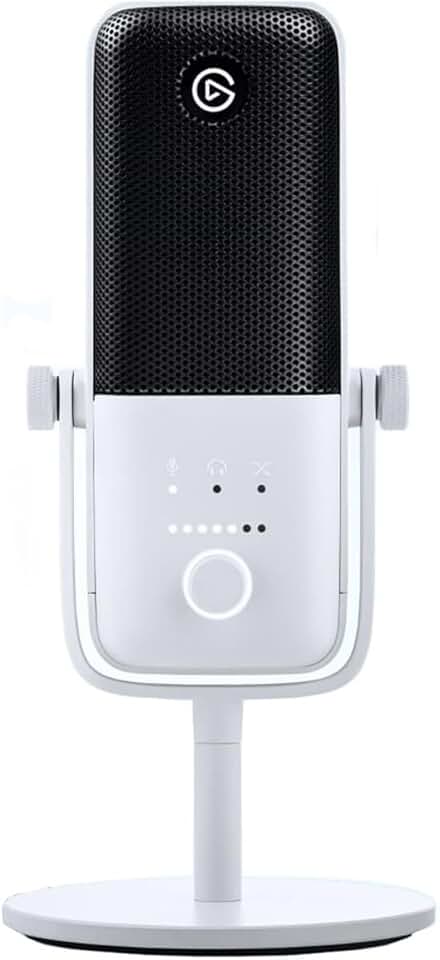
Elgato Wave:3 - Premium Studio Quality USB Condenser Microphone for Streaming, Podcast, Gaming and Home Office, Free Mixer Software, Sound Effect Plugins, Anti-Distortion, Plug ’n Play, for Mac, PC
#4 · Best Studio Microphone4.7 (10,146)

Elgato Wave:3 - Premium Studio Quality USB Condenser Microphone for Streaming, Podcast, Gaming and Home Office, Free Mixer Software, Sound Effect Plugins, Anti-Distortion, Plug ’n Play, for Mac, PC

$124.99

The Wave:3 is the best all-in-one streaming microphone under $150. It sounds professional out of the box, and the built-in mute button is a lifesaver for streamers. The Clipguard feature prevents distortion when you accidentally yell into the mic, which happens more often than you'd think.

Pros

  • + Cardioid condenser with 20Hz-20kHz frequency response and 24-bit/96kHz recording
  • + Built-in mute button and tap-to-mute sensor on top of mic body
  • + Clipguard technology prevents audio clipping at loud volumes
  • + Includes Elgato Wave Link software for mixing multiple audio sources in real-time

Cons

  • Sensitive to room noise—requires a quiet space or acoustic treatment
  • USB-only (no XLR option for external preamp control)
Check price on Amazon →
Elgato Wave:3 White - Premium Studio Quality USB Condenser Microphone for Streaming, Podcast, Gaming and Home Office, Free Mixer Software, Anti-Distortion, Plug ’n Play, for Mac, PC
#5 · Best Studio Microphone (White)4.7 (10,146)

Elgato Wave:3 White - Premium Studio Quality USB Condenser Microphone for Streaming, Podcast, Gaming and Home Office, Free Mixer Software, Anti-Distortion, Plug ’n Play, for Mac, PC

$149.99

This is the Wave:3 in white—same microphone, different color. Pick this if your setup is white, silver, or minimalist. Otherwise, the black version at $124.99 saves you $25 and performs identically.

Pros

  • + Identical specs to black Wave:3 (24-bit/96kHz, cardioid condenser, Clipguard)
  • + White finish matches minimalist or light-colored desk setups
  • + Same Elgato Wave Link software and mute sensor functionality
  • + Pairs beautifully with white Stream Deck Mini or white Mic Arm LP

Cons

  • White finish shows dust more visibly than black
  • Same room-noise sensitivity as black model
Check price on Amazon →
Elgato Stream Deck Mini – Control Zoom, Teams, PowerPoint, MS Office and Boost Productivity with Seamless Integration for Daily Apps, Set Up Shortcuts Easily, USB, Compatible with Mac and PC
#6 · Best for Tight Spaces4.8 (7,714)

Elgato Stream Deck Mini – Control Zoom, Teams, PowerPoint, MS Office and Boost Productivity with Seamless Integration for Daily Apps, Set Up Shortcuts Easily, USB, Compatible with Mac and PC

$59.99

The Stream Deck Mini is ideal if you have a cramped desk or just need a few quick shortcuts. It's also the best gift for someone new to streaming—low price, zero learning curve, and it actually works. Scale up to the MK.2 later if you outgrow it.

Pros

  • + Only 6 macro keys in a 2.4 x 2.4-inch footprint—smaller than a coaster
  • + Perfect for productivity (Zoom, Teams, PowerPoint shortcuts) or basic streaming
  • + Same software integration as larger decks (OBS, Twitch, Discord plugins)
  • + At $59.99, it's the cheapest entry point to Elgato control

Cons

  • Six keys limits you to basic actions—not scalable for complex productions
  • Small key size makes fast tapping harder than larger decks
Check price on Amazon →
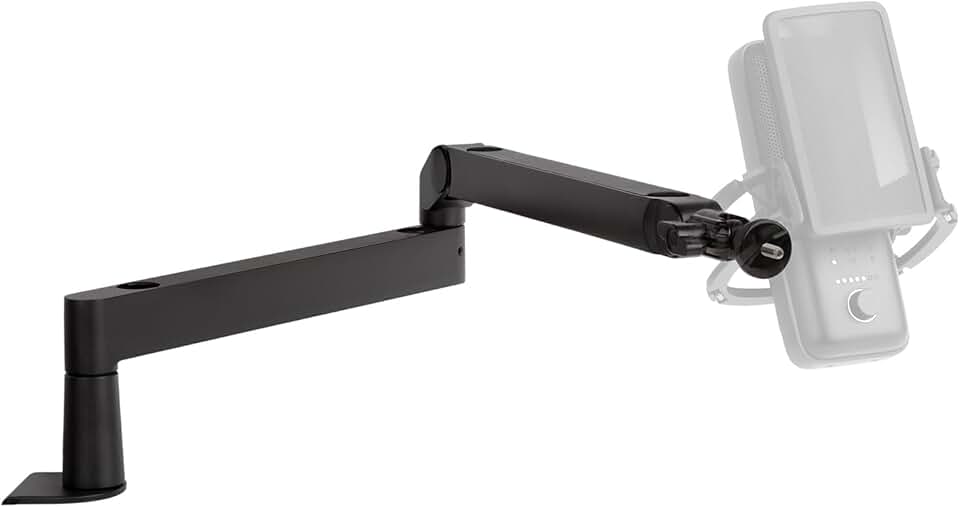
Elgato Wave Mic Arm LP - Premium Low Profile Microphone Arm with Cable Management Channels, Desk Clamp, Versatile Mounting, and Fully Adjustable – For Podcasting, Streaming, Gaming, and Home Office
#7 · Best Microphone Arm4.6 (5,568)

Elgato Wave Mic Arm LP - Premium Low Profile Microphone Arm with Cable Management Channels, Desk Clamp, Versatile Mounting, and Fully Adjustable – For Podcasting, Streaming, Gaming, and Home Office

$99.99

The Wave Mic Arm LP is the best way to mount the Wave:3 or any condenser mic. The low-profile design keeps your desk clean and your mic at mouth level, which improves audio quality. At $99.99, it's worth pairing with any serious streaming mic.

Pros

  • + Low-profile design keeps mic close to mouth without towering over monitor
  • + Desk clamp with 360-degree rotation and full articulation—positions anywhere
  • + Built-in cable management channels hide XLR/USB cables cleanly
  • + Supports any standard mic with 5/8-inch or 3/8-inch adapter threads

Cons

  • Requires desk space for clamp—not suitable for edge-mounted or glass desks
  • Arm itself is not motorized (manual positioning only)
Check price on Amazon →
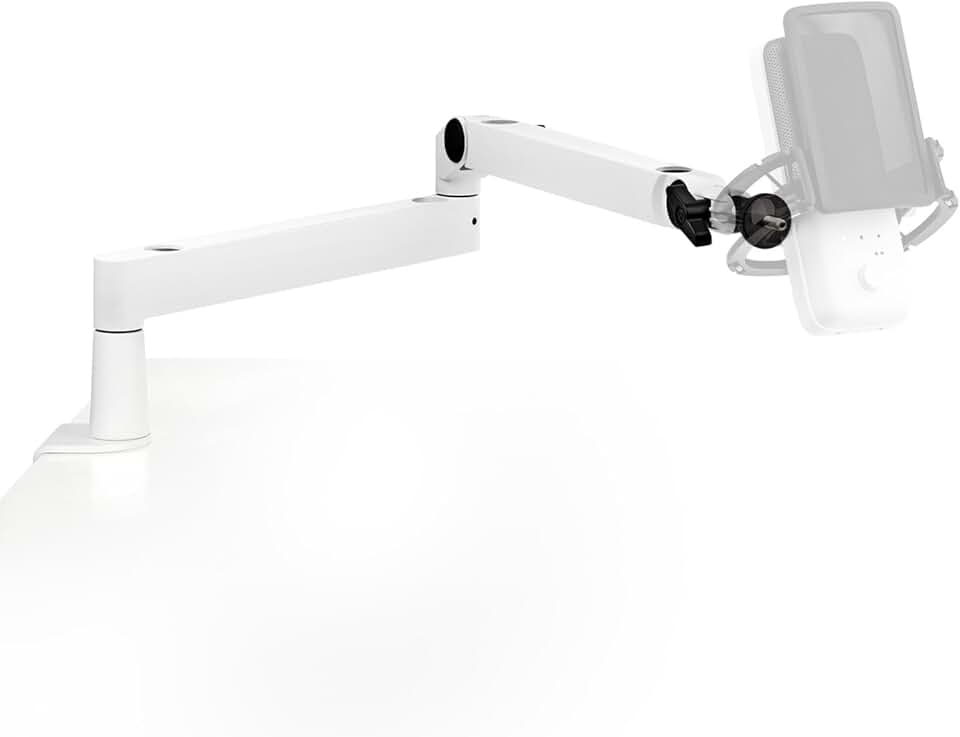
Elgato Wave Mic Arm LP White - Premium Low Profile Microphone Arm with Cable Management, Desk Clamp, Versatile Mounting and Fully Adjustable, perfect for Podcast, Streaming, Gaming, Home Office
#8 · Best Microphone Arm (White)4.6 (5,568)

Elgato Wave Mic Arm LP White - Premium Low Profile Microphone Arm with Cable Management, Desk Clamp, Versatile Mounting and Fully Adjustable, perfect for Podcast, Streaming, Gaming, Home Office

$99.99

This is the Wave Mic Arm LP in white—same arm, coordinating color. Buy this if you're building an all-white streaming setup. Otherwise, the black version at the same price is more practical.

Pros

  • + Identical specs to black Wave Mic Arm LP (full articulation, cable management)
  • + White finish coordinates with white Wave:3 and white Stream Deck Mini
  • + Same desk clamp and 360-degree rotation as black version
  • + Completes a cohesive white streaming setup aesthetic

Cons

  • White finish shows dust and fingerprints more than black
  • Same clamp limitations as black model
Check price on Amazon →
Elgato Stream Deck +, Audio Mixer, Production Console and Studio Controller for Content Creators, Streaming, Gaming, with customizable touch strip dials and LCD keys, works with Mac and PC
#9 · Best for Audio Mixing4.6 (4,235)

Elgato Stream Deck +, Audio Mixer, Production Console and Studio Controller for Content Creators, Streaming, Gaming, with customizable touch strip dials and LCD keys, works with Mac and PC

$199.99

The Stream Deck + is for streamers who need audio mixing built-in. If you're balancing game audio, Discord chat, background music, and your mic without an external mixer, this saves you hundreds on dedicated hardware. The touch strip is responsive and the 16 keys are enough for most productions.

Pros

  • + Combines Stream Deck (16 macro keys) with built-in 4-channel audio mixer and touch strip fader
  • + Real-time mixing of game audio, Discord, music, and microphone levels without external mixer
  • + Touch strip for smooth fader control (volume, brightness, or any custom parameter)
  • + Ideal for streamers managing multiple audio sources simultaneously

Cons

  • Larger footprint (5.2 x 5.2 inches) requires dedicated desk space
  • Steeper learning curve than standard Stream Deck—more features to configure
Check price on Amazon →
Elgato HD60 X - Stream and Record in 1080p60 HDR10 or 4K30 with Ultra-low Latency on PS5|Pro, PS4|Pro, Xbox Series X/S, Xbox One X|S, Nintendo Switch 2, in OBS and More, Works with PC and Mac
#10 · Best Console Capture Card4.5 (5,067)

Elgato HD60 X - Stream and Record in 1080p60 HDR10 or 4K30 with Ultra-low Latency on PS5|Pro, PS4|Pro, Xbox Series X/S, Xbox One X|S, Nintendo Switch 2, in OBS and More, Works with PC and Mac

$156.59

The HD60 X is the best capture card for console streamers. It handles PS5 and Xbox Series X without breaking a sweat, and the HDR support future-proofs your setup. At $156.59, it's a solid investment if console gaming is your primary content.

Pros

  • + Captures PS5, Xbox Series X, and Nintendo Switch at 1080p60 HDR10 or 4K30 passthrough
  • + Ultra-low latency (under 1ms) for gameplay streaming without input lag
  • + Supports 10-bit HDR passthrough to monitor while recording 8-bit SDR to file
  • + Works with OBS, Streamlabs, and native capture software on Windows/Mac

Cons

  • Only useful if you're streaming from console—not for PC streamers
  • 4K streaming requires strong internet (25+ Mbps upload recommended)
Check price on Amazon →

Frequently Asked Questions

Final word

The best Elgato streaming gear depends on what you're streaming and your budget. Start with the Stream Deck MK.2 ($149.99) and Wave:3 ($124.99) for a solid $275 foundation. Add the Cam Link 4K ($99.99) if you have a DSLR, or the HD60 X ($156.59) if you're streaming console games. The Wave Mic Arm LP ($99.99) and Stream Deck Mini ($59.99) round out the ecosystem for specialized needs.

Elgato streaming equipment is built for creators who want reliable, professional results without tinkering endlessly. Each product integrates seamlessly with OBS, Twitch, and YouTube, so you can focus on content instead of troubleshooting. Pick the gear that solves your immediate problem, and scale up as your audience grows.

More Elgato guides

See all 2 Elgato gear guides across 2 categories.

Browse Elgato gear →

More streaming gear guides