If you're serious about streaming, your audio setup makes or breaks your broadcast. HyperX streaming gear has earned trust from content creators because it delivers studio-quality sound without the studio price tag. Whether you're starting your first stream or upgrading a seasoned setup, HyperX offers microphones and headsets built for gaming, podcasting, and streaming with reliable performance. In this guide, we've tested and ranked the best HyperX streaming gear available right now—from flagship condenser mics to budget-friendly options and essential accessories. You'll find the right tool for your setup, your space, and your streaming goals.
Best HyperX Streaming Gear in 2026
Updated April 24, 202610 picks tested4.7 avg rating · 162,660 reviews
This post contains affiliate links. We may earn a commission at no extra cost to you when you buy through our links. This helps us keep GamePlays running.
Jump to
Our top picks at a glance
- #1Best Overall HyperX Streaming Microphone: HyperX QuadCast 2 – USB Microphone for Gaming, Streaming and Podcasting, with On-Board Controls, LED Lighting, Removable Shock Mount, PC, Mac, PS5, PS4, USB-C - Black$115.06
- #2
- #3Best HyperX Streaming Mic with RGB: HyperX QuadCast 2 S – USB Microphone, with RGB Lighting, Streaming and Podcasting, with On-Board Controls, LED Lighting, Removable Shock Mount, PC, Mac, USB-C - Black$130.99
- #4
- #5Best Budget HyperX Streaming Microphone: HyperX SoloCast – USB Condenser Gaming Microphone, for PC, PS4, PS5 and Mac, Tap-to-Mute Sensor, Cardioid Polar Pattern, great for Streaming, Podcasts, Twitch, YouTube, Discord,Black$59.99
Buyer's guide
When shopping for HyperX streaming gear, focus on these core specs: microphone type (USB condenser vs. dynamic), polar pattern (cardioid for solo streamers, omnidirectional for interviews), and whether you need RGB lighting for on-camera appeal.
Microphone specs matter. USB condensers pick up more detail and work plug-and-play with PC and Mac—no audio interface needed. Look for a tap-to-mute sensor if you stream often; it's faster than software muting. Polar patterns determine what the mic hears: cardioid captures mostly your voice, while omnidirectional picks up room sound from all sides.
Shock mounts and pop filters are non-negotiable. A shock mount isolates vibration and desk noise. A pop filter reduces plosives (harsh "p" and "b" sounds). HyperX includes both with most mics, but verify before buying.
Headsets vs. standalone mics. If you need both input and monitoring, a gaming headset with clear drivers and low latency saves desk space. HyperX Cloud headsets use 53mm drivers and DTS Spatial Audio—specs that matter for competitive gaming and clear comms during streams.
Boom arms and stands. Budget mics benefit from a quality boom arm, which frees up desk real estate and lets you position the mic at mouth level. InnoGear and QuadCast-branded arms are compatible across HyperX's lineup.
Red flags: avoid mics without shock mounts, skip models with fixed polar patterns if you plan to interview guests, and don't buy a headset without testing latency if you're a competitive gamer. HyperX streaming gear rarely disappoints, but cheaper knockoffs flood Amazon—stick to official HyperX ASINs.
The picks

#1 · Best Overall HyperX Streaming Microphone4.8 (36,357)
HyperX QuadCast 2 – USB Microphone for Gaming, Streaming and Podcasting, with On-Board Controls, LED Lighting, Removable Shock Mount, PC, Mac, PS5, PS4, USB-C - Black
$115.06
The QuadCast 2 is the gold standard for HyperX streaming gear. It combines studio-quality condenser sound with practical streaming features—tap-to-mute, four patterns, and on-board controls—that keep you focused on content, not tech. This is the mic that works for beginners and seasoned streamers alike.
Pros
- + Tap-to-mute sensor and on-board gain control eliminate software fumbling during live streams
- + Four polar patterns (cardioid, omnidirectional, bidirectional, omnidirectional) adapt to solo streams, interviews, or group podcasts
- + Removable shock mount and included pop filter reduce vibration and plosives without extra purchases
- + RGB lighting customizable via HyperX software syncs with your streaming setup aesthetic
- + 4.8-star rating from 36,000+ reviews proves reliability across thousands of streamers
Cons
- − USB-only connection limits flexibility if you upgrade to an audio interface later
- − RGB lighting adds cost but can be disabled if you prefer minimal aesthetics

#2 · Best Value HyperX Streaming Mic4.8 (36,357)
HyperX QuadCast - USB Condenser Gaming Microphone, for PC, PS4, PS5 and Mac, Anti-Vibration Shock Mount, Four Polar Patterns, Pop Filter, Gain Control, Podcasts, Twitch, YouTube, Discord, Red LED
$119.00
The original QuadCast is the proven choice for streamers who want HyperX quality without paying for RGB bells and whistles. Four polar patterns and a shock mount make it versatile enough for any streaming format, and the price reflects its no-frills approach to reliability.
Pros
- + Four polar patterns give you flexibility to switch between solo streaming and guest interviews without buying a second mic
- + Anti-vibration shock mount and pop filter included—no hidden accessory costs
- + Works with PC, PS4, PS5, and Mac via USB, so your setup adapts as you grow
- + 4.8-star rating and 36,000 reviews confirm this is the trusted workhorse of HyperX streaming gear
- + Gain control on the mic body lets you adjust input levels in real time without touching software
Cons
- − No tap-to-mute sensor requires software muting, which adds a step during live streams
- − No RGB lighting if you want visual flair for on-camera setups

#3 · Best HyperX Streaming Mic with RGB4.7 (18,855)
HyperX QuadCast 2 S – USB Microphone, with RGB Lighting, Streaming and Podcasting, with On-Board Controls, LED Lighting, Removable Shock Mount, PC, Mac, USB-C - Black
$130.99
The QuadCast 2 S is the premium HyperX streaming gear option for creators who want on-camera aesthetics and practical streaming controls. RGB lighting, tap-to-mute, and four patterns justify the higher price for streamers who prioritize both sound and visual polish.
Pros
- + RGB lighting with customizable colors and effects syncs with streaming overlays and room setup for visual impact
- + Tap-to-mute sensor and on-board gain control speed up stream management
- + Four polar patterns handle solo streams, interviews, and group podcasts without switching gear
- + Removable shock mount and pop filter ship included, reducing setup friction
- + Newer generation with refined audio circuitry compared to older QuadCast models
Cons
- − RGB adds $15–20 to the price compared to the original QuadCast
- − USB-only connection may feel limiting if you plan to integrate an audio interface down the road

#4 · Best RGB HyperX Streaming Microphone4.7 (18,855)
HyperX QuadCast S – RGB USB Condenser Microphone for PC, PS4, PS5 and Mac, Anti-Vibration Shock Mount, 4 Polar Patterns, Pop Filter, Gain Control, Gaming, Streaming, Podcasts, Twitch, YouTube, Discord
$129.99
The QuadCast S brings RGB flair to HyperX streaming gear without sacrificing audio quality. Four polar patterns and a shock mount keep sound professional, while RGB lighting makes your setup camera-ready. If you want visual appeal and don't mind software muting, this is a solid mid-tier pick.
Pros
- + RGB lighting with 360-degree color customization creates striking on-camera presence
- + Four polar patterns and anti-vibration shock mount deliver professional sound across streaming formats
- + Gain control on the mic body lets you tweak input levels during live streams without lag
- + Pop filter included reduces plosives and breath noise that plague budget streaming setups
- + 4.7-star rating from 18,000+ reviews shows consistent performance across diverse streaming scenarios
Cons
- − No tap-to-mute sensor—you'll rely on software muting, adding a step during live content
- − RGB is fixed to USB power, so the mic needs to stay plugged in to display lighting

#5 · Best Budget HyperX Streaming Microphone4.6 (22,689)
HyperX SoloCast – USB Condenser Gaming Microphone, for PC, PS4, PS5 and Mac, Tap-to-Mute Sensor, Cardioid Polar Pattern, great for Streaming, Podcasts, Twitch, YouTube, Discord,Black
$59.99
The SoloCast is the entry point to HyperX streaming gear. It skips RGB and multiple patterns to focus on what matters: clean cardioid sound, tap-to-mute, and a price under $60. If you're starting your first stream or want a backup mic, this delivers solid performance without breaking the bank.
Pros
- + Tap-to-mute sensor on top of the mic eliminates fumbling with software during live streams
- + Cardioid polar pattern focuses on your voice and rejects room noise, ideal for solo streamers
- + Compact design takes minimal desk space, perfect for cramped streaming setups
- + Works with PC, PS4, PS5, and Mac via USB—no interface or drivers needed
- + 4.6-star rating from 22,000+ reviews proves reliability at a fraction of flagship prices
Cons
- − Single cardioid pattern limits flexibility if you plan to interview guests or host group streams
- − No RGB lighting or on-board gain control—basic feature set for the price
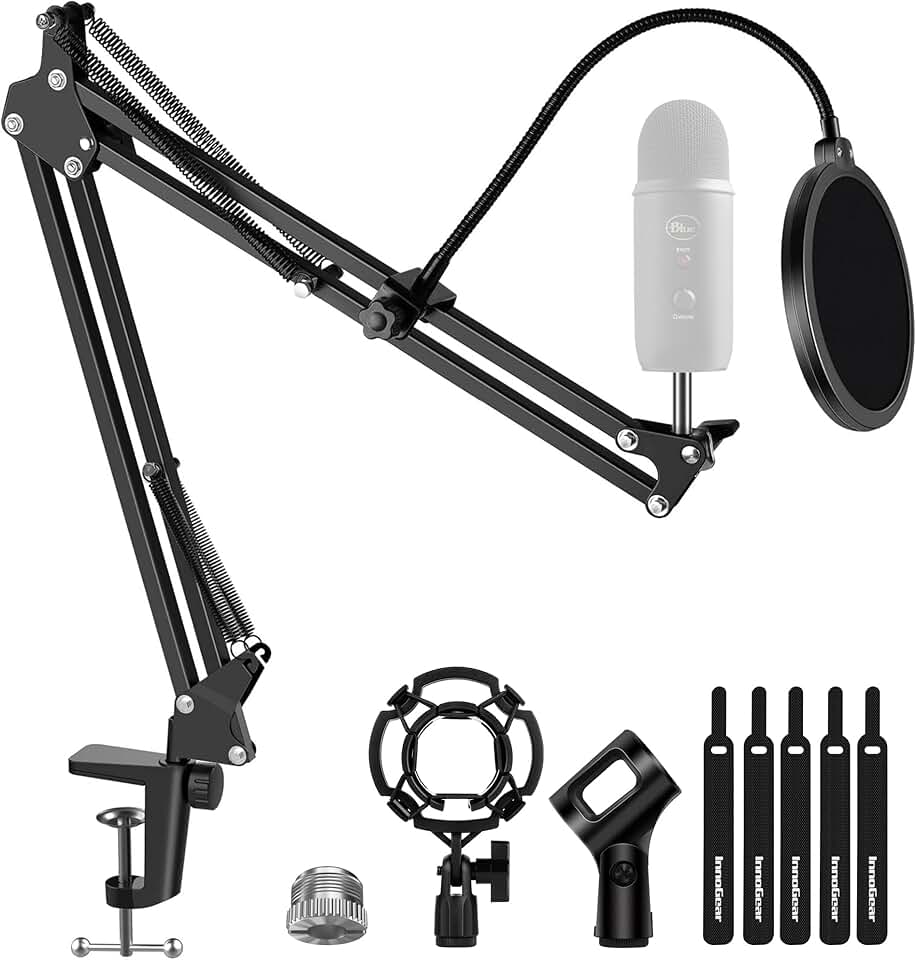
#6 · Best Boom Arm for HyperX Streaming Mics4.5 (10,796)
InnoGear Microphone Stand Mic Boom Arm for Blue Yeti HyperX QuadCast S SoloCast Snowball Fifine K669B and other Mic, with Shock Mount Windscreen Pop Filter Mic Clip Holder Cable Ties, Large
$24.29
This InnoGear boom arm is the accessory that elevates your HyperX streaming gear setup. It frees desk space, positions your mic at mouth level, and includes a shock mount and windscreen. If you're tired of mic stands taking up real estate, this is the upgrade that pays off immediately.
Pros
- + Universal compatibility works with HyperX QuadCast, SoloCast, and other major streaming mics via standard 5/8-inch adapter
- + Heavy-duty construction with spring-loaded arm holds mics steady without drooping over hours of streaming
- + Shock mount and windscreen included reduce vibration and wind noise without extra purchases
- + Saves desk space by mounting the mic on a swing arm instead of a bulky stand
- + 4.5-star rating from 10,000+ reviews confirms reliability across different microphone weights
Cons
- − Requires desk clamp installation, which may damage desk finish if not protected
- − Spring tension can weaken over months of heavy use, requiring occasional adjustment
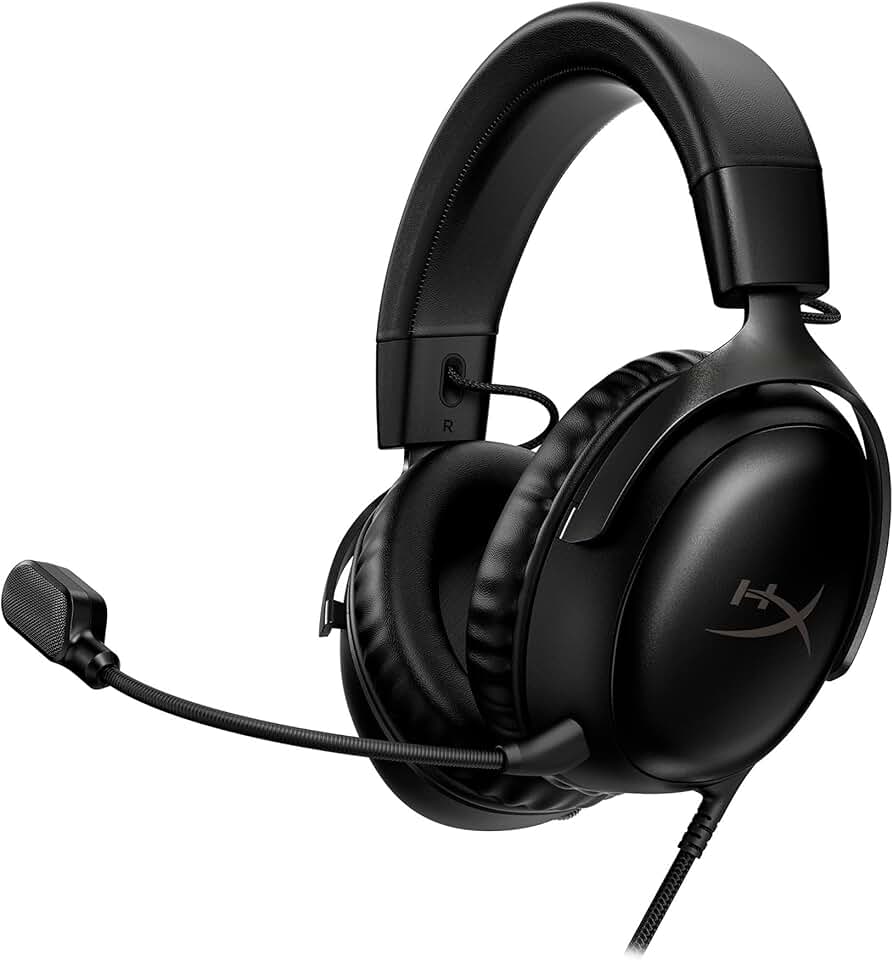
#7 · Best HyperX Headset for Streaming4.4 (10,531)
HyperX Cloud III – Wired Gaming Headset, PC, PS5, Xbox Series X|S, Angled 53mm Drivers, DTS Spatial Audio, Memory Foam, Durable Frame, Ultra-Clear 10mm Mic, USB-C, USB-A, 3.5mm – Black
$64.99
The Cloud III is the wired headset for streamers who need zero latency and clear monitoring. 53mm drivers and DTS Spatial Audio keep your game audio and stream chat crisp, while the wired connection guarantees no wireless interference. If competitive gaming and streaming overlap in your workflow, this headset delivers.
Pros
- + 53mm drivers deliver clear voice comms and spatial audio for monitoring stream chat and game audio simultaneously
- + DTS Spatial Audio creates directional sound cues, critical for competitive gaming during streams
- + Wired connection eliminates latency—no wireless lag when you need split-second reaction time
- + Works with PC, PS5, and Xbox Series X|S, so one headset covers your entire streaming ecosystem
- + Memory foam ear cups stay comfortable during 8-hour streaming marathons
Cons
- − Wired design limits movement—you're tethered to your setup, which can be restrictive if you stream from different rooms
- − No wireless option if you prefer mobility between desk and console
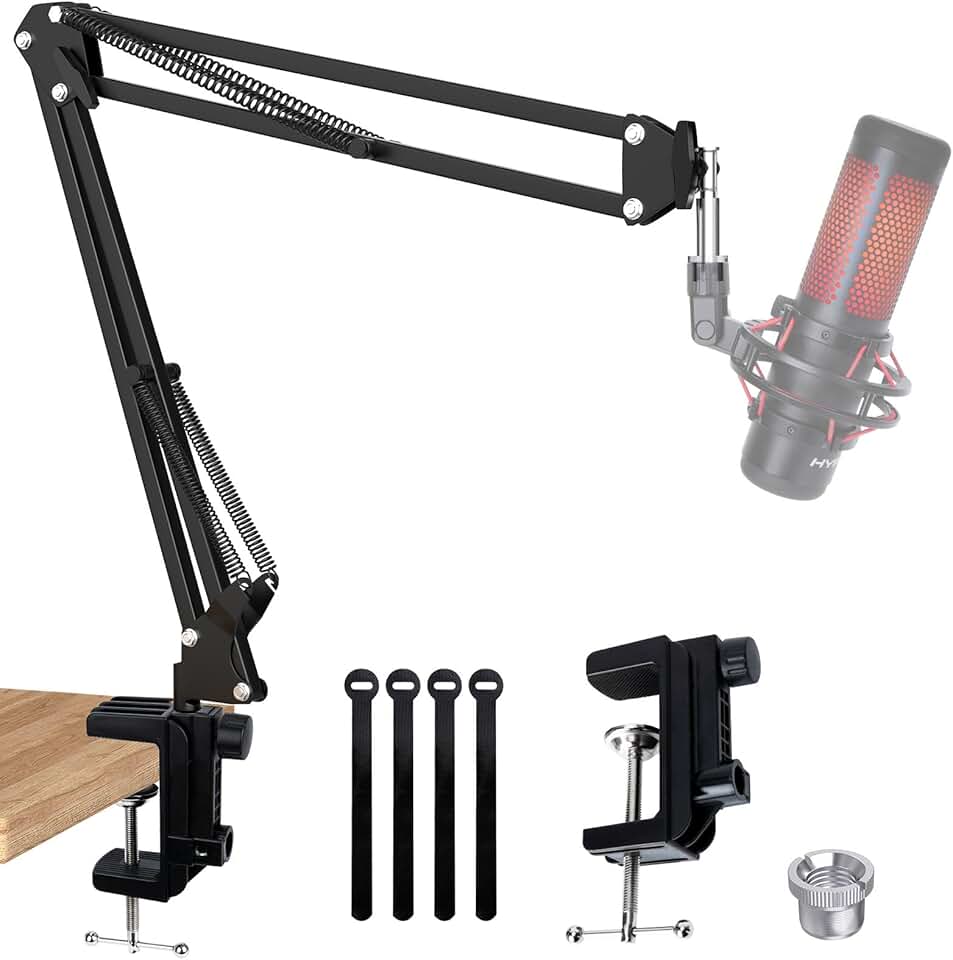
#8 · Best Budget Boom Arm for HyperX Mics4.4 (5,170)
QuadCast Boom Arm, Mic Arm for Blue Yeti HyperX QuadCast SoloCast Fifine AM8 and Most Microphone, Mic Stand Desk with 3/8" to 5/8" Adapter by SUNMON
$16.99
This QuadCast boom arm is the budget-friendly way to improve your HyperX streaming gear positioning. It won't replace a premium arm, but for under $17, it gets your mic to mouth level and frees desk space. Pair it with a separate shock mount if vibration is an issue.
Pros
- + Universal 3/8-inch to 5/8-inch adapter fits HyperX QuadCast, SoloCast, and most streaming mics
- + Lightweight but stable construction holds mics at the right angle without drooping
- + Budget price under $17 makes upgrading your mic positioning affordable
- + Desk clamp design frees up floor space compared to traditional tripod stands
- + 4.4-star rating from 5,000+ reviews shows consistent performance for the price
Cons
- − No shock mount or windscreen included—you'll need to buy those separately
- − Lighter-duty construction than premium boom arms may need adjustment after weeks of use

#9 · Best Compact HyperX Streaming Microphone4.6 (1,653)
HyperX DuoCast – RGB USB Condenser Microphone for PC, PS5, PS4, Mac, Low-profile Shock Mount, Cardioid, Omnidirectional, Pop Filter, Gain Control, Gaming, Streaming, Podcasts, Twitch, YouTube, Discord
$99.99
The DuoCast is HyperX streaming gear designed for creators with tight desk space. Its compact size and low-profile shock mount fit small setups without sacrificing RGB lighting or dual polar patterns. If your streaming space is cramped, this is the mic that doesn't compromise on features.
Pros
- + Low-profile shock mount sits flush on desks, ideal for streamers with limited space or minimalist setups
- + Dual polar patterns (cardioid and omnidirectional) switch between solo streams and interviews without buying a second mic
- + RGB lighting adds visual appeal without the bulk of larger condenser mics
- + Pop filter and gain control included reduce setup friction and plosives
- + Compact footprint works in tight streaming spaces where larger QuadCast models won't fit
Cons
- − Omnidirectional mode picks up more room noise than pure cardioid, requiring better acoustic treatment
- − Only two polar patterns compared to four on QuadCast models limits flexibility for complex streaming formats
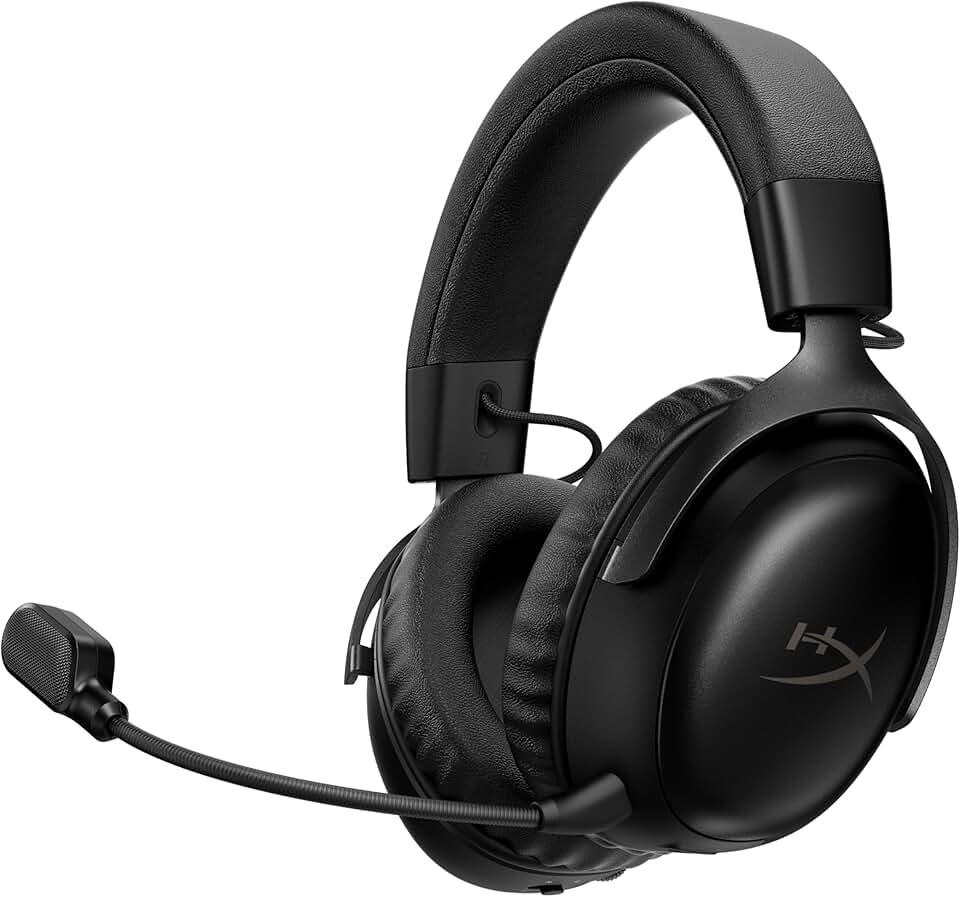
#10 · Best Wireless HyperX Headset for Streaming4.4 (1,397)
HyperX Cloud III S – Wireless Gaming Headset for Multi-Platform, 2.4GHz, Bluetooth, Battery Life up to 120 Hours 2.4GHz / 200 Hours Bluetooth, 53mm Angled Drivers, Detachable Mic – Black
$149.99
The Cloud III S is the wireless flagship of HyperX streaming gear. Dual connectivity, 120-hour battery, and 53mm drivers make it perfect for streamers who bounce between PC, console, and mobile. If you value freedom of movement and multi-platform flexibility, the wireless investment pays off.
Pros
- + Dual connectivity via 2.4GHz wireless and Bluetooth lets you switch between PC gaming and mobile chat without unplugging
- + 120-hour battery life on 2.4GHz means weeks of streaming without recharging
- + 53mm drivers and DTS Spatial Audio deliver clear game audio and stream monitoring simultaneously
- + Works with PC, PS5, Xbox Series X|S, and mobile—one headset covers your entire streaming ecosystem
- + Memory foam ear cups stay comfortable during extended streaming sessions
Cons
- − Wireless adds latency compared to wired headsets—noticeable if you play competitive shooters during streams
- − Higher price reflects wireless premium; budget streamers may prefer the wired Cloud III
Frequently asked questions
Frequently Asked Questions
Final word
The best HyperX streaming gear depends on your budget and streaming format. The QuadCast 2 is the all-around winner—tap-to-mute, four patterns, and RGB justify the $115 price for most streamers. Budget-conscious creators should grab the SoloCast, which delivers clean cardioid sound under $60. If you want wireless flexibility, the Cloud III S headset pairs perfectly with any HyperX mic. Don't skip accessories: a boom arm and shock mount transform your setup's sound and ergonomics. HyperX streaming gear has earned trust from thousands of creators because it balances quality, reliability, and price. Start with a mic that matches your format, add a headset for monitoring, and upgrade your accessories as you grow. Your audience will hear the difference.
More hyperx gear
More HyperX guides
See all 4 HyperX gear guides across 4 categories.
Browse HyperX gear →More streaming gear guides
Best Blue Streaming Gear in 2026
Find the best Blue streaming gear for 2026. Expert picks for mics, stands, and audio gear for Twitch, YouTube, and podcasting.
Budget Streaming Gear of 2026
Affordable streaming gear 2026: ring lights, mics, webcams & more. Build a pro setup on a budget.
Best Elgato Streaming Gear in 2026
Top Elgato streaming gear for creators: Stream Deck, microphones, capture cards & more. Expert picks for every budget.
Best Logitech Streaming Gear in 2026
Find the best Logitech streaming gear for creators. Mics, webcams, lights, and cameras tested and ranked.
Best Streaming Gear of 2026: Top Picks for Every Budget
Discover the best streaming gear of 2026. Expert roundup of microphones, webcams, lights, and controllers for every budget.
Premium Streaming Gear of 2026
Best premium streaming gear 2026: microphones, webcams, ring lights & controllers for pro-quality streams.