Best Streaming Gear for Emulation

Updated 2026-04-23 · 10 picks tested

This post contains affiliate links. We may earn a commission at no extra cost to you when you buy through our links. This helps us keep GamePlays running.

Streaming retro games and emulation content requires more than just good gameplay—you need gear that handles multiple audio sources, captures clean video, and gives you control over your broadcast without fumbling through menus. Whether you're streaming NES, SNES, N64, or modern console emulation, the right streaming gear for emulation transforms your setup from amateur to professional.

We've tested and ranked the best streaming gear for emulation creators, focusing on audio mixers that handle voice chat and game audio separately, capture cards that preserve video quality, and controllers that let you trigger scenes and effects mid-stream. This guide covers everything from budget-friendly options under $50 to premium all-in-one solutions that replace your entire control surface.

If you're serious about growing your emulation streaming audience, investing in dedicated streaming gear pays off immediately—better audio quality, smoother scene transitions, and professional-looking broadcasts that keep viewers engaged.

Buyer's guide

When shopping for streaming gear for emulation, start with your bottleneck: audio or video. Most emulation streams fail on audio quality first—tinny microphone, game audio drowning out commentary, or no way to adjust levels live. An audio mixer solves this by giving you independent faders for your mic, game audio, and chat, so you can balance everything in real time without alt-tabbing.

For video capture, emulation streams often run through HDMI from your console or capture card. Look for capture cards that handle 1080p60 or 4K output without introducing lag, especially if you're streaming gameplay that requires precision timing. USB capture cards are plug-and-play; PCIe cards offer lower latency but require more setup.

Control surfaces matter more than you think. Streaming gear for emulation isn't just about capturing footage—it's about controlling your broadcast. Macro keyboards and stream decks let you trigger scene changes, mute audio, activate overlays, or launch alerts without breaking focus on gameplay. This is especially valuable during emulation streams where you're already juggling a controller.

Key specs to compare: XLR inputs (better mic compatibility), phantom power (required for condenser mics), headphone monitoring (crucial for catching audio issues), RGB customization (not essential but useful for branding), and macro key count. Avoid mixers with fixed routing or limited input channels—you'll outgrow them fast.

Budget roughly $50–$200 for a solid streaming gear setup. Under $50 gets you a basic mixer; $100–$150 adds a capture card or stream controller; $200+ buys you premium all-in-one solutions. Don't cheap out on your microphone separately—that's where viewers notice quality first.

The picks

Elgato Stream Deck +, Audio Mixer, Production Console and Studio Controller for Content Creators, Streaming, Gaming, with customizable touch strip dials and LCD keys, works with Mac and PC
#1 · Best Overall for Emulation Streaming4.6 (4,235)

Elgato Stream Deck +, Audio Mixer, Production Console and Studio Controller for Content Creators, Streaming, Gaming, with customizable touch strip dials and LCD keys, works with Mac and PC

$199.99

The Elgato Stream Deck + is the gold standard for emulation streamers who want centralized control. You get a hardware mixer, macro keyboard, and scene controller in one device, eliminating the need to juggle multiple tools during gameplay. If you're streaming retro content seriously, this pays for itself in production quality.

Pros

  • + Customizable touch strip and 15 macro buttons for scene control and alerts
  • + Built-in audio mixer with independent faders for mic, game, and chat channels
  • + Seamless OBS/Streamlabs integration with one-touch scene switching
  • + Professional build quality with Elgato ecosystem compatibility

Cons

  • Premium price at $199.99 limits budget-conscious creators
  • Steep learning curve for macro programming and custom actions
Check price on Amazon →
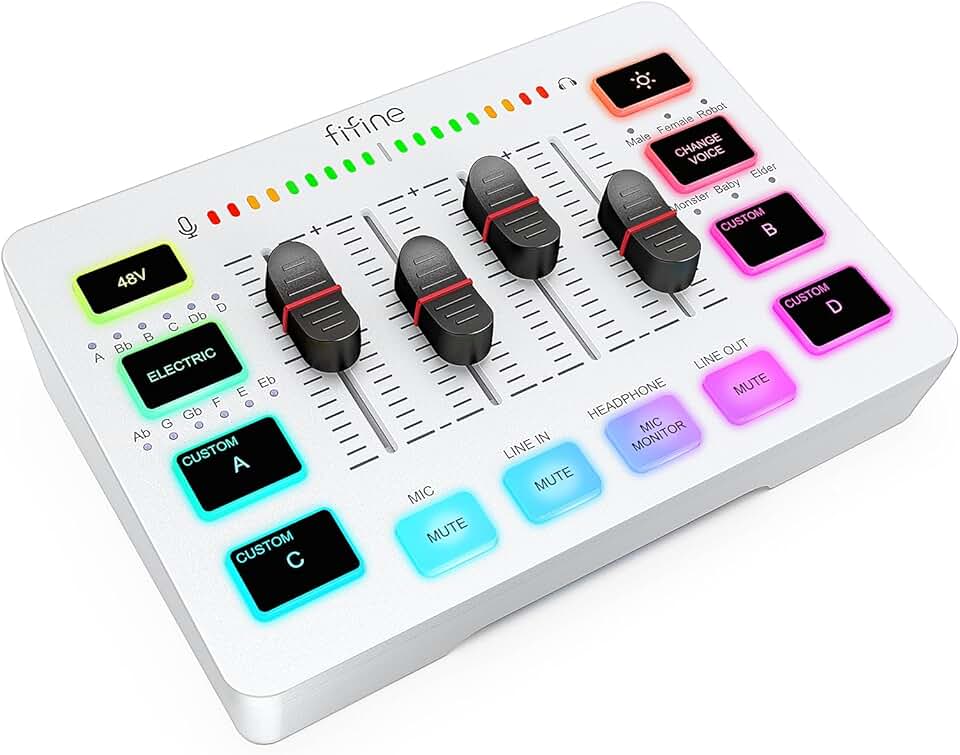
FIFINE Audio Mixer, Gaming Streaming PC Mixer with Slider Fader, XLR Microphone Interface, Monitoring, for Video/Game Voice/Podcast Recording-AmpliGame SC3W Global Recycled Standard
#2 · Best Budget Audio Mixer4.4 (4,350)

FIFINE Audio Mixer, Gaming Streaming PC Mixer with Slider Fader, XLR Microphone Interface, Monitoring, for Video/Game Voice/Podcast Recording-AmpliGame SC3W Global Recycled Standard

$41.59

At $41.59, the FIFINE Audio Mixer is the best entry point for emulation streamers who need clean audio without breaking the bank. The slider faders let you adjust levels on the fly, and the XLR input handles professional microphones. You'll outgrow it eventually, but it's perfect for your first streaming setup.

Pros

  • + Slider faders for precise audio level control without software tweaking
  • + XLR microphone input with built-in preamp for condenser mics
  • + USB plug-and-play with no driver installation required
  • + Compact footprint fits tight streaming desk setups

Cons

  • Limited to 2 main input channels, may require additional routing for complex setups
  • No phantom power—you'll need a separate power supply for condenser mics
Check price on Amazon →
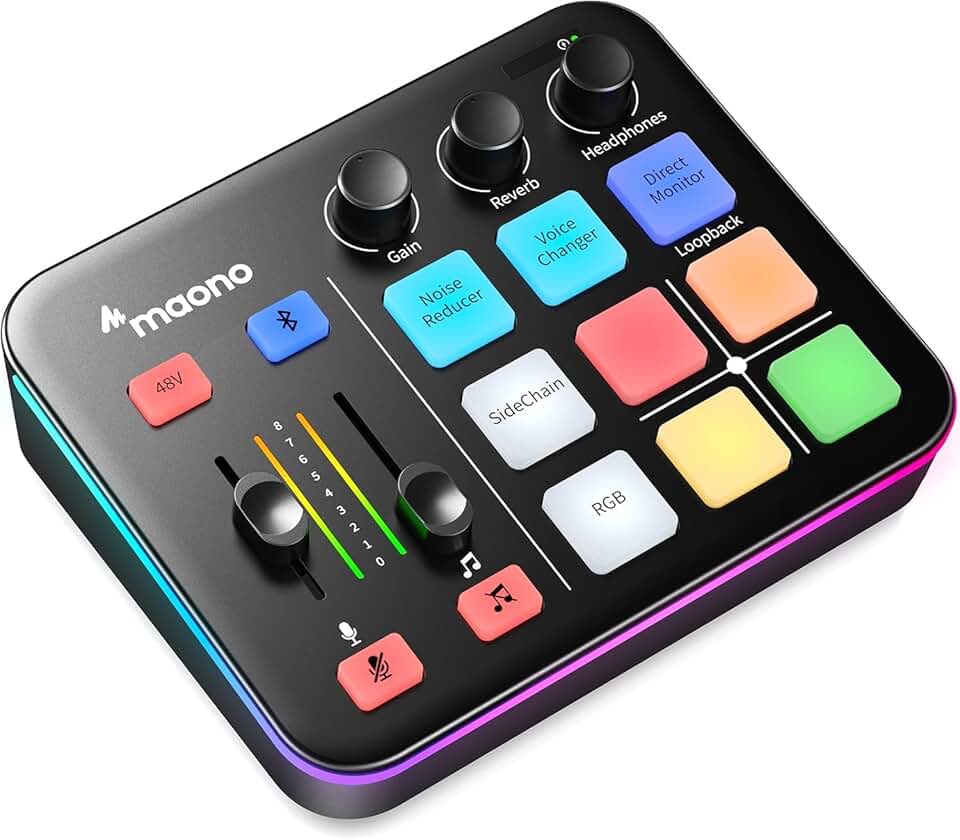
MAONO Gaming Audio Mixer, Audio Interface with Pro-preamp, RGB, Bluetooth, 48V Phantom Power for Live Streaming, Podcasting, Content Create, Gaming MaonoCaster G1 NEO (Not for USB Mic)
#3 · Best Audio Mixer with Phantom Power4.3 (1,078)

MAONO Gaming Audio Mixer, Audio Interface with Pro-preamp, RGB, Bluetooth, 48V Phantom Power for Live Streaming, Podcasting, Content Create, Gaming MaonoCaster G1 NEO (Not for USB Mic)

$44.99

The MAONO Gaming Audio Mixer gives you professional audio features at a mid-range price ($44.99). The phantom power means you can upgrade to a quality condenser mic without replacing your mixer, and the preamp ensures clean signal even with longer XLR cable runs. Best for emulation streamers planning to invest in better gear later.

Pros

  • + Built-in 48V phantom power supports high-end condenser microphones
  • + Pro-grade preamp with clean signal path for broadcast-quality audio
  • + RGB lighting customizable to match your stream aesthetic
  • + Bluetooth connectivity for wireless audio input from secondary devices

Cons

  • Steeper learning curve than simpler mixers due to advanced features
  • RGB customization adds cost but isn't essential for streaming quality
Check price on Amazon →
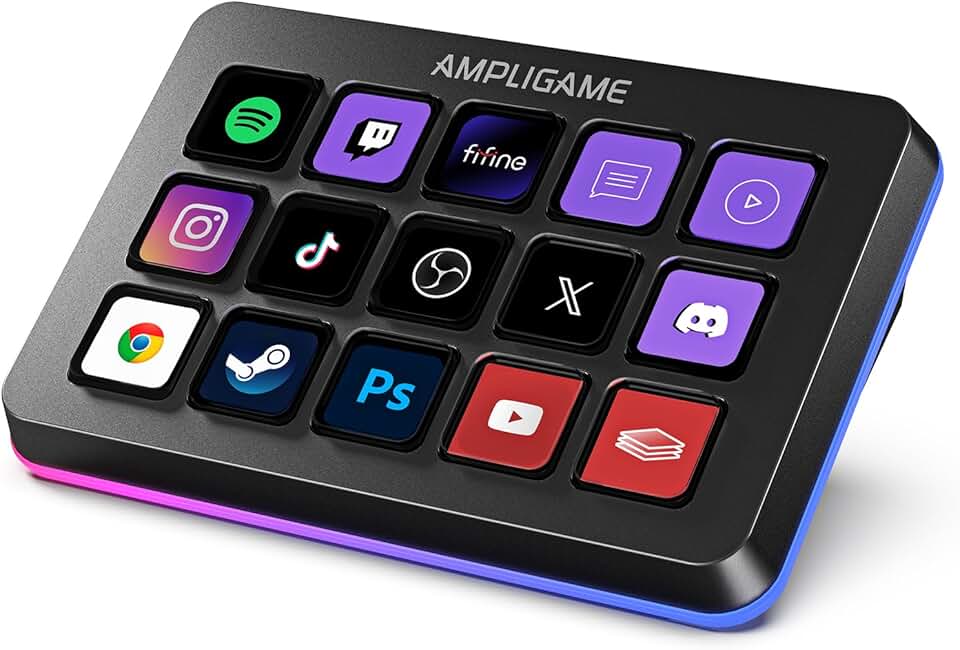
FIFINE AmpliGame Stream Controller with 15 Macro Keys, Streaming Keyboard with Trigger Actions in OBS/Twitch/YouTube/Streamlabs, Shortcut Buttons Keypad Works with Mac and PC-D6 Global Recycled Standard
#4 · Best Macro Controller for Scene Switching4.4 (609)

FIFINE AmpliGame Stream Controller with 15 Macro Keys, Streaming Keyboard with Trigger Actions in OBS/Twitch/YouTube/Streamlabs, Shortcut Buttons Keypad Works with Mac and PC-D6 Global Recycled Standard

$64.99

The FIFINE AmpliGame Stream Controller ($64.99) is your dedicated scene control tool. Those 15 macro buttons let you trigger overlays, switch between emulation systems, activate alerts, or mute audio without touching your keyboard. Essential if you're juggling multiple emulators or want to look polished during stream transitions.

Pros

  • + 15 programmable macro keys for scene triggers, alerts, and custom actions
  • + Direct OBS/Twitch/YouTube/Streamlabs integration without software middleman
  • + Compact keyboard layout keeps your desk organized during gameplay
  • + Customizable key mapping per game or stream segment

Cons

  • Requires initial setup time to program macros for your emulation streams
  • No audio mixing capability—must pair with a separate mixer
Check price on Amazon →
Fifine Gaming Mixer for Voice Chat and Streaming- 7.1ch Surround Sound Headphone Amp-XLR Preamp-USB Plug & Play-Voice Changer-RGB-Volume Control-3 EQ Modes Ampligame SC8 Global Recycled Standard
#5 · Best for Voice Chat and Game Audio Balance4.4 (194)

Fifine Gaming Mixer for Voice Chat and Streaming- 7.1ch Surround Sound Headphone Amp-XLR Preamp-USB Plug & Play-Voice Changer-RGB-Volume Control-3 EQ Modes Ampligame SC8 Global Recycled Standard

$55.49

The FIFINE Gaming Mixer ($55.49) excels at separating voice from game audio—crucial when streaming emulation where you're commentating over classic game sounds. The 7.1 headphone amp helps you catch audio balance issues in real time, preventing viewer complaints about muted commentary or blaring game audio.

Pros

  • + 7.1 surround sound headphone amp for accurate audio monitoring during gameplay
  • + Separate voice chat and game audio faders for independent control
  • + XLR preamp and USB plug-and-play flexibility
  • + Voice changer and RGB effects for personality in your stream

Cons

  • Surround sound features overkill for emulation streaming (most retro games are mono or stereo)
  • Smaller user base means fewer community tutorials for troubleshooting
Check price on Amazon →
Elgato Stream Deck + XLR - Audio Mixer & Controller, Rear XLR-to-USB Mic Interface, Compatible with any Mic for Podcasting, Streaming, Content Creators, dials and LCD keys, PC/Mac
#6 · Best Premium All-in-One Solution4.3 (217)

Elgato Stream Deck + XLR - Audio Mixer & Controller, Rear XLR-to-USB Mic Interface, Compatible with any Mic for Podcasting, Streaming, Content Creators, dials and LCD keys, PC/Mac

$458.00

The Elgato Stream Deck + XLR is the ultimate streaming gear for emulation creators who demand everything in one box. You get macro control, audio mixing, and a professional mic interface without cluttering your desk. The investment makes sense if you're streaming 20+ hours weekly or managing multiple content channels.

Pros

  • + Rear XLR-to-USB interface replaces separate audio interface purchases
  • + Stream Deck + features plus dedicated audio mixing in single device
  • + Broadcast-grade audio quality with professional preamp
  • + Works with any XLR microphone for maximum flexibility

Cons

  • Premium price ($458) justified only for serious streamers or multi-platform content creators
  • Overkill for streamers who only need basic mixing and scene control
Check price on Amazon →
Fifine AmpliGame Gaming Capture Card USB 4K HDMI, 1080P Audio Video Capture Card for OBS Streaming with RGB, HDMI in/Out Compatible for Switch/XBOX/PS5/Computer-V3 White Global Recycled Standard
#7 · Best Capture Card for Console Emulation4.1 (249)

Fifine AmpliGame Gaming Capture Card USB 4K HDMI, 1080P Audio Video Capture Card for OBS Streaming with RGB, HDMI in/Out Compatible for Switch/XBOX/PS5/Computer-V3 White Global Recycled Standard

$46.74

The FIFINE AmpliGame Gaming Capture Card ($46.74) handles video capture for emulation systems connected via HDMI—consoles, capture devices, or modern emulation boxes. The HDMI loop-through lets you monitor gameplay on a second screen without lag, essential for catching technical issues mid-stream.

Pros

  • + 4K HDMI capture with 1080p60 fallback for stable streaming on slower connections
  • + USB plug-and-play compatibility with OBS and Streamlabs
  • + RGB lighting syncs with your stream setup aesthetic
  • + HDMI in/out loop supports monitoring on secondary display during gameplay

Cons

  • Lower review count (249) suggests limited real-world testing by streamers
  • 4K capture overkill for retro emulation content (most emulators output 1080p or lower)
Check price on Amazon →
IXTECH Gaming Audio Mixer 4 Channel Soundboard, Streaming RGB PC Audio Interface with XLR Microphone Support, Audio Equalizer for Gaming Podcast Streaming Karaoke, Individual Volume Controls (Black)
#8 · Best Compact 4-Channel Mixer4.1 (83)

IXTECH Gaming Audio Mixer 4 Channel Soundboard, Streaming RGB PC Audio Interface with XLR Microphone Support, Audio Equalizer for Gaming Podcast Streaming Karaoke, Individual Volume Controls (Black)

$44.90

The IXTECH Gaming Audio Mixer ($44.90) gives you true multi-channel control at a bargain price. The 4 channels let you separate mic, game audio, Discord chat, and music independently, giving you granular control over your emulation stream's audio mix. Best for streamers who want more channels than budget mixers but don't need premium features.

Pros

  • + 4 independent channels support mic, game audio, chat, and secondary input simultaneously
  • + XLR microphone support with audio equalizer for tone shaping
  • + RGB soundboard aesthetic matches modern gaming setups
  • + Compact form factor fits small streaming desks

Cons

  • Smallest user base (83 reviews) means limited community support and tutorials
  • 4-channel limit may require creative routing if you add more audio sources later
Check price on Amazon →
FIFINE Audio Mixer, Gaming Streaming PC Mixer with Slider Fader, XLR Microphone Interface, Monitoring, for Video/Game Voice/Podcast Recording-AmpliGame SC3W Global Recycled Standard
#9 · Best for Podcast-Style Emulation Commentary4.4 (4,350)

FIFINE Audio Mixer, Gaming Streaming PC Mixer with Slider Fader, XLR Microphone Interface, Monitoring, for Video/Game Voice/Podcast Recording-AmpliGame SC3W Global Recycled Standard

$41.59

If your emulation streams lean heavily on commentary and analysis, the FIFINE Audio Mixer's slider faders let you adjust levels without looking away from gameplay. The XLR preamp ensures your voice sounds broadcast-ready, making this ideal for streamers who treat their show like a podcast with game footage.

Pros

  • + Slider faders provide tactile, precise audio adjustment during live commentary
  • + XLR preamp quality suits streamers recording high-quality voiceover segments
  • + Silent operation—no fan noise interrupting retro game audio
  • + Durable construction handles daily streaming use

Cons

  • Lacks phantom power, limiting microphone upgrade paths
  • No monitoring headphone output for real-time audio checking
Check price on Amazon →
MAONO Gaming Audio Mixer, Audio Interface with Pro-preamp, RGB, Bluetooth, 48V Phantom Power for Live Streaming, Podcasting, Content Create, Gaming MaonoCaster G1 NEO (Not for USB Mic)
#10 · Best Mixer for Long-Session Streaming4.3 (1,078)

MAONO Gaming Audio Mixer, Audio Interface with Pro-preamp, RGB, Bluetooth, 48V Phantom Power for Live Streaming, Podcasting, Content Create, Gaming MaonoCaster G1 NEO (Not for USB Mic)

$44.99

The MAONO Gaming Audio Mixer shines during long streaming sessions where you're managing multiple audio sources. The Bluetooth input lets you add background music or secondary audio without running extra cables, and the phantom power means your microphone investment is protected for years of streaming emulation content.

Pros

  • + Bluetooth connectivity lets you add wireless audio sources (music, secondary chat) without cables
  • + RGB customization helps you stay energized during marathon emulation streams
  • + Phantom power future-proofs your setup for microphone upgrades
  • + Reliable 4.3★ rating from 1,078 reviews shows proven durability

Cons

  • Bluetooth adds latency—not suitable for real-time voice chat mixing
  • More features mean more buttons to learn and configure
Check price on Amazon →

Frequently Asked Questions

Final word

The best streaming gear for emulation depends on your priorities: audio quality, video capture, or broadcast control. If you're just starting, grab the FIFINE Audio Mixer ($41.59) and upgrade to a macro controller later. If you want everything now, the Elgato Stream Deck + ($199.99) covers audio, mixing, and scene control in one device.

Most emulation streamers benefit most from a solid audio mixer first—that's where viewers judge your professionalism. Pair it with a macro controller or capture card based on your specific setup, and you'll have professional-grade streaming gear for emulation without overspending. Test your setup before going live, and don't hesitate to swap gear if it's not working for your workflow.

More streaming gear guides